On the screen for entering the diagnostic mode:
● Components are interlocked for protection. Therefore, buttons for enabling or disabling
certain components may be gray, indicating that operations on the components are not
allowed.
● To ensure system security, a component may not promptly respond to operations
performed on this screen.
● To exit the diagnostic mode, tap
on the status bar.
● The system automatically exits the diagnostic mode when it reaches the maximum
diagnostic mode duration.
Step 2 Set the speed of Indoor fan to 50%.
If the input speed is less than the minimum rotational speed, the indoor fan runs
at the minimum rotational speed.
Step 3 Check that the indoor fan works properly and no alarm is generated.
Step 4 Choose Maint > Diagnostic > Exit or tap to exit the diagnosis mode.
----End
12.3.16 How Do I Query the Setting of a Parameter Before
Change?
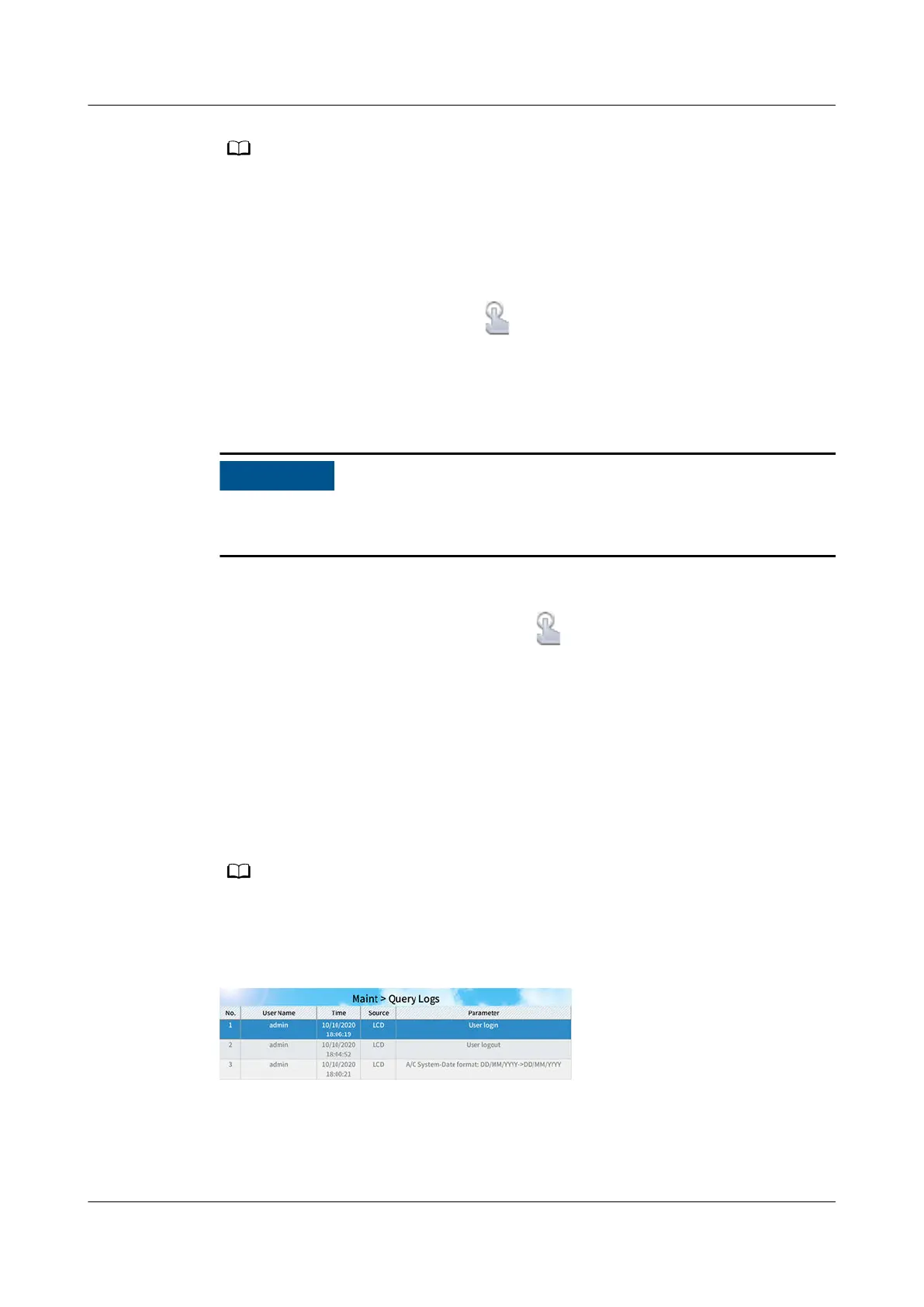
On the home screen, choose Maint > Query Logs to query the setting of a
parameter before change. The value before -> is the setting before change, and
the value after -> is the setting after change.
The log query screen displays logs of LCD user operations, including user login and setting
change records.
Figure 12-20 Query Logs
12.4 WebUI Operations
NetCol8000-A(045, 055, 060, 090, 120) In-room Air
Cooled Smart Cooling Product
User Manual 12 FAQ
Issue 05 (2020-10-10) Copyright © Huawei Technologies Co., Ltd. 300







 To Next Page