Ensure that the key le has been encrypted using AES128.
Procedure
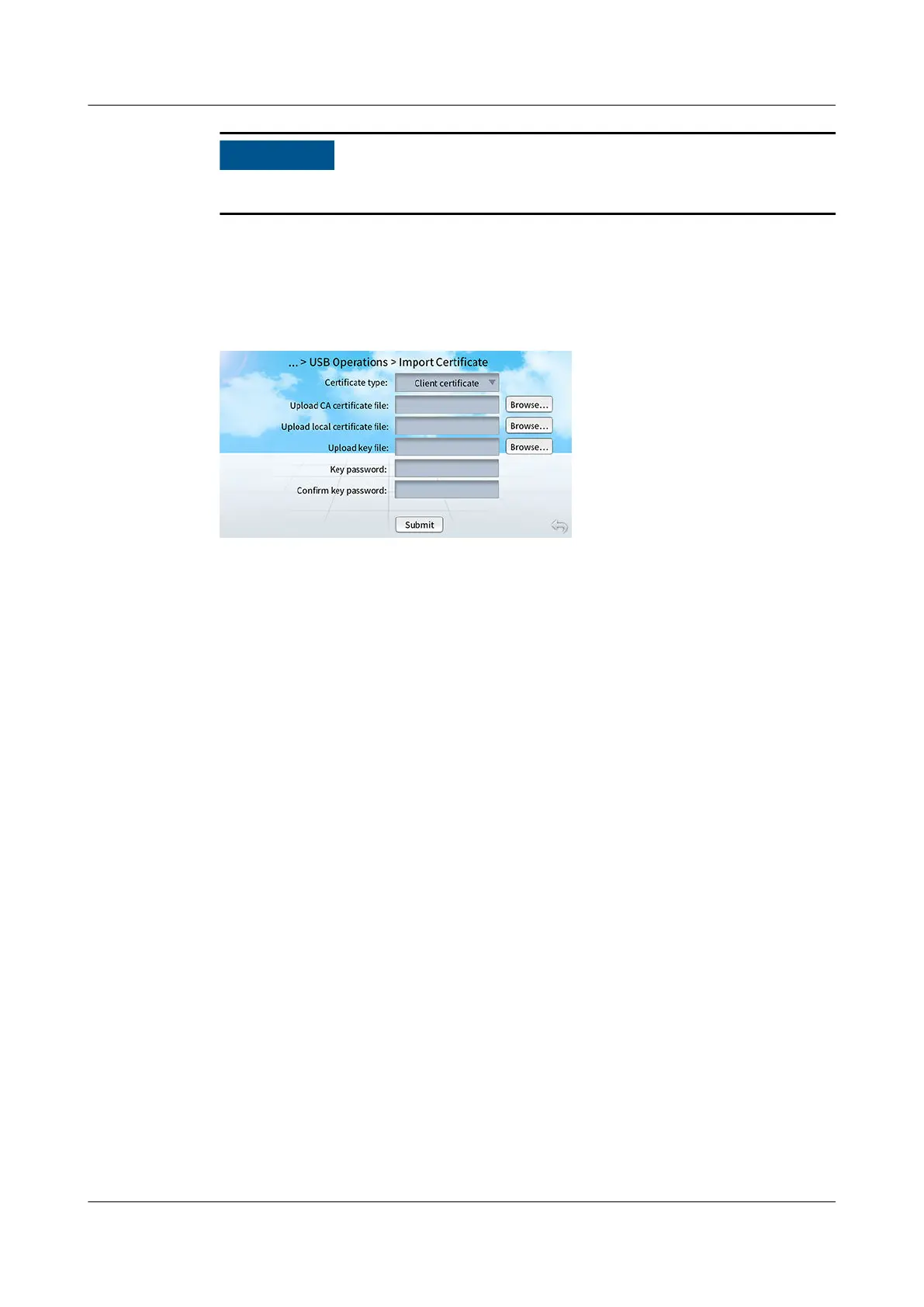
Step 1 On the home screen, choose Maint > USB Operations > Import Certicate.
Figure 12-10 Importing a security certicate
Step 2 Select Client certicate or Server certicate based on the type of the certicate
in use.
Step 3 Tap Browse next to Upload CA
certicate le.
Step 4 Select the CA certicate le to be uploaded.
Step 5 Upload the local certicate le and key le in turn in the same way.
Step 6 Enter Key password and Conrm key password.
Step 7 Tap Submit.
● If
les are imported successfully, a success message will be displayed.
● If les fail to be imported, a message indicating the cause for failure will be
displayed. Rectify the fault according to the message and import les again.
----End
12.3 Display Module Screen Operations
12.3.1 How Do I Set LAN Parameters?
If the teamwork networking mode is FE networking, set the LAN parameters
based on the actual situation.
Procedure
Step 1 On the home screen, choose Settings > Comm Settings > LAN IP Settings, and
set LAN IP assigning mode to Manual. Set LAN IP address, LAN subnet mask,
and LAN gateway based on the actual plan.
NetCol8000-A(045, 055, 060, 090, 120) In-room Air
Cooled Smart Cooling Product
User Manual 12 FAQ
Issue 05 (2020-10-10) Copyright © Huawei Technologies Co., Ltd. 291







 To Next Page