Exercise caution because the device is still energized after it is shut down on the
screen of the display module.
Step 2 Open the front door and turn o the general switch. For a device that has two
power inputs, turn
o the active power switch QF1 and standby power switch
QF2.
Step 3 Remove the fan maintenance bae plate. After the electric heater cools to the
room temperature, cut
o the cable tie on the electric heater cable and disconnect
the interconnection terminal.
Step 4 Remove the two bolts that secure the electric heater support and take out the
support.
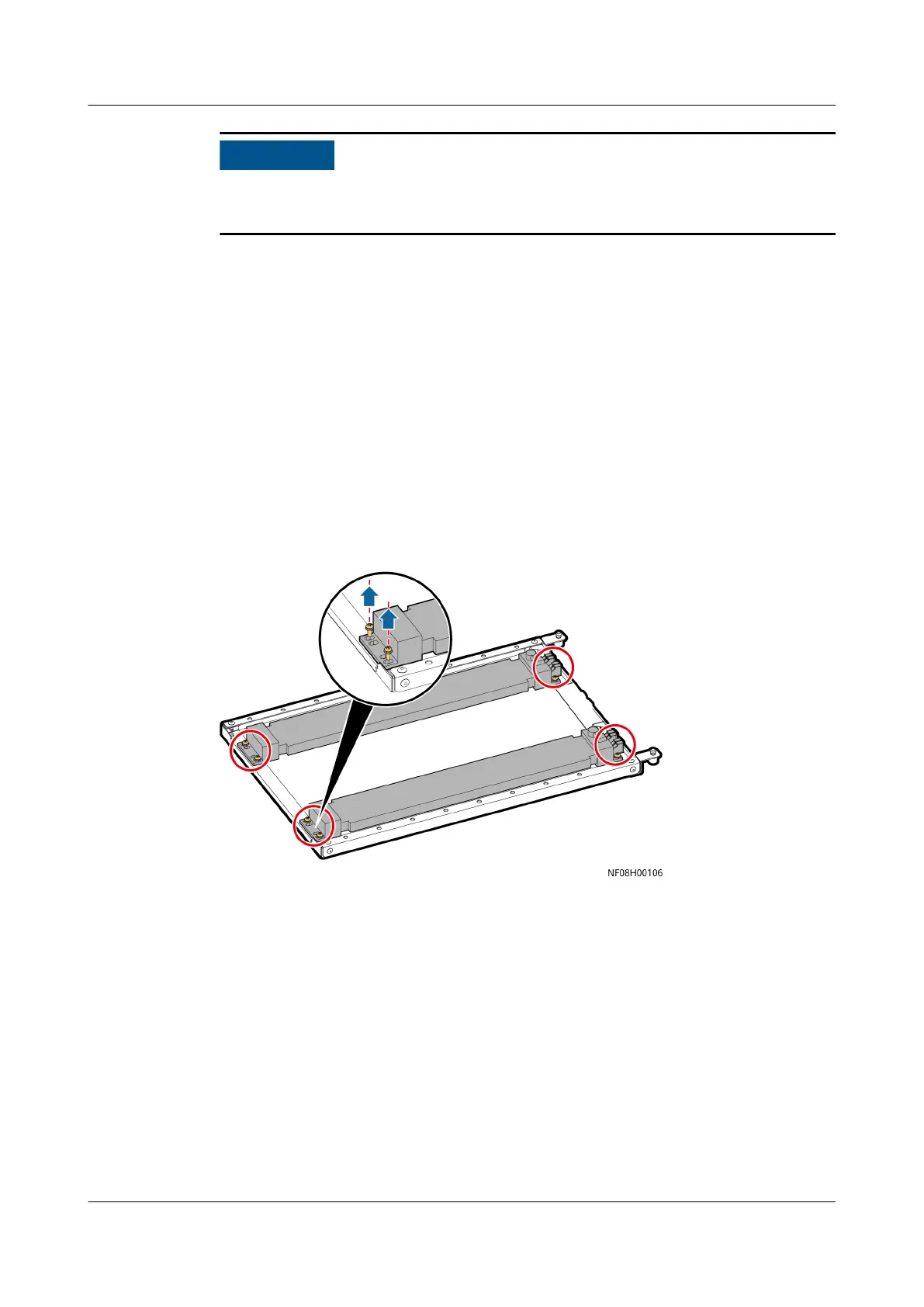
Step 5 Remove the four bolts from both ends of the electric heater and take out the
electric heater and its cable.
Figure 11-10 Electric heater position
Step 6 Install and secure the new electric heater by performing Step 5 to Step 3. Install
the fan maintenance bae and close the front door.
Step 7 Power on the device. Tap Start on the home screen, and choose Maint > Wizard
Startup. Then start the electric heater and check that the heater operates
properly. Check that it works properly before you exit.
Step 8 On the home screen, choose Maint > Performance Maint to enter the
Performance Maint screen and clear the runtime of the electric heater.
----End
11.7 Replacing a Compressor
NetCol8000-A(045, 055, 060, 090, 120) In-room Air
Cooled Smart Cooling Product
User Manual 11 Parts Replacement
Issue 05 (2020-10-10) Copyright © Huawei Technologies Co., Ltd. 266







 To Next Page