12.4.1 How Do I Manage WebUI Users?
Context
WebUI users are classied into administrator, engineer, and operator. They have
dierent operation rights.
● Administrator: This role has all rights, including the rights for user
management, browsing and modifying parameters, software upgrade, and
data import and export. The user name is admin and the password is
Changeme by default.
● Engineer: Compared with the administrator, only the user management
function is unavailable to this role. There is no default user name. If necessary,
add an engineer account.
● Operator: Compared with the administrator, this role has no rights for
network security
certication, Modbus, SNMP, software upgrade, and fault
information. There is no default user name. If necessary, add an operator
account.
Procedure
Step 1 Change the login password.
1. Log in to the WebUI as an administrator.
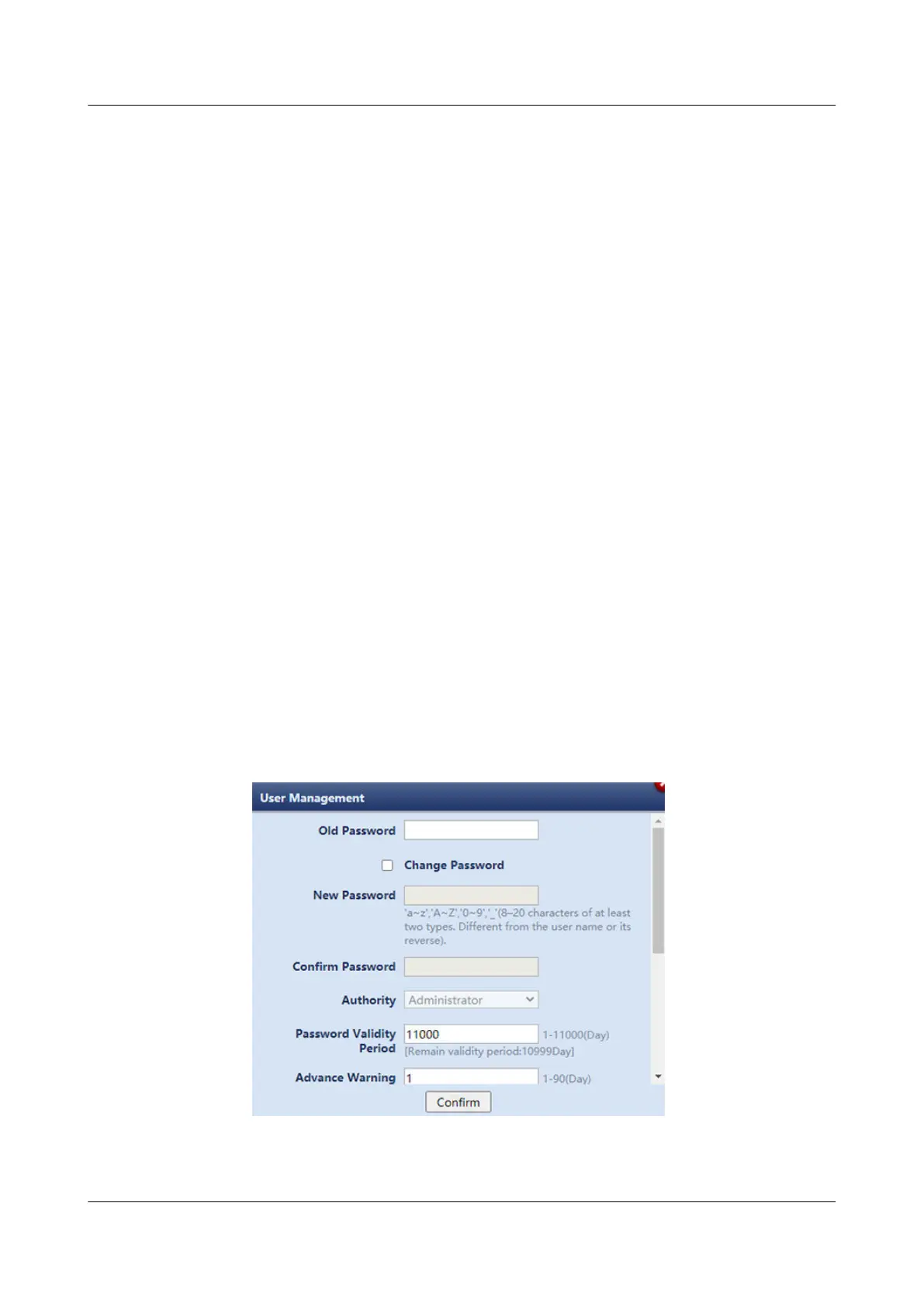
2. Choose Maintenance > User Management. The user management page is
displayed.
3. Choose the admin user and click Modify. Reset the login password on the
displayed page and click
Conrm.
Figure 12-21 Changing the login password
4. Enter Login password and click Submit.
NetCol8000-A(045, 055, 060, 090, 120) In-room Air
Cooled Smart Cooling Product
User Manual 12 FAQ
Issue 05 (2020-10-10) Copyright © Huawei Technologies Co., Ltd. 301







 To Next Page