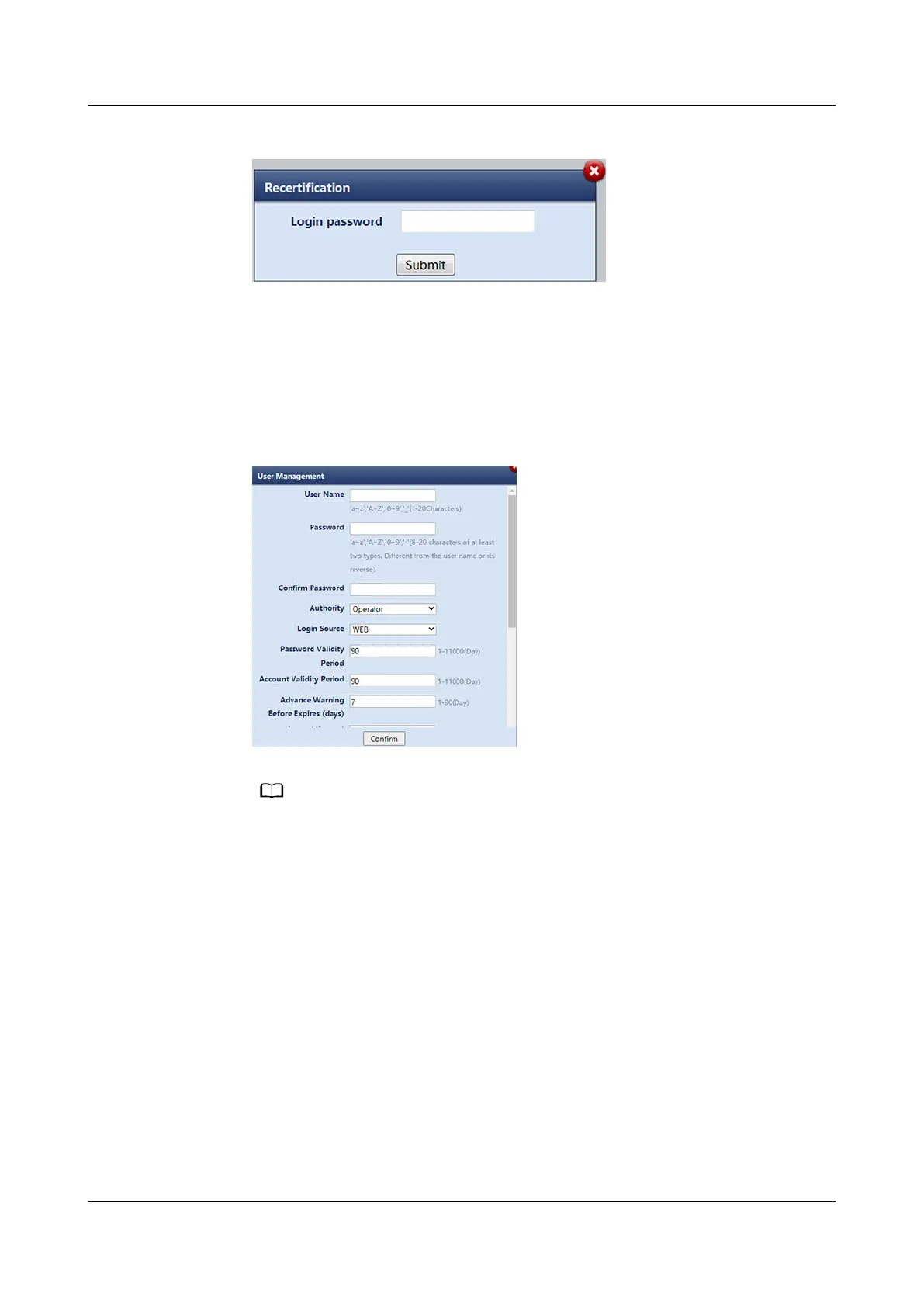
Figure 12-22 Recertication
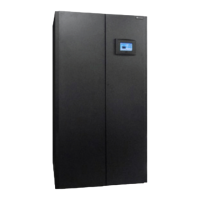
Step 2 Add a WebUI user.
1. Choose Maintenance > User Management. The user management page is
displayed.
2. Click Add.
3. Enter information about the new user and click
Conrm.
Figure 12-23 User Management
After Multi-factor Authentication is enabled and the notication mode is congured,
the following functions can be implemented:
– Retrieve the password if you forget it. On the login page, click Forgot password,
enter related information to obtain a verication code, and reset the login
password.
– A
verication code is used for login.
4. Enter Login password and click Submit.
NetCol8000-A(045, 055, 060, 090, 120) In-room Air
Cooled Smart Cooling Product
User Manual 12 FAQ
Issue 05 (2020-10-10) Copyright © Huawei Technologies Co., Ltd. 302



 To Next Page