– Change the password after your rst login.
– If a password with low complexity is set, the system will display a message
indicating that the password complexity is low and asking you to set a new one.
Examples of low complexity passwords: H#uawei123, Password and
openasadminAdmin23@#
– An account is logged out due to timeout if no operation is performed within 20
minutes after system login.
----End
7.2 Introduction to the WebUI
For data transmission security, the unit supports WebUI access through SSL.
WebUI Common Functions
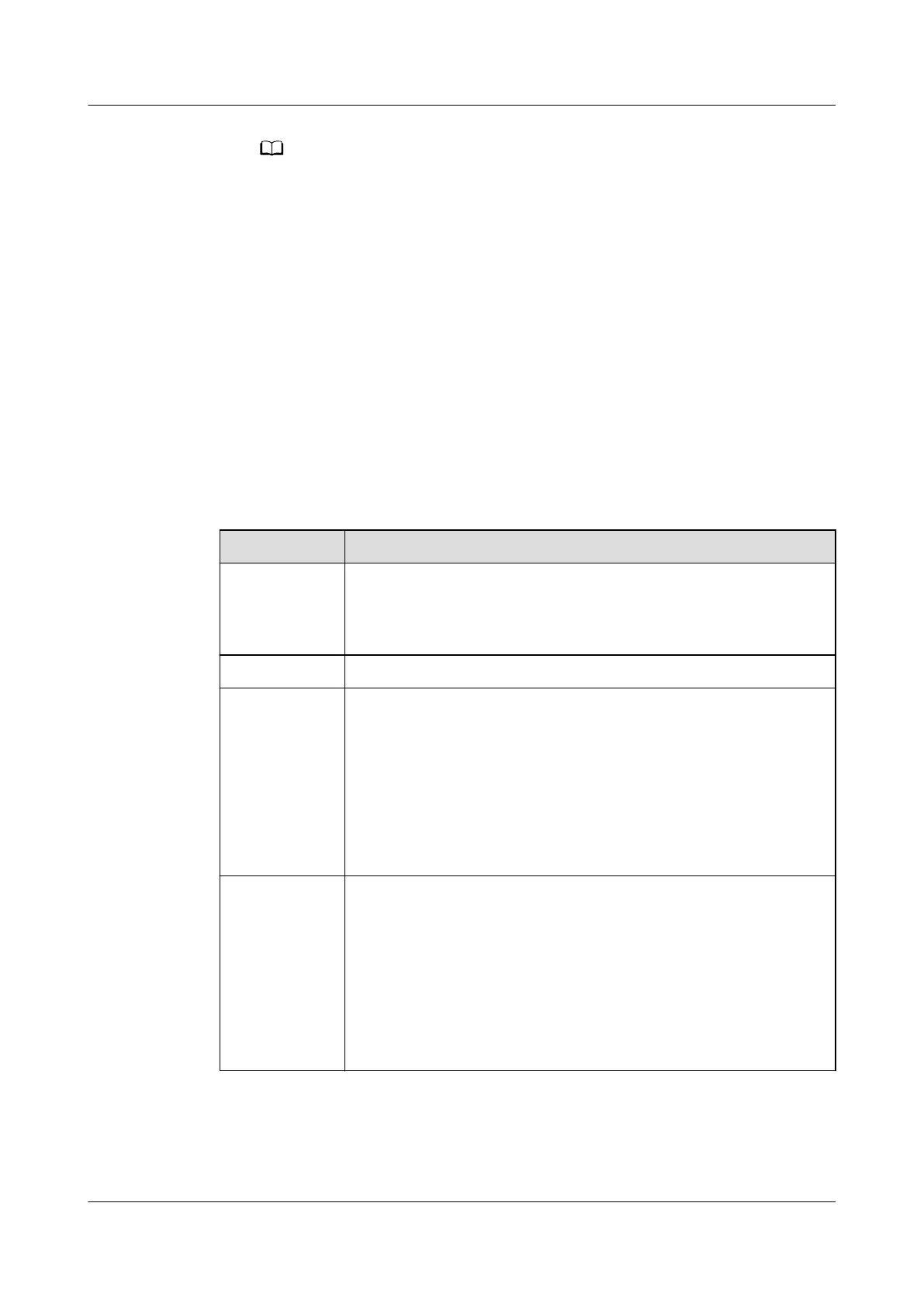
Table 7-1 WebUI common functions
Menu Function
Monitoring Monitor the running information of the unit in real time, set
running parameters, and control the running. For example, set
the temperature and humidity of the unit, enable the T/H
sensor, and set the fan control type.
Query Query historical alarms.
System
Settings
● Upload a network security certicate.
● Set the time zone, time, and date.
● Set the IP address.
● Set Modbus communications parameters.
● Set the SNMP network parameters.
●
Congure the outbox.
● Congure the IP address whitelist.
Maintenance ● The system and components of the unit can be upgraded
online.
● Query the version and e-labels.
● Query and export fault information.
● Manage users, such as adding, modifying, deleting, locking,
and unlocking users.
● Import and export
conguration les to congure the unit
quickly.
NetCol8000-A(045, 055, 060, 090, 120) In-room Air
Cooled Smart Cooling Product
User Manual 7 WebUI
Issue 05 (2020-10-10) Copyright © Huawei Technologies Co., Ltd. 207







 To Next Page