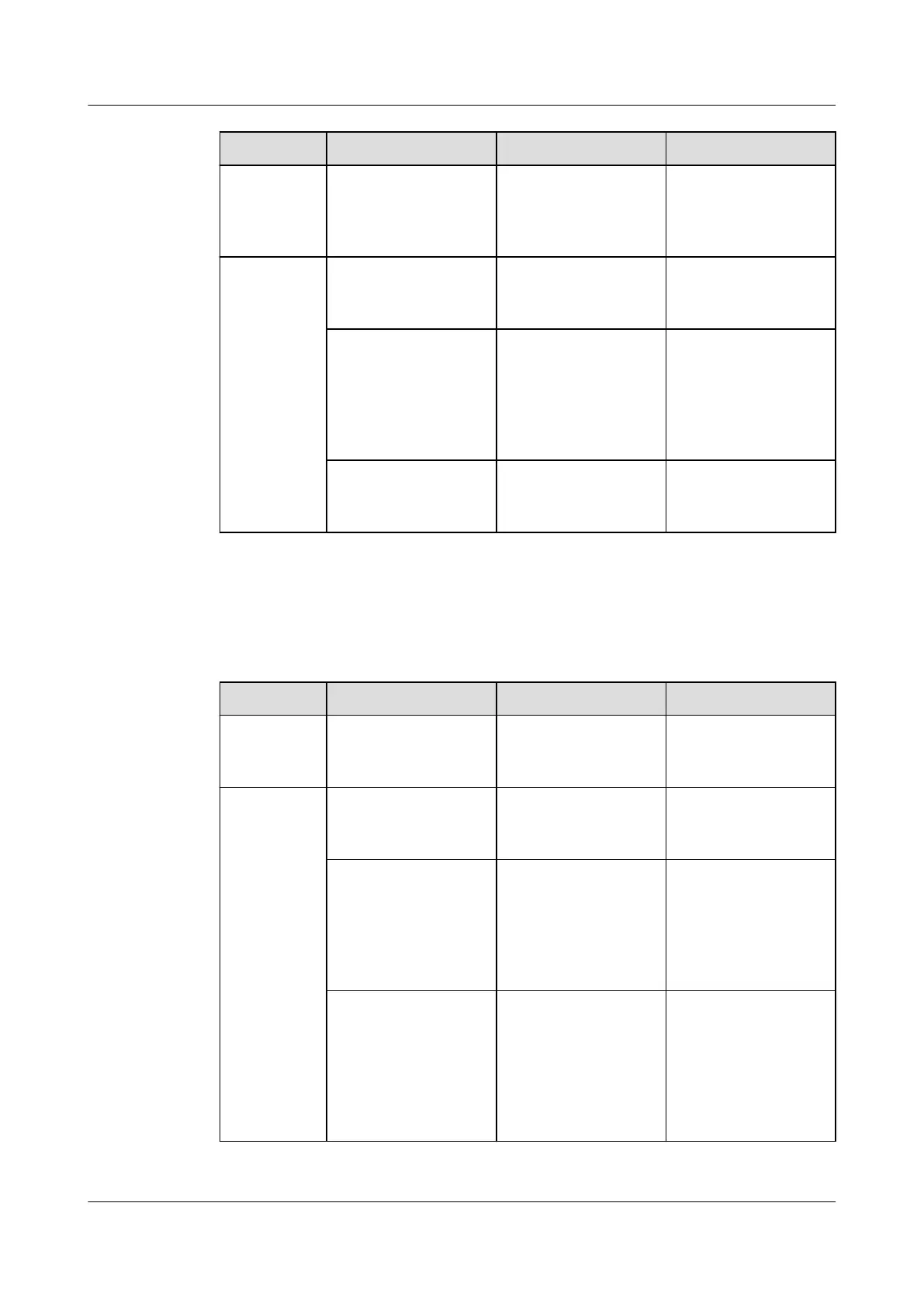
Item Check that Troubleshooting Remarks
The thermal
insulator on the
refrigerant pipe is
not damaged.
Rewrap the thermal
insulator.
Perform the
troubleshooting
with the power o.
Condenser The ns are not
pushed down.
Restore the ns by
using a wire brush.
Perform the
troubleshooting
with the power o.
The air intake
section of the
condenser and the
air exhaust section
of the fan are
unblocked.
Clean up obstacles
on the inlet and
outlet.
Perform the
troubleshooting
with the power o.
The ns are not
blocked.
Clean the ns. Perform the
troubleshooting
with the power o.
8.3.2 Semi-annual Maintenance
Table 8-6 Semi-annual maintenance items
Item
Check that Troubleshooting Remarks
Rack Ensure that the rack
is secured to the
ground.
Fasten the screws. Perform the
troubleshooting
with the power o.
Fans The fan connection
box is intact and
secured.
Secure the fan
connection box.
Check and perform
the troubleshooting
with the power o.
The net cover and
ow deecting ring
are independent of
each other and not
deformed or
damaged.
Maintain or replace
the net cover.
Perform the
troubleshooting
with the power o.
The fan runs
smoothly without
abnormal voice or
vibration, and the
blades rotate in the
direction as the
symbols show.
Replace the fan. Perform the
troubleshooting
with the power o.
NetCol8000-A(045, 055, 060, 090, 120) In-room Air
Cooled Smart Cooling Product
User Manual 8 Operation and Maintenance
Issue 05 (2020-10-10) Copyright © Huawei Technologies Co., Ltd. 213







 To Next Page