● If the pressure gauge reading is less than 0.2 MPa, pipes have leakage points,
and you need to contact Huawei technical support.
----End
4.5.2 Removing the Outdoor Unit Pallet
Context
● Wear protective gloves when unpacking the device.
● Choose railways, sea, or a road with good conditions during transportation. No
excessive tilt or jolt is allowed during transportation.
● Use a pallet truck to transport the cabinet secured to a wooden base to the
installation position. Insert the forks of the pallet truck in the middle position
to ensure balance.
● To prevent shocks or falls, move the cabinet gently.
● After placing the cabinet in the installation position, unpack it and take care to
prevent scratches. Keep the cabinet steady during unpacking.
Procedure
Step 1 Remove the packing materials such as the carton, stretch wrap, foam, condenser
protection cardboard, and plastic bags.
Step 2 Check the accessories against the accessory list.
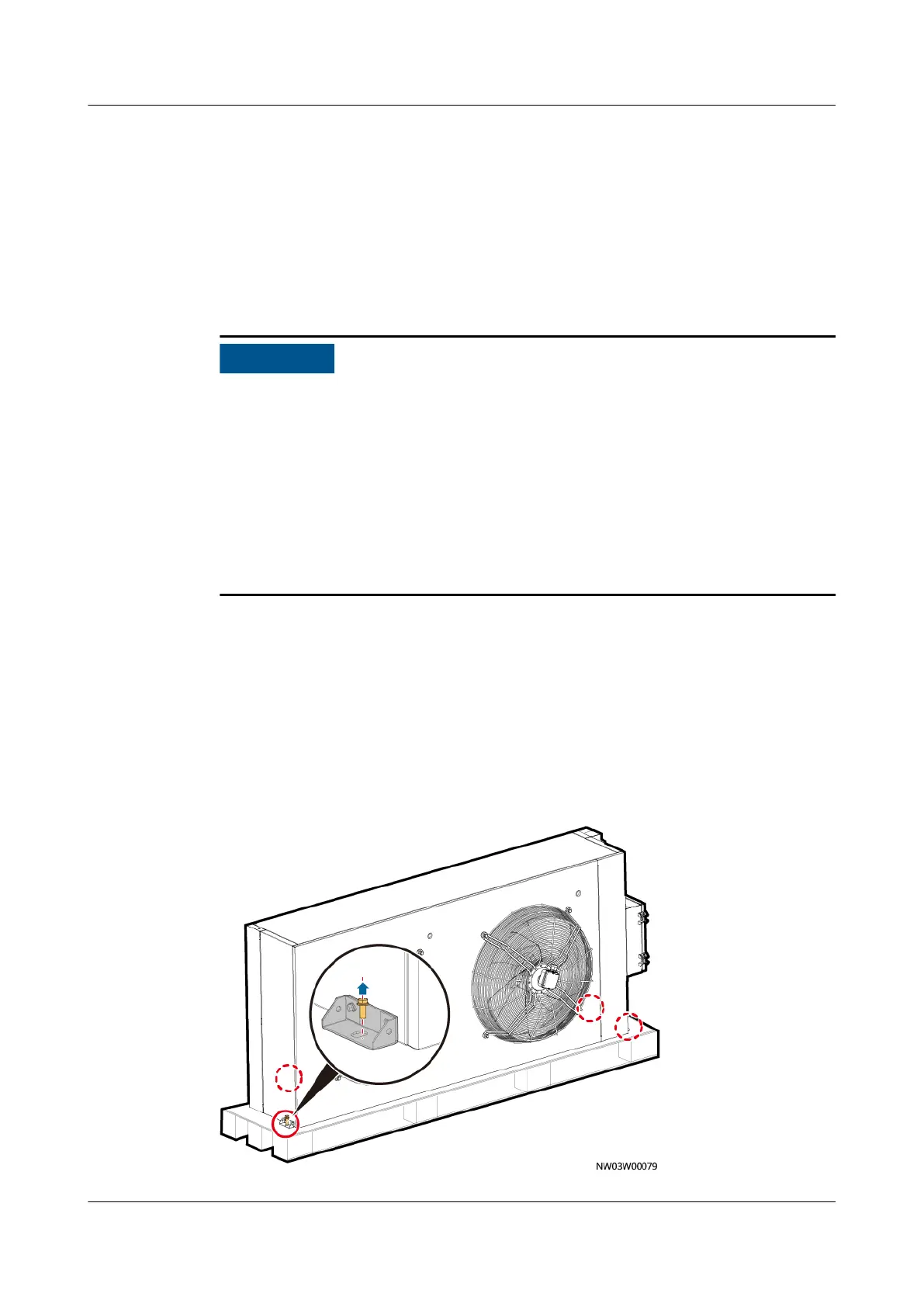
Step 3 Remove the bolts from the pallet and remove the outdoor unit from the pallet.
Figure 4-36 Removing the bolts connecting the bracket angles and the pallet (for
NetCol500-A080)
NetCol8000-A(045, 055, 060, 090, 120) In-room Air
Cooled Smart Cooling Product
User Manual 4 System Installation
Issue 05 (2020-10-10) Copyright © Huawei Technologies Co., Ltd. 82







 To Next Page