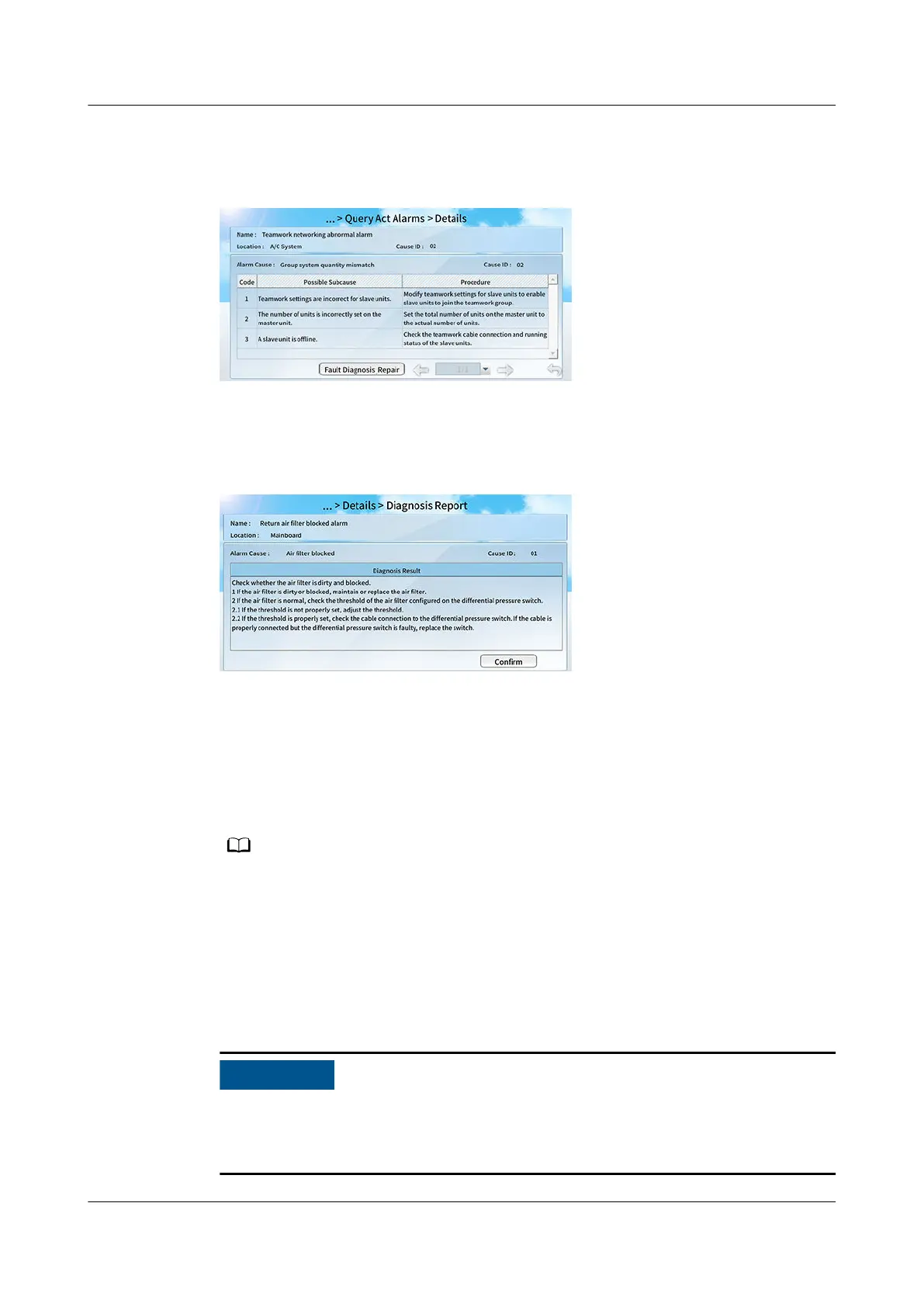
Step 2 You can tap an alarm to go to the Details screen of the alarm.
Figure 12-15 Alarm details
Step 3 Tap Fault Diagnosis_Repair to view the diagnosis report. Rectify the faults by
following instructions in the diagnosis report.
Figure 12-16 Diagnosis report
----End
Follow-up Procedure
To query historical alarms, choose Common Function > Query Hist Alarms on
the home screen or choose Alarms > Query Hist Alarms on the home screen.
Historical alarms are displayed in chronological order. The latest cleared alarm is displayed
in the uppermost row.
12.3.11 How Do I Clear Component Runtime?
Context
Performance value clearance can only be performed after component
maintenance. Otherwise, the component may run overtime and weaken the
performance of the unit.
NetCol8000-A(045, 055, 060, 090, 120) In-room Air
Cooled Smart Cooling Product
User Manual 12 FAQ
Issue 05 (2020-10-10) Copyright © Huawei Technologies Co., Ltd. 296







 To Next Page