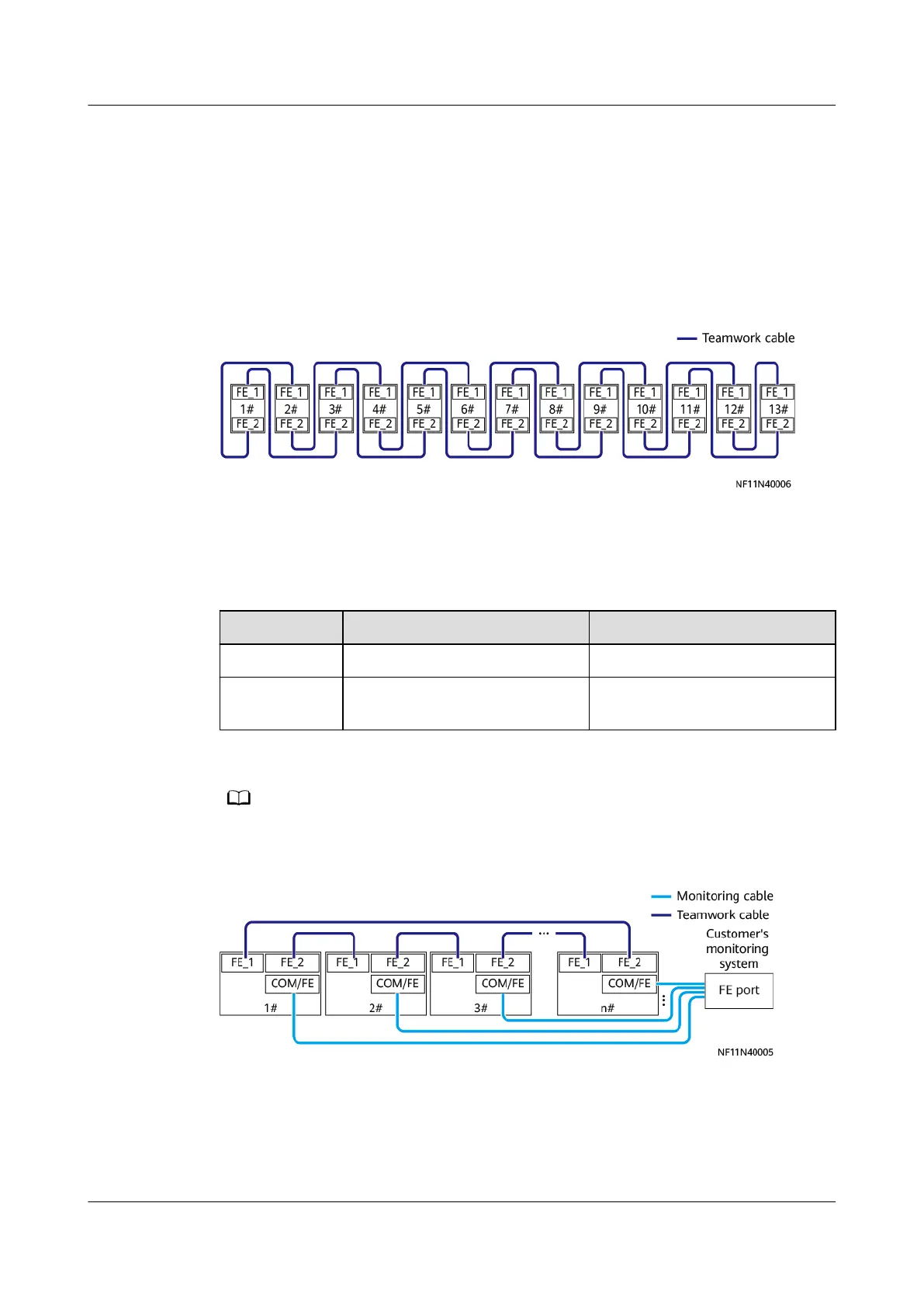
1. Connecting units with odd numbers: Connect the FE_1 port of the unit with
an odd number to the FE_2 port of the unit with the next odd number.
2. Connecting units with even numbers: Connect the FE_2 port of the unit with
an even number to the FE_1 port of the next unit with an even number.
3. Connect FE_2 of No. 1 unit and FE_1 of No. 2 unit, and connect the remaining
FE_1 and FE_2 of the last two units.
Figure 4-111 FE teamwork group-based ring networking (using 13 units as an
example)
----End
4.11.4.5 FE Teamwork + FE Monitoring
Step 1 Connect teamwork and monitoring communications cables.
Networking
FE Teamwork FE Monitoring
Protocol MAC_CAN Modbus-TCP/SNMP
Description A teamwork network supports
a maximum of 16 units.
-
Customers can purchase a switch and NetEco as the monitoring system.
Figure 4-112 Connecting communications cables
If the length of a network cable in the FE teamwork is greater than or equal to
100 m, use the group-based ring networking mode.
1. Connecting units with odd numbers: Connect the FE_1 port of the unit with
an odd number to the FE_2 port of the unit with the next odd number.
NetCol8000-A(045, 055, 060, 090, 120) In-room Air
Cooled Smart Cooling Product
User Manual 4 System Installation
Issue 05 (2020-10-10) Copyright © Huawei Technologies Co., Ltd. 143







 To Next Page