1. Check that the number of units in the topology is the same as the actual
number of units.
– If yes, go to 2.
– If no, check the cable connection and the teamwork settings.
2. Check that the number of running units in the topology is the same as the
actual number of units.
– If yes, go to 3.
– If no, check the cable connection and the teamwork settings.
3. Check that the number of standby units in the topology is the same as the
actual number of units.
– If yes, go to 4.
– If no, check the cable connection and the teamwork settings.
4. Check that the number of online units in the topology is the same as the
actual number of units.
– If yes, the check is complete.
– If no, check the cable connection and the teamwork settings.
6.5.4 Setting Communications Parameters
6.5.4.1 Setting Access Control Parameters
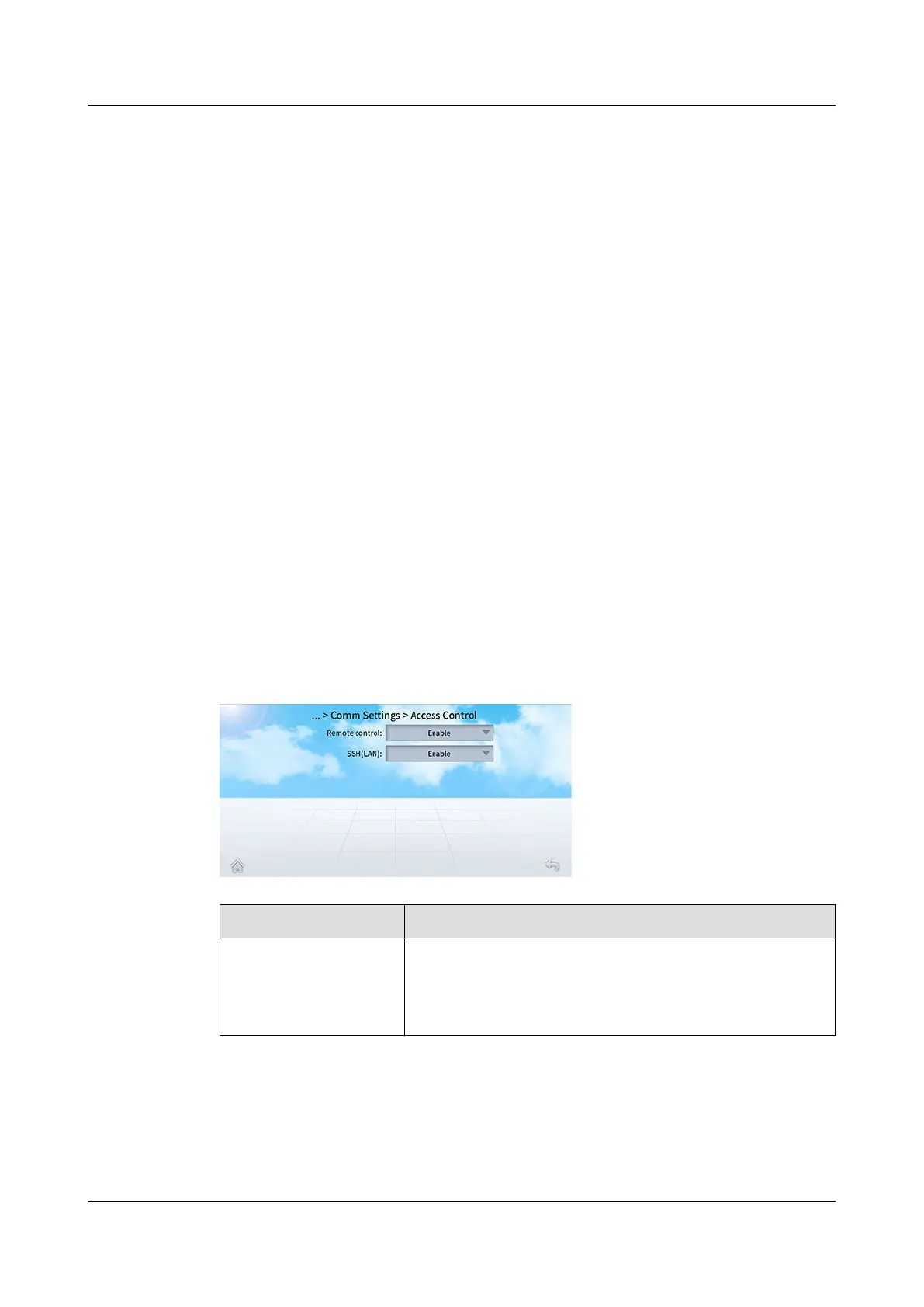
Step 1 On the home screen, choose Settings > Comm Settings > Access Control.
Figure 6-22 Access Control
Parameter
Description
Remote control ● Enable: Users can control the unit over their
monitoring system.
● Disable: Users cannot control the unit over their
monitoring system.
NetCol8000-A(045, 055, 060, 090, 120) In-room Air
Cooled Smart Cooling Product
User Manual 6 Power-On Commissioning
Issue 05 (2020-10-10) Copyright © Huawei Technologies Co., Ltd. 188







 To Next Page