● You are advised to use the FAT32 USB ash drive with a capacity less than or
equal to 256 GB. For a non-FAT32 USB ash drive, format it to the FAT32
format using a computer.
● Before using a USB ash drive, ensure that its data has been scanned by
antivirus software and is secure.
Procedure
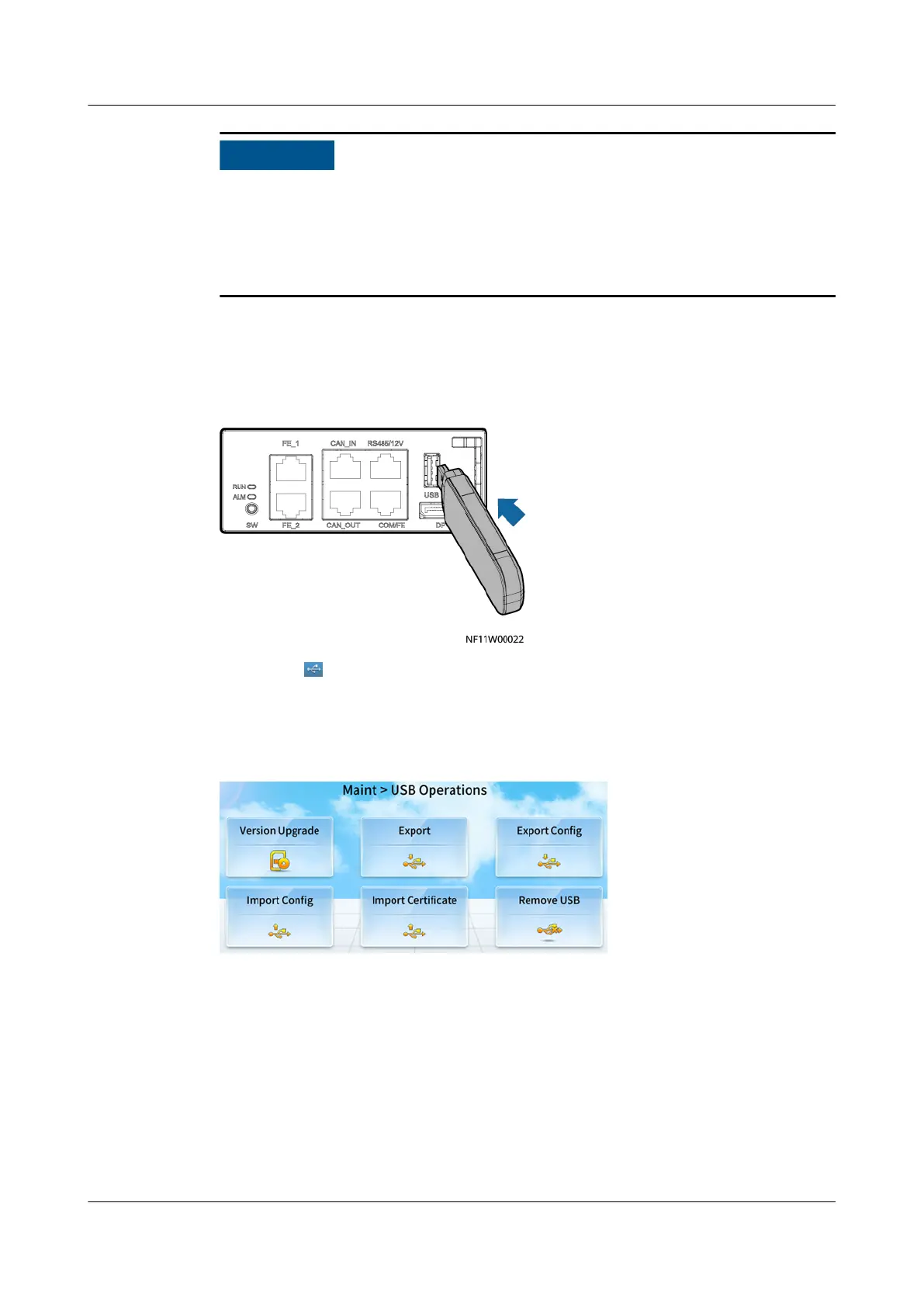
Step 1 Connect a USB ash drive.
Figure 12-4 Connecting to a USB ash drive
Step 2 Check that is displayed in the status bar of the home screen, indicating that the
USB ash drive is successfully identied.
Step 3 Select an operation in USB Operations and perform the operation as prompted.
Figure 12-5 USB Operations
Step 4 Tap Remove USB to remove the USB ash drive in safe mode.
Step 5 Remove the USB ash drive and set it aside.
----End
12.2.1 How Do I Export Data?
Context
One-click export allows you to export current alarms, historical alarms, and logs.
NetCol8000-A(045, 055, 060, 090, 120) In-room Air
Cooled Smart Cooling Product
User Manual 12 FAQ
Issue 05 (2020-10-10) Copyright © Huawei Technologies Co., Ltd. 288







 To Next Page