2. Install the replacement fan in the bracket:
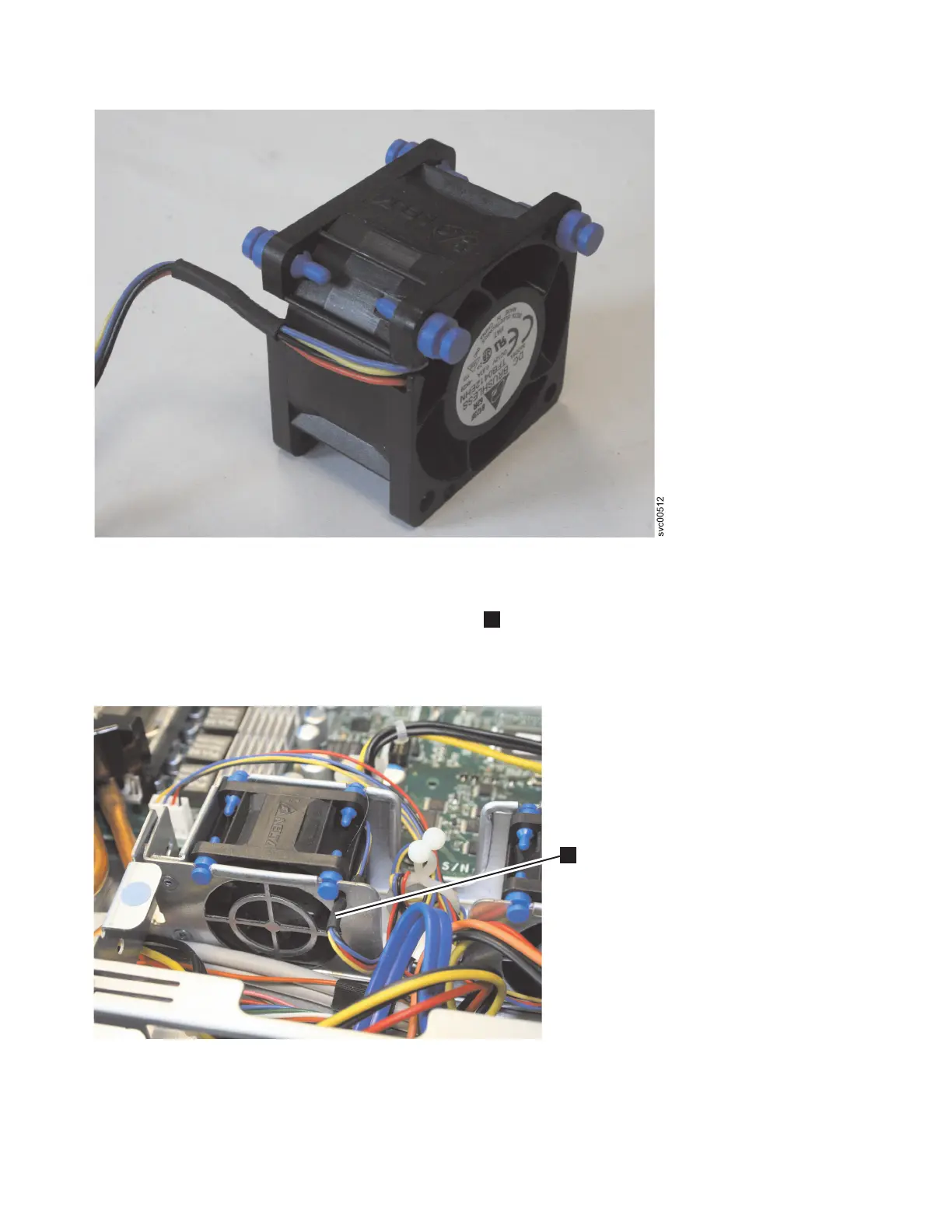
a. Make sure that the fan cable sits in the channel
1
, as shown in Figure 248, on the side of the fan.
b. Route the fan cable into its slot in the fan bracket top and then insert the fan into the bracket.
c. Make sure that each of the soft blue tabs on the fan is fully seated in its slot in the fan bracket.
d. Reconnect the fan cable to the system board, routing the cable in the same way as it was
originally.
3. Connect the cable of the replacement fan into the system-board connector.
Figure 247. A close up of the SAN Volume Controller 2145-8A4 fan
svc00490
1
Figure 248. Routing the SAN Volume Controller 2145-8A4 fan cable
248 IBM SAN Volume Controller Hardware Maintenance Guide


 To Next Page
 Loading...