EN
6 - USE AND OPERATION Master 80 UP HyperFlexible
6 - Pag. 6 / 6
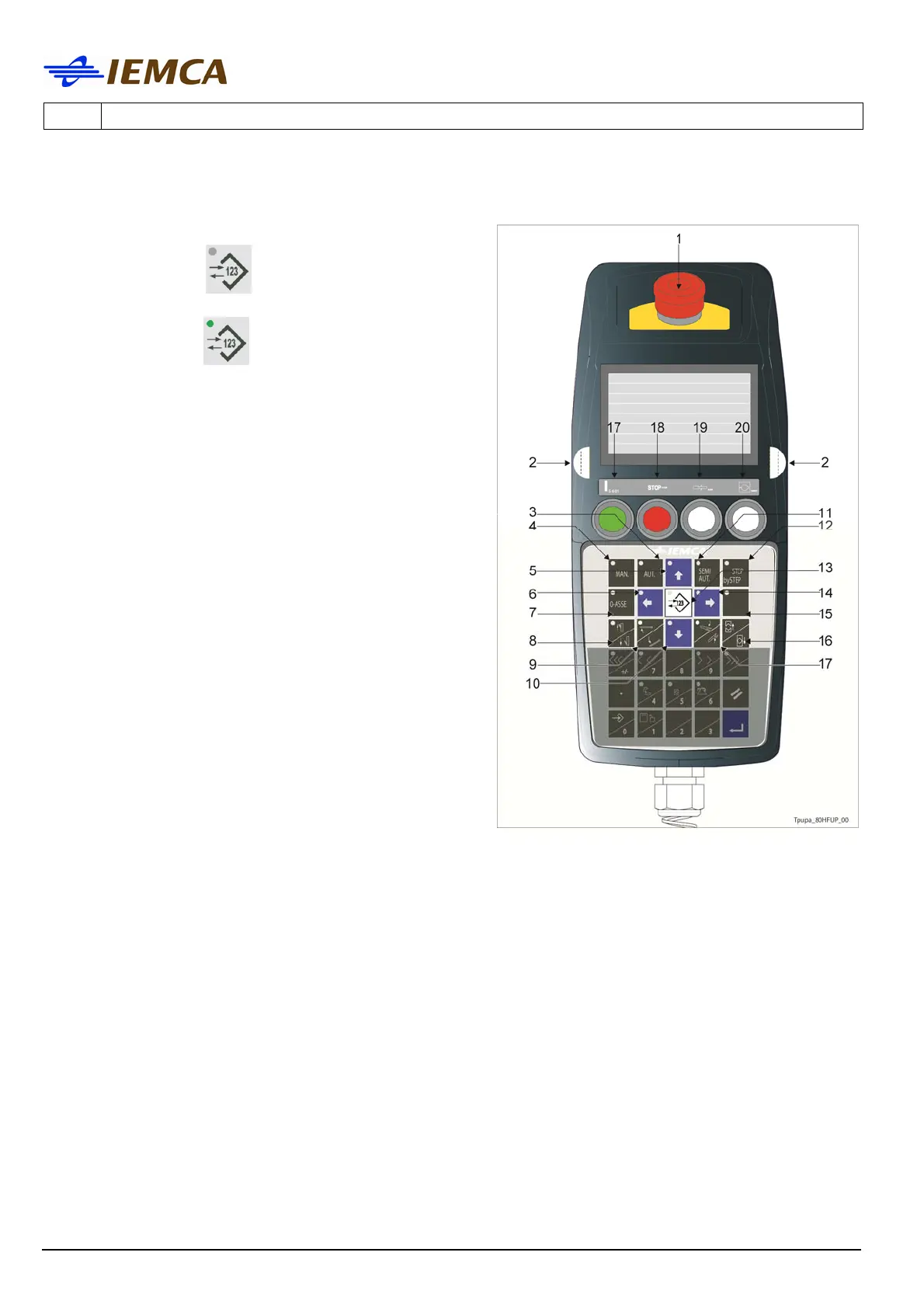
13 Selects the keyboard modes:
- with LED off
; selects the "message
display" mode.
- with LED on
; selects the "parameter
display" mode.
14 Multifunction
- Selects the next parameter
- Moves the selection cursor rightwards.
15 Selects the feeding of a new bar until the facing
position is reached.
- Press both opposite start buttons; you can
release the keys from the beginning of the
feeding. The procedure will continue until the
facing position is reached.
16 Opens/Closes the clamps (the LED is on when
clamps are open).
17 Lifts and lowers the pneumatic bar drop control
devices (the LED is on when the devices are in
the "bottom" position).
18 "Errors" reset button.
19 Bar feeder stop button (red); press this button
to stop the bar feeder.
20 Remnant detection disabling button (white light)
Press the button to feed a "new" bar without the
detection of bar remnant in the bar pusher
collet.
21 Half-bush opening and closing button (white
light)
- In "Manual" mode, when the bar feeder is in the required position, the half-bushes will
close when this button is pressed. If pressed again, the half-bushes will open.
- In "Automatic" mode, if pressed, the half-bushes will open and close, according to the
preset sequence. If pressed again, the half-bushes will remain open during the entire
operating cycle.






 To Next Page