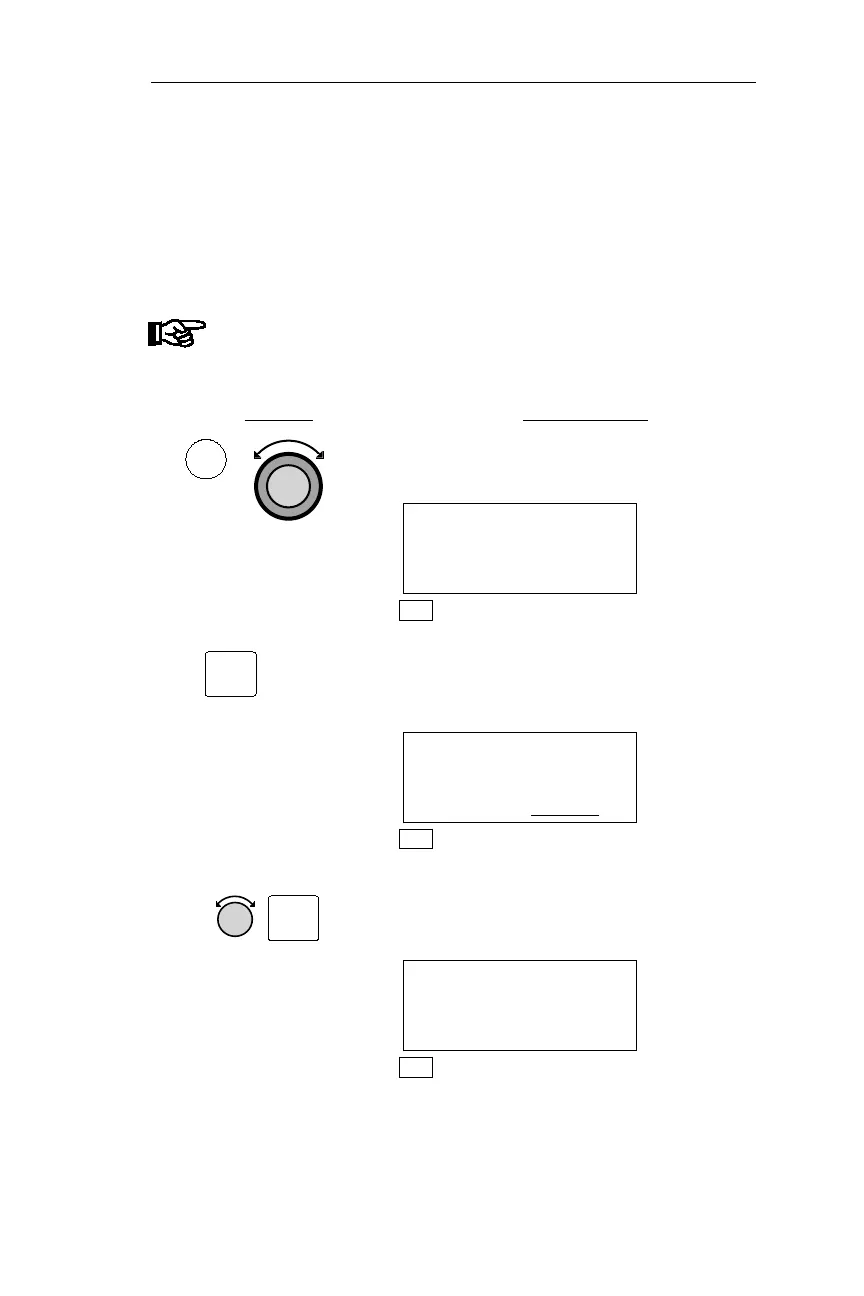
Setting the Altimeter (Barometric Pressure)
Each time the system is powered up, the barometric pressure is
automatically set to standard pressure, 29.92” (or 1013 mb). This
procedure is used to enter the current altimeter setting (barometric
pressure).
Note
These pages are not available if an ARINC 429
Air/Data sensor is installed in the system.
Action Explanation
1. In NAV mode, turn the Large knob to
display the Altitude Assist page.
ALTITUDE ASSIST
LOCAL ALTIMETER
SETTING 29.92 ·
NAV
2.
Pressing SEL activates editing, and the
current barometric pressure setting
flashes.
ALTITUDE ASSIST
LOCAL ALTIMETER
SETTING 29.92
·
NAV
3. Turn the Small knob to adjust the
barometric pressure. Press ENT to
enter the setting.
ALTITUDE ASSIST
LOCAL ALTIMETER
SETTING 30.04 ·
NAV
89
Operations Nav Mode Procedures
SEL
NAV
ENT



 To Next Page