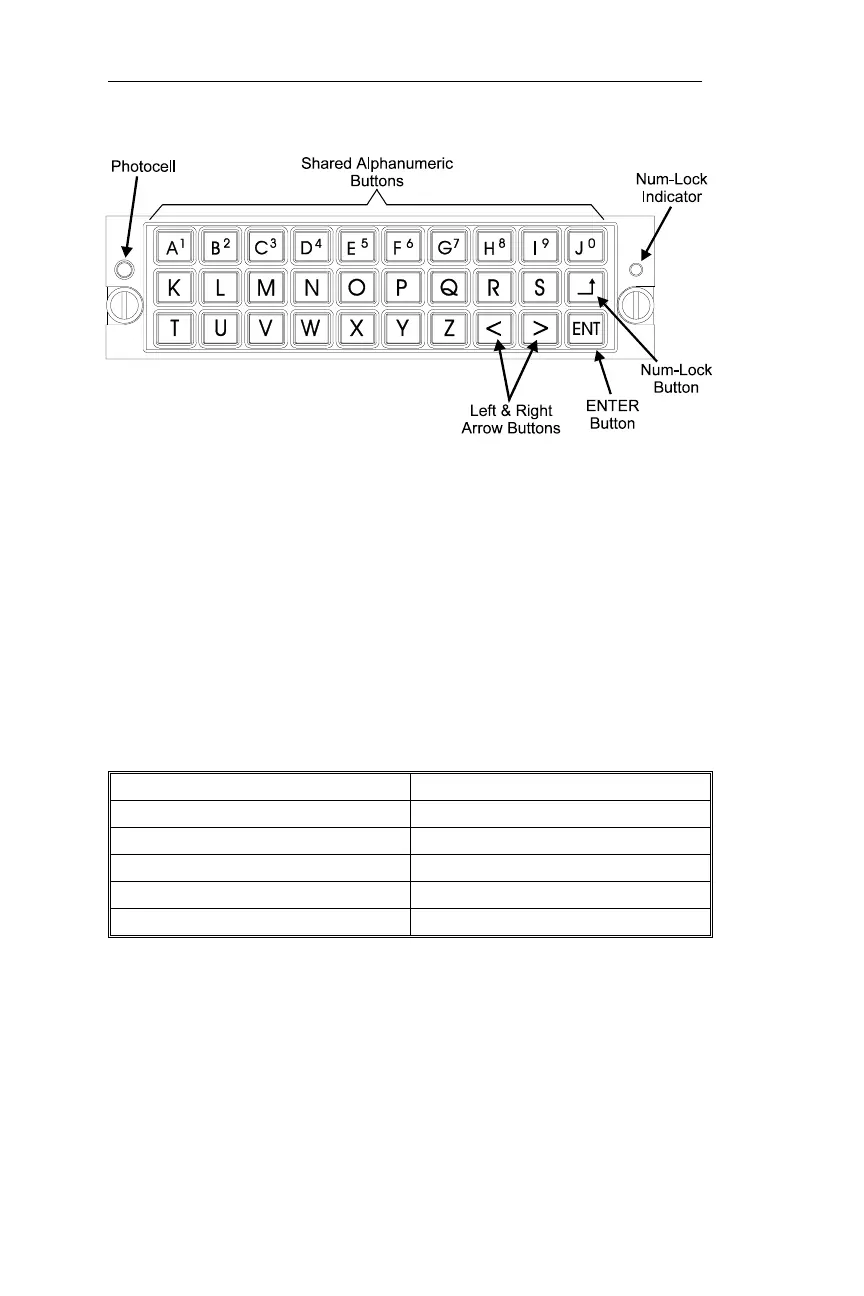
Buttons on the keypad are backlighted for easy viewing in low light
conditions. Backlight intensity is controlled by a photocell on the front
panel of the keypad.
Waypoint Retriever Operation
While you are searching for waypoints, the keypad uses shortcuts for
selecting waypoint types. Pressing the letter on the keypad will select
the following waypoint types as shown below:
Press this Keypad Letter Waypoint Item Selected
“L” Airport (LFAC - Landing Facility)
“I” Intersection *
“V” VOR
“N” NDB
“R” Runways, if in your database
* Intersections will be displayed as INT(x), where “x” is the database
type. Pressing “I” will take you to the Intersection waypoint type. You
then turn the Large knob to move to the identifier field. Pressing the
letter that is displayed between the parantheses will take you directly to
the identifier field.
Keypad Supplement Apollo NMC



 To Next Page