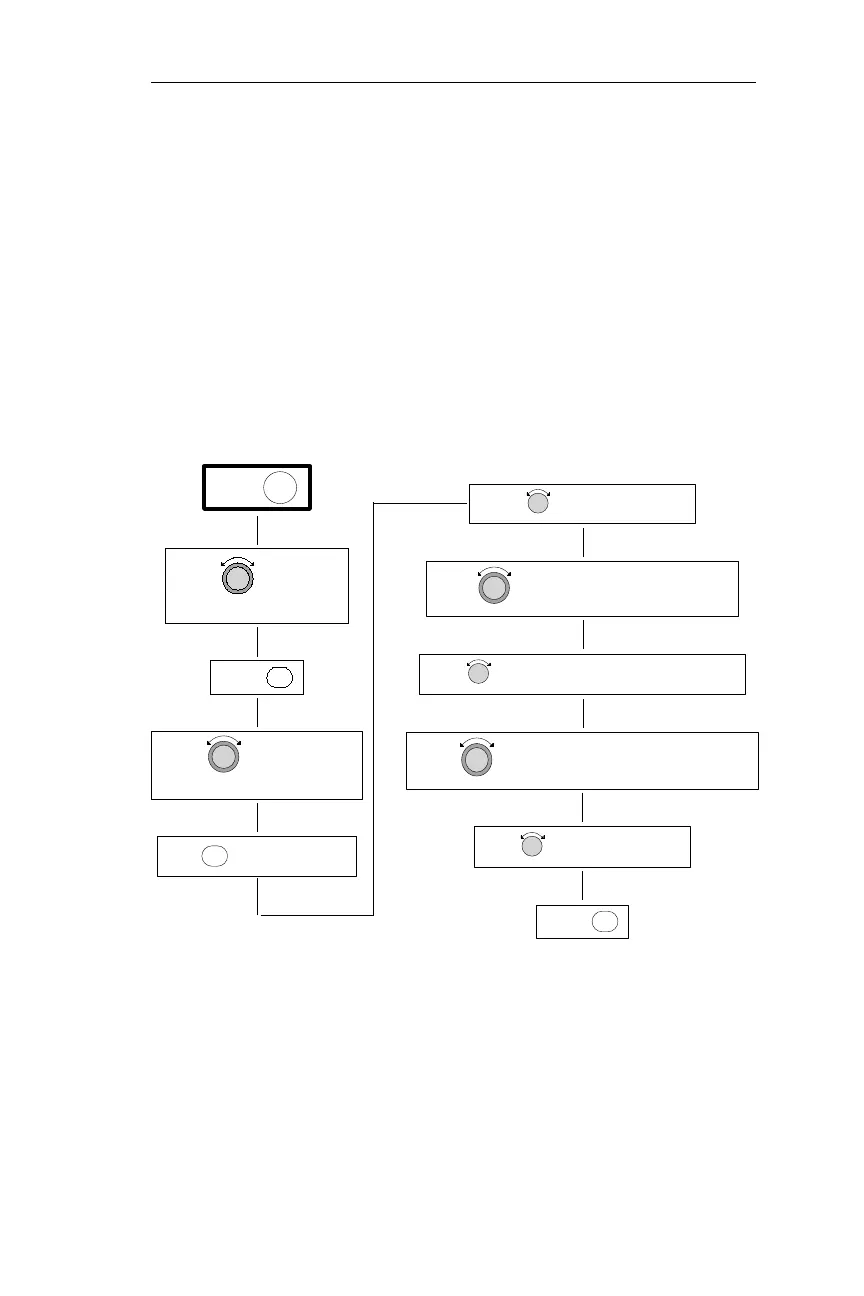
Manually Entering Magnetic Variation
The following procedure is used to edit the magnetic variation anytime
after the power-up sequence is complete. With a datacard installed,
and magnetic variation set to AUTO, the NMC automatically accounts
for magnetic variation. If the datacard is not inserted, you must enter
the magnetic variation during power-up. For the procedure used to
enter magnetic variation during power-up, see Operations, Power-Up
Sequence.
Flow chart
191
Operations Navigation Information Sub-State
THE NAVIGATION INFO PAGE
TURN TO DISPLAY
ENTPRESS
PRESS SYS
MAG VARIATION PAGE
TURN TO DISPLAY THE
PRESS TO ACTIVATE EDITING
SEL
ENTPRESS
TURN TO DISPLAY "MANUAL"
TURN TO MAKE THE MAG VARIATION FLASH
TURN TO DISPLAY THE DESIRED MAG VARIATION
TO DISPLAY "E" OR "W"TURN
TURN TO MAKE THE VARIATION DIRECTION FLASH



 To Next Page