Flight Plan Summary Pages
The Flight Plan Summary page displays the flight plan’s name, total
distance, destination waypoint, and its status (Inactive, Active, or
Hold). One of the Flight Plan Summary pages is used only to create a
new Inactive flight plan. An example of a Flight Plan Summary page is
shown below. If an approach is loaded, the destination waypoint
(DEST WPT) is replaced with an approach airport (APPR APT).
Flight Plan Summary Page
PDXTOSLE 50.8NM
DEST WPT: SLE
INACTIVE
FPL
The flight plan above is named PDXTOSLE, and the total distance of
all legs in the flight plan is 50.8 nautical miles. The flight status is
Inactive (not currently being used for navigation).
Action Explanation
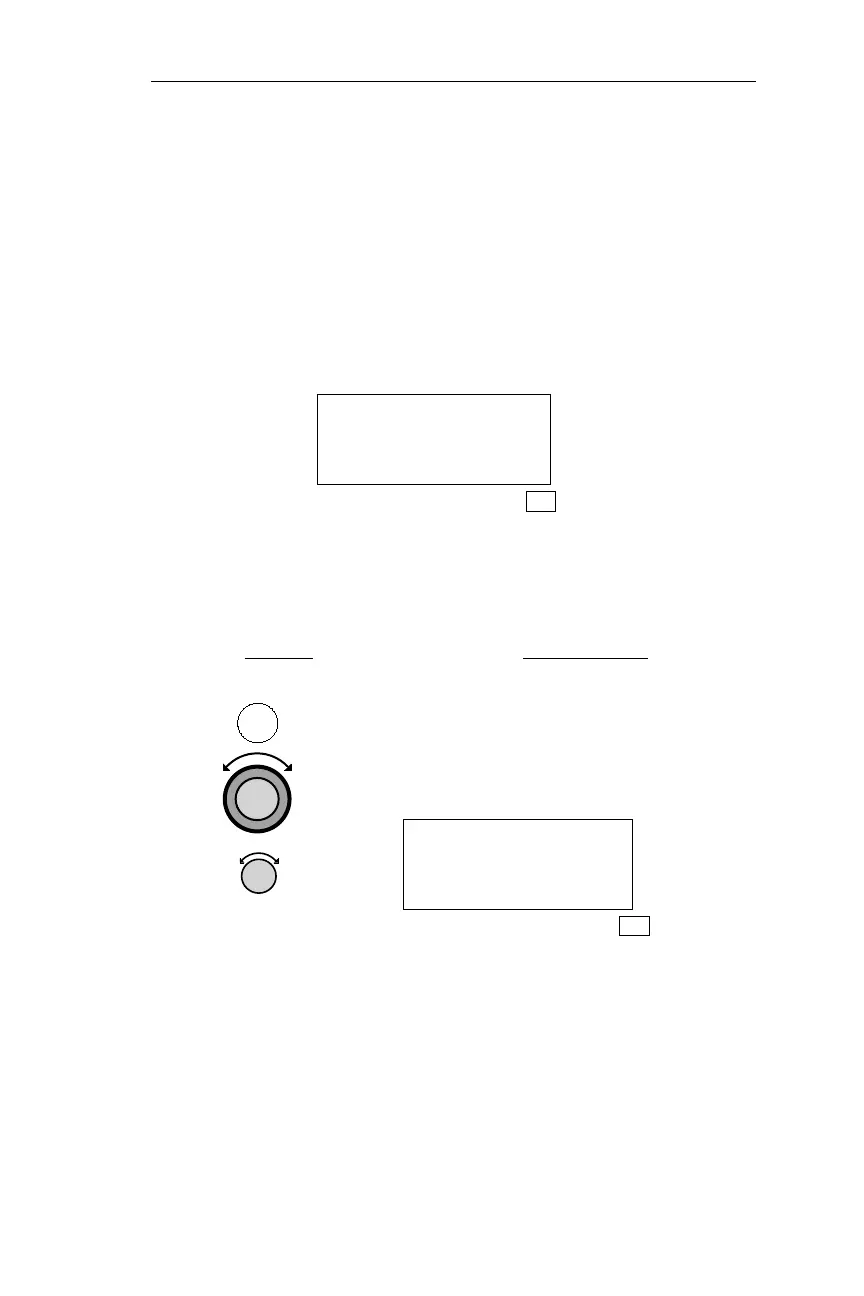
Press FPL to enter FLIGHT PLAN
mode, then rotate the Large knob to
display the desired Flight Plan
Summary page. Turn the Small knob to
view each of the Flight Plan legs.
PDX TO MMV
1 205° 32.8NM
ARPT ARPT
FPL
This Flight Plan leg is from PDX to MMV (line 1). This screen shows
the waypoints for Leg 1. The bearing is 205° and the range is 32.8 nm
between the two waypoints (line2). The FROM waypoint, PDX, is an
airport and the TO waypoint, MMV, is an airport (line 3).
143
Operations Flight Plan (FPL) Mode
FPL



 To Next Page