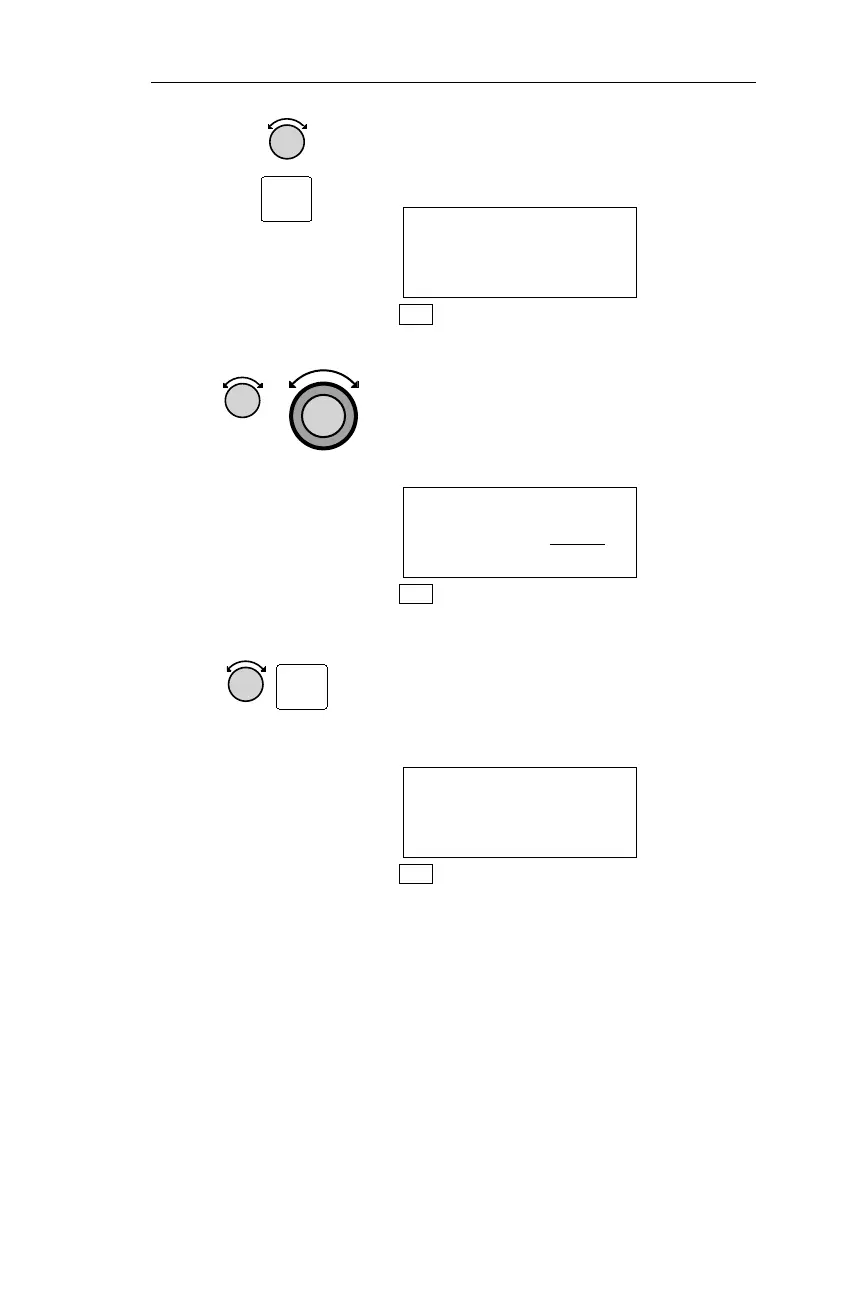
2. Turn the Small knob to display the
Hold Altitude page. Pressing SEL
activates editing.
HOLD ALT 15000FT
BUFFER 200FT
ENT TO HOLD ALT
NAV
3. Turn the Small knob to display the
desired Hold Altitude. The altitude is
chosen in increments of 50 ft. Turn the
Large knob to make the Buffer value
flash.
HOLD ALT 13600FT
BUFFER 1000
FT
NAV
5. Turn the Small knob to display the
desired Buffer Altitude value. The
Buffer altitude is chosen in increments
of 10 ft. Pressing ENT enters the
displayed values.
HOLD ALT 13600FT
BUFFER 350FT
ENT TO HOLD ALT
NAV
Starting/Stopping Altitude Hold
Altitude Assist features require the system include a F/ADS or an
altitude encoder sensor. The following procedure is used to start or
stop the Altitude Hold feature. When active, Altitude Hold alerts you
with a message when you have ascended/descended into the buffer, or
when you stray outside the buffer. The Buffer Altitude is the altitude
above and below your Hold altitude at which you want to be alerted
with a message.
91
Operations Nav Mode Procedures
SEL
ENT



 To Next Page