CAMERA SETTINGS and ADJUSTMENT
5
83
UHK-430/CCU-430 1710 VER2 (E)
5.2 Basic Operation of the Menu
■
Exiting the Menu
7KLVVHFWLRQH[SODLQVKRZWRH[LWWKHPDLQPHQXVXEPHQXLQWKHYLHZ¿QGHURUPRQLWRU
1 Press the VF CHAR button on the right side of the
camera.
Exit the main menu screen/sub menu screen.
About USER MENU
The operation items frequently used in daily operation are registered in "USER MENU", so the setting screen can be displayed
with a quick operation.
7KHLQLWLDOYDOXHVFXVWRPL]DWLRQWUDQVIHUDQGGHOHWLRQRI86(50(18DUHGHVFULEHG
■
Initial Values of USER MENU
The factory settings of USER MENU include the following items.
0$5.(5&+$5
)2&86$66,67
,17(5&20$8',2
- VIDEO I/O
- FUNCTION SW
7$//<,1',&$725
,1)250$7,21
■
Displays the USER MENU
"USER MENU" can be displayed in two ways.
6HOHFWLWIURP0$,10(187230(18WRGLVSOD\
3UHVVDQGKROGWKH6(7EXWWRQIRUVHFRQGVWRGLVSOD\
■
Customizing the USER MENU
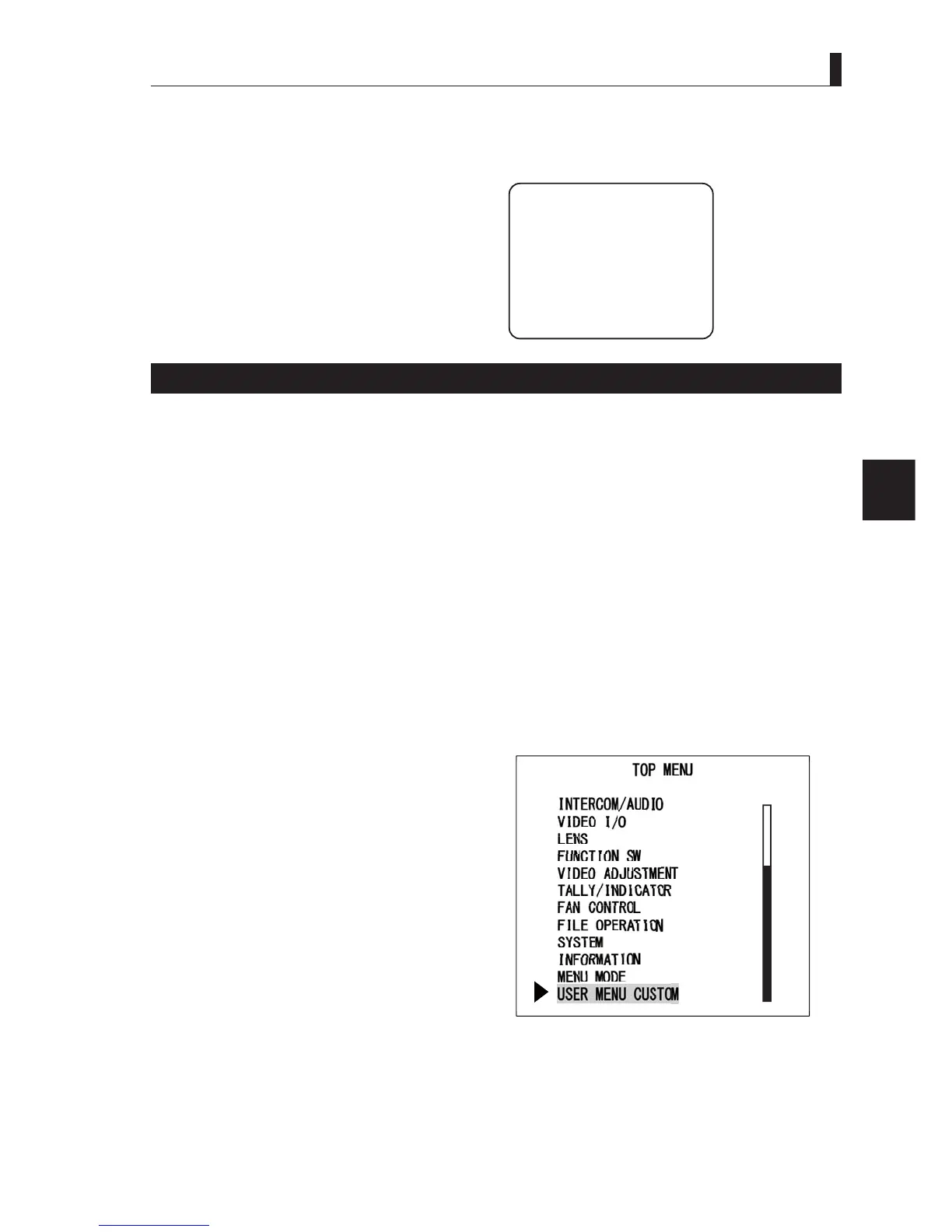
8SWRLWHPVFDQEHUHJLVWHUHGLQ86(50(183HUIRUPWKHIROORZLQJSURFHGXUHVWRUHJLVWHU
1 Select [USER MENU CUSTOM] from "MAIN
MENU (TOP MENU)".
2 When the numbers from 1 to 20 (includes scrolled
area) are displayed, move the cursor to the
number you wish to register and press the SET
button.
3 When [SELECT], [MOVE], [DELETE], and
[CANCEL] are displayed, move the cursor to
[SELECT] and press the SET button.
4 When the list of the TOP MENU items are
displayed, move the cursor to select the number
(item) you wish to register.
7KHVHOHFWDEOHLWHPVDUHJRLQJWRÀDVKZKHQWKHFXUVRULVPRYHGRYHUWKHLWHPV



 To Next Page