134
UHK-430/CCU-430 1710 VER2 (E)
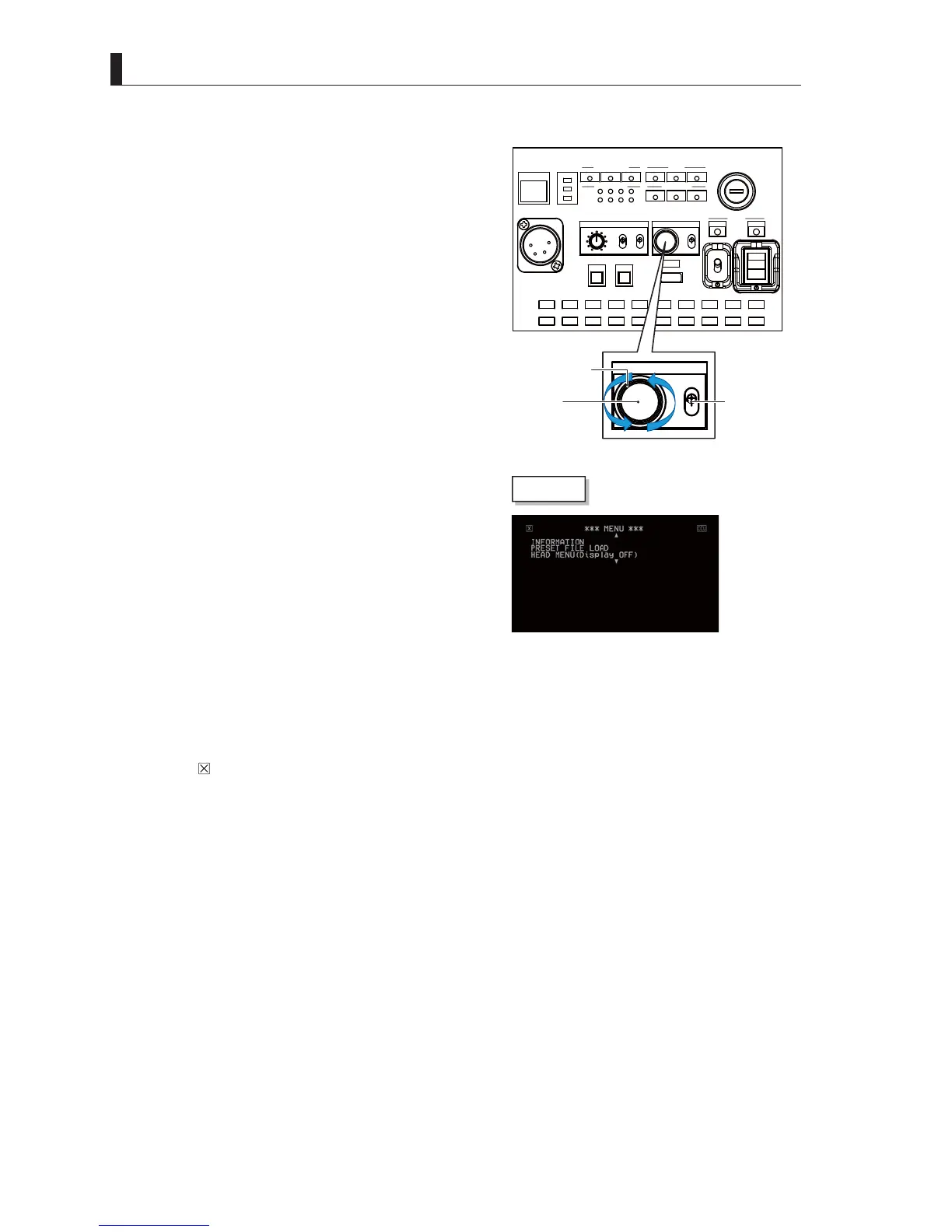
6.1 Basic Operation of Menu Screen
■
Operating from CCU Main Unit
1 Set the MENU switch "OPE - OFF" to "OPE" side.
2 When the MENU operation dial is kept pressed for
approximately three seconds, the Main menu screen is
displayed on the PM screen.
3 Check that the main menu screen is displayed on the
PM screen, and turn the MENU operating knob to move
the flashing cursor to the setting item. Then, press the
knob (SET button).
4 Display the sub menu, and perform various settings.
7XUQWKHNQREWRVHOHFWLWHPVDQGSUHVVWRFRQ¿UP
Caution:
Depending on the function of the setting item, there are items that the
setting is changed when the dial is turned or when the SET button is
pressed.
5 Exit the menu screen in the any of the following methods :
- Select "
" on the CCU main menu and press the Enter switch.
- Set the MENU switch "OPE - OFF" to the "OFF" side (CCU).
CAM:400V T5A
POWER
CCU
CAM
TEMP
FAN
ALARM
COMM
SDI
APC
GENLOCK
CCU STATUS
SHORT
OPEN
NORMAL
CABLE STATUS
OPT RX LEVEL
CAM
CCU
TALLY
ID
INTERCOM
PHONE
INIT/PM
CALL
COM
PRV
MIC
ON
OFF
PTT
MENU
USB
OPE
OFF
MENU
OPE
OFF
MENU switch
MENU operating knob
SET button
PM screen



 To Next Page