66
UHK-430/CCU-430 1710 VER2 (E)
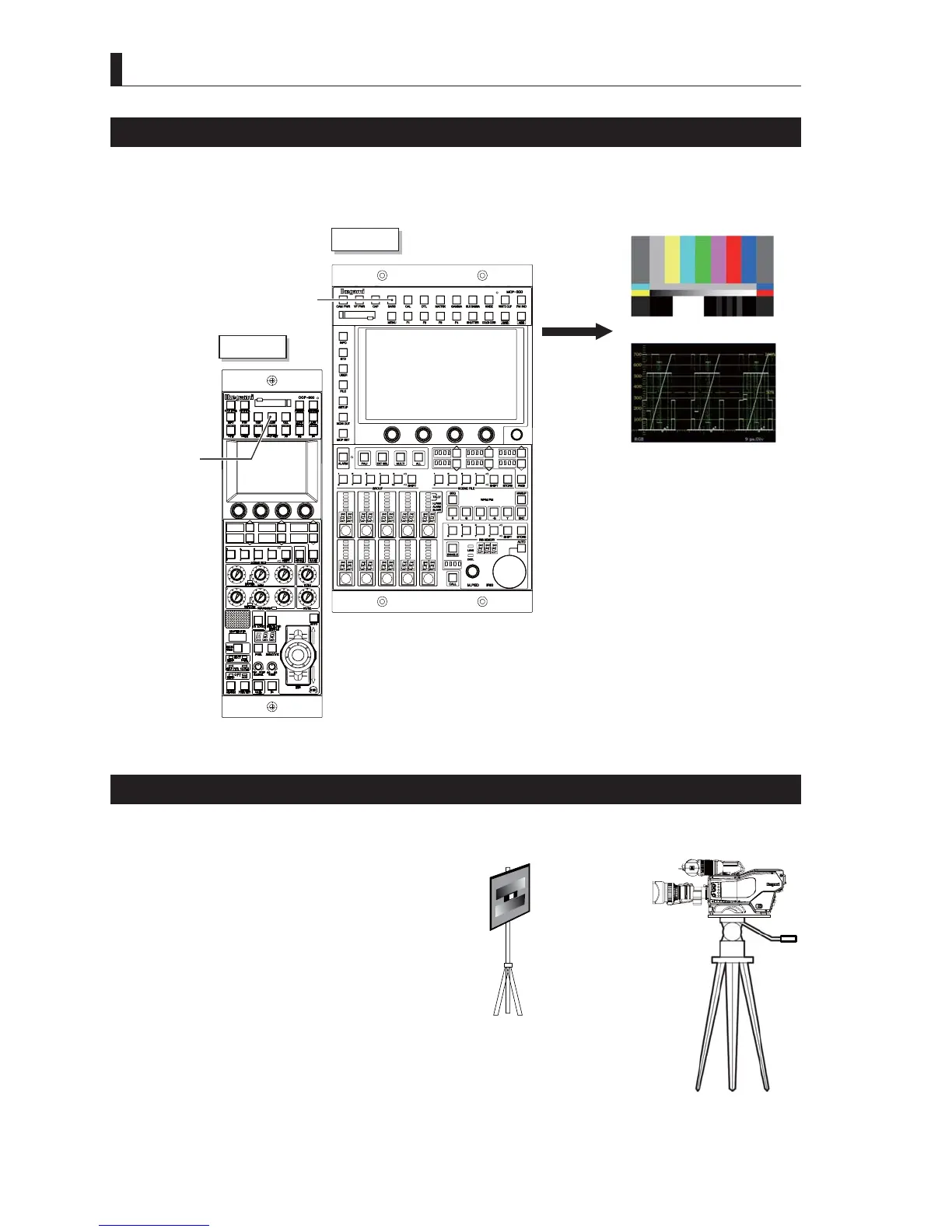
4.4 Output Signal Check
Color-Bar Signal Check
1 Set the BARS button on the OCP or MCP to ON.
Check a normal color bar signals is are output on the output lines.
MCP-300
OCP-300
BARS button
"ON"
BARS button
"ON"
COLOR MONITOR
WFM
External Chart Check
Shoot an external chart and ensure that the image is normal.
1 Shoot external charts including grayscale.
2 Check video signals for abnormality on the
waveform monitor (WFM) and picture monitor
(PM).
CCU
OFF
EXT
POWER
FILTER
HEAD
F2
F1
MIC
INCOM/ND
PGM/CC
MENU
VF
CHAR



 To Next Page