CAMERA SETTINGS and ADJUSTMENT
5
123
UHK-430/CCU-430 1710 VER2 (E)
5.6 Setting the Items Controlled from OCP
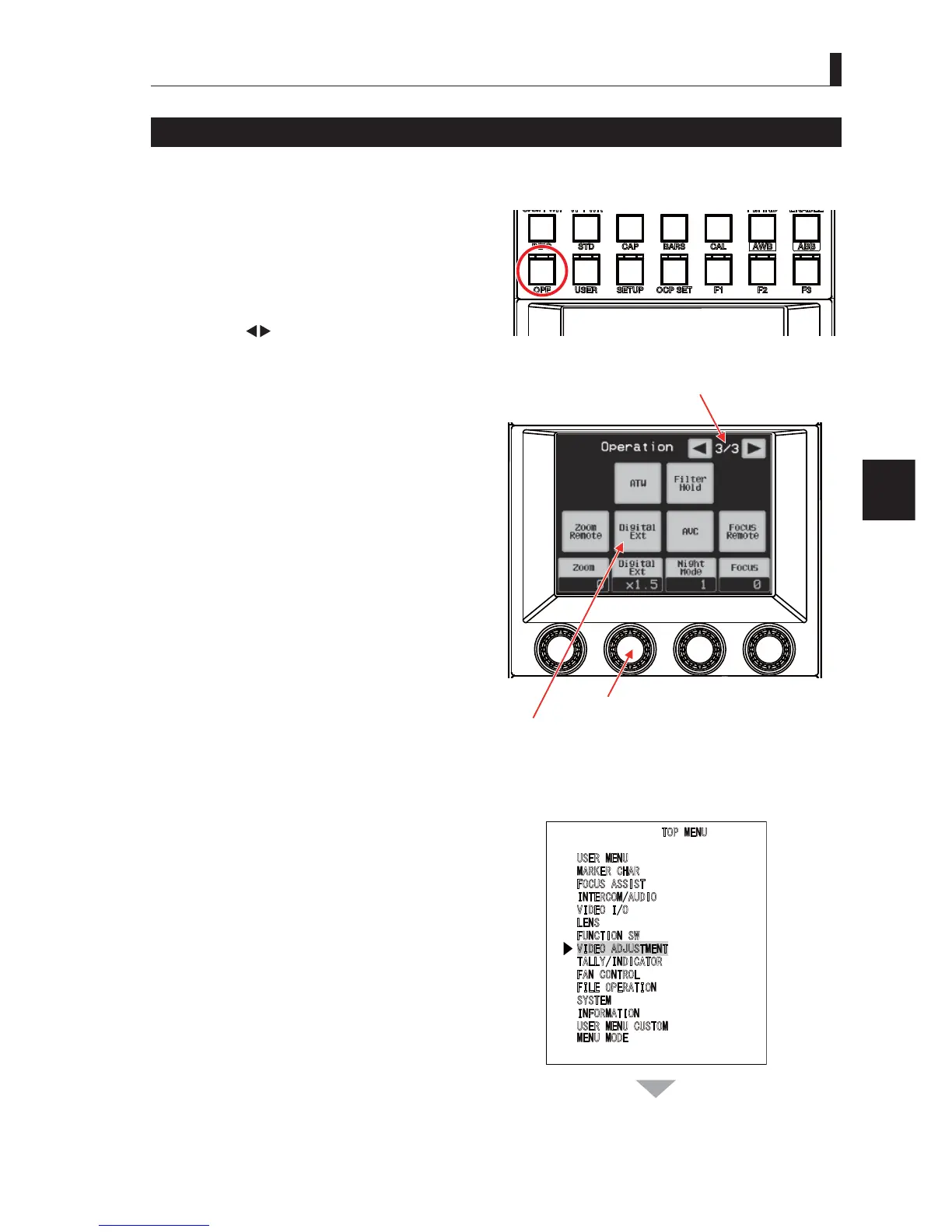
Setting the Digital Extender
'LJLWDO([WHQGHUFDQWXUQRQRIIWKHIXQFWLRQVDQGVHWWKHPDJQL¿FDWLRQRQWKH2&32SHUDWLRQ&RQWURO3DQHOEXWLWFDQDOVR
perform the settings from the menu screen.
■
Setting from the OCP-300
1 Select "OPE" from the FUNCTION switches of
OCP-300.
2 Operate " " on the upper right of the LCD
screen to display Operation page "3/3".
3 Turn the rotary encoder knob 2 of OC-300P to
select the magnification of digital extender. Select
the magnification from "×1.5", "×2", "×3", or "×4".
4 Turn it on/off with "Digital Ext" on the LCD screen.
■
Setting from the Menu Screen
1 Press the "VF CHAR" button and ENTER button to
display "MAIN MENU".
2 Use the menu select knob to select "VIDEO
ADJUSTMENT", and then press the SET button.
ON/OFF switch
Page select switch
Rotary encorder switch
continues to the next page
7230(18
8
6(50(18
0
$5.(5&+$5
)
2&86$66,67
,
17(5&20$8',2
9
,'(2,2
/
(16
)
81&7,216:
9,'(2$'-8670(17
7
$//<,1',&$725
)
$1&21752/
)
,/(23(5$7,21
6
<67(0
,
1)250$7,21
8
6(50(18&86720
0
(1802'(



 To Next Page