116
UHK-430/CCU-430 1710 VER2 (E)
5.5 Using the USB Memory
5.5 Using the USB memory
The USB memory can be used to store/read the setting condition of the camera.
Caution:
0DUNHWVROG86%PHPRU\KDYHXQGHUJRQHVXI¿FLHQWFRQ¿UPDWLRQRIRSHUDWLRQDWWKLVFRPSDQ\+RZHYHUZHFDQQRWDVVXPHDQ\
responsibility for guaranteeing operation.
7KHSDVVZRUGSURWHFWHG86%PD\QRWEHUHFRJQL]HG
■
Inserting and removing the USB memory
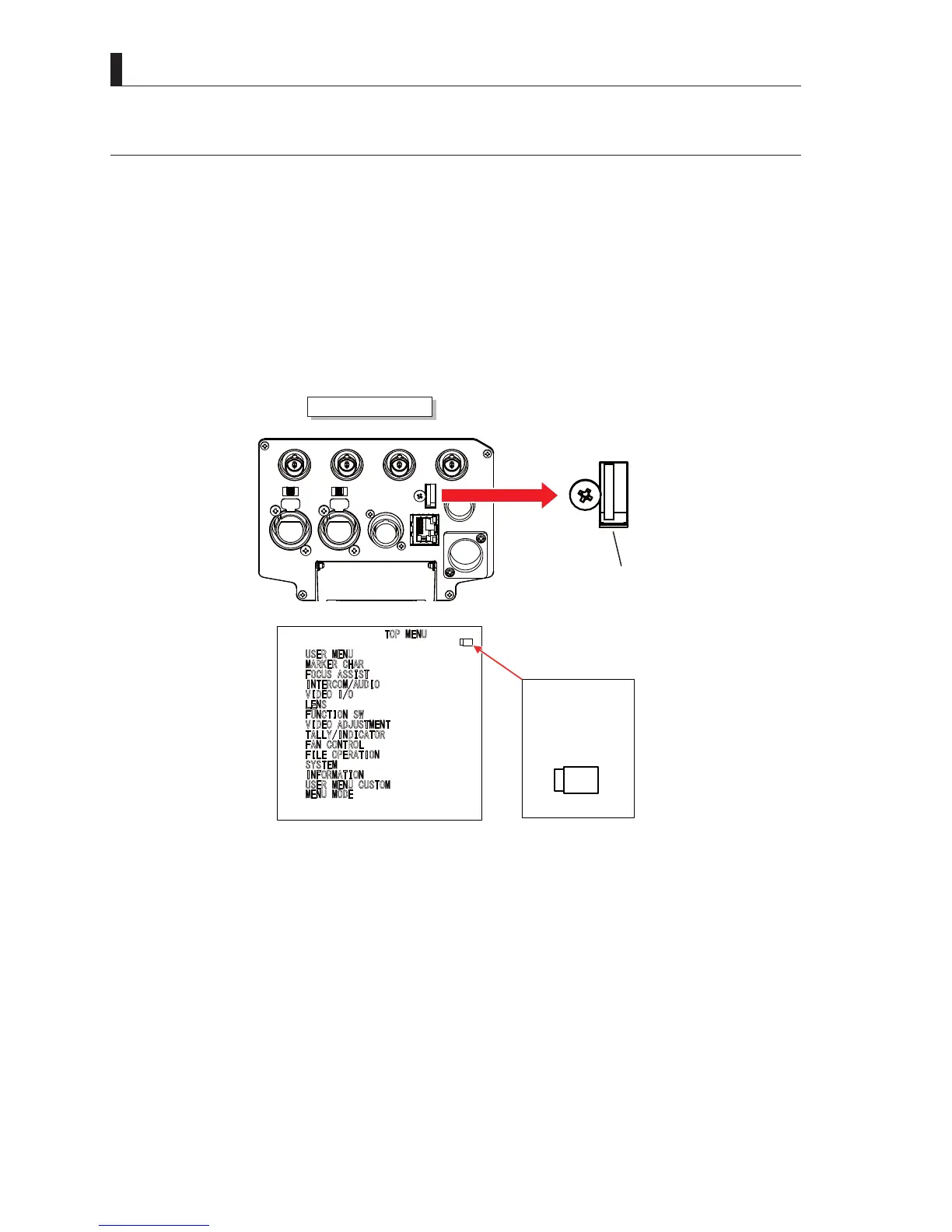
There is a USB memory slot as shown in the illustration below on the bottom rear side of the camera main unit.
Open the dustproof cover and insert the USB memory in the USB memory slot.
Caution:
When inserting the USB memory in the slot, be sure that the USB memory is facing in the correct direction.
MIC 2MIC 1
GbE TRK
11~17V
DC-IN
TRACKER
+12V
OFF
SDI OUT 1
+48V
+12V
OFF
+48V
SDI OUT 2
USB
REMOTE
SDI OUT 3
SDI I/O 4
USB
USB connector
Camera Head Rear Side
8
6(50(18
0
$5.(5&+$5
)
2&86$66,67
,
17(5&20$8',2
9
,'(2,2
/
(16
)
81&7,216:
9
,'(2$'-8670(17
7
$//<,1',&$725
)
$1&21752/
)
,/(23(5$7,21
6
<67(0
,
1)250$7,21
8
6(50(18&86720
0
(1802'(
㼁㻿㻮
USB
The USB mark is
displayed when the
USB memory is
inserted and
recognized by the
camera.



 To Next Page