46
UHK-430/CCU-430 1710 VER2 (E)
3.3 Connecting the CCU and Camera Head
Adjust the eypiece position of viewfinder
■
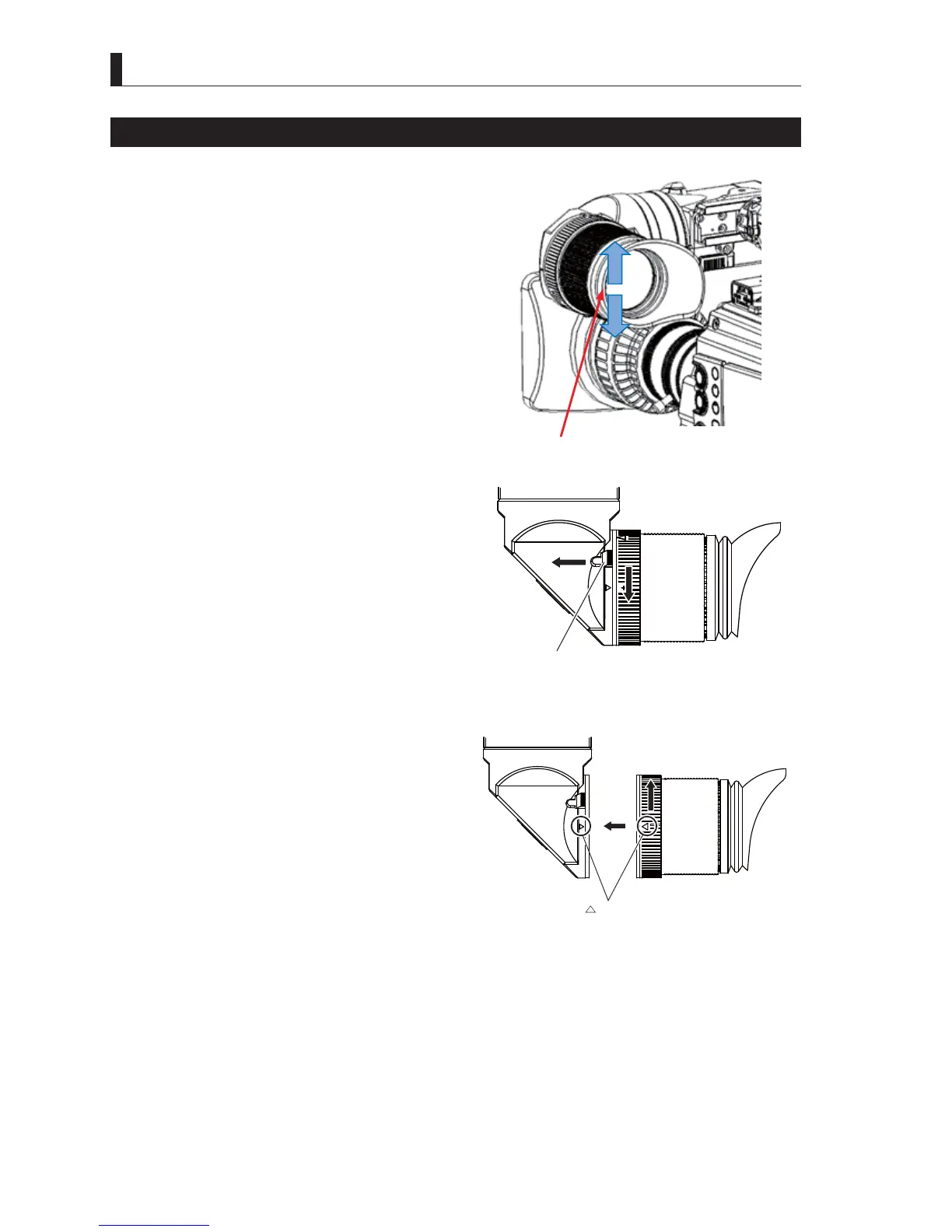
Adjusting the Angle of Eyepiece
Move the eyepiece to adjust the position so that you can
FRPIRUWDEO\VHHWKHYLHZ¿QGHUVFUHHQ7KHH\HSLHFHFDQEH
rotated up to 160 degrees upward and 90 degrees downward.
$GMXVWWKHDQJOHLQDFFRUGDQFHZLWKWKHFDPHUDDQJOH
■
Removing the Eyepiece
This section explains how to remove the eyepiece.
1 Pull the eyepiece release lever and turn the
eyepiece in the direction of arrow.
The lock of the eyepiece is released.
2 Pull out the eyepiece.
■
Attaching the Eyepiece
This section explains how to attach the eyepiece.
1 Align △ mark on the viewfinder with △ mark on
the eyepiece, and the eyepiece.
2 Turn the eyepiece in the direction of arrow.
Turn it until you hear a click.
<RXKHDUDFOLFNZKHQWKHH\HSLHFHLVORFNHG
Adjust the angle to upward and downward.
Eyepiece release lever
Pull
mark



 To Next Page