CAMERA SETTINGS and ADJUSTMENT
5
85
UHK-430/CCU-430 1710 VER2 (E)
5.2 Basic Operation of the Menu
Displaying ENGINEER MENU
3HUIRUPWKHIROORZLQJSURFHGXUHVWRGLVSOD\WKH>(1*,1((50(18@LWHPV
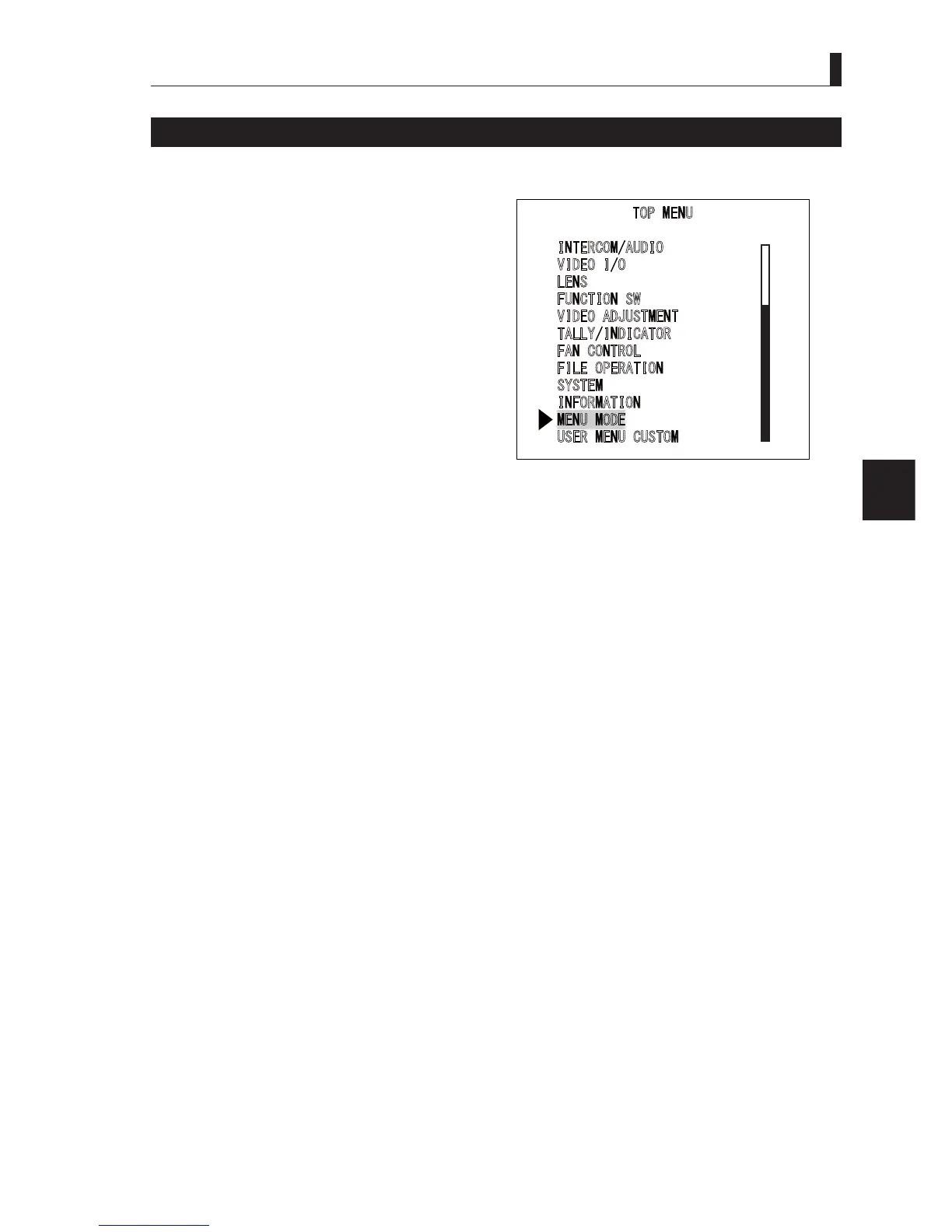
1 Move the cursor from [MAIN MENU (TOP MENU)]
to [MENU MODE], and press the SET button.
2 When the [ENGINEER MENU] ON/OFF setting
screen is displayed, move the cursor to [ON] and
press the SET button.
3 [MAIN MENU (TOP MENU)] is displayed. Add and
the items to be set in [ENGINEER MENU] to the
normal [TOP MENU] items to display.
Caution:
7KHVHWWLQJVRI>(1*,1((50(18@DUHUHVHWWR>2))@ZKHQ
WKHSRZHULVWXUQHGRIIDQGUHVWDUWHG6RVHWWKH>(1*,1((5
MENU] to [ON] to display the engineer menu again.
- The menu items marked with "(E)" at the end are the
>(1*,1((50(18@LWHPV
7230(18
,
17(5&20$8',2
9
,'(2,2
/
(16
)
81&7,216:
9
,'(2$'-8670(17
7
$//<,1',&$725
)
$1&21752/
)
,/(23(5$7,21
6
<67(0
,
1)250$7,21
0(1802'(
8
6(50(18&86720



 To Next Page