98
UHK-430/CCU-430 1710 VER2 (E)
5.3 Menu Configuration and content
■
LENS
3HUIRUPVWKHVHWWLQJVUHTXLUHGWRVHWOHQVLULVHVDQGFUHDWHOHQV¿OHV
[AUTO IRIS SET]
Sets the operating conditions of the auto iris.
Menu Item
Initial
setting
Setting value Description, Remarks
AUTO IRIS SET
―
IRIS SET MODE
OFF ON, OFF
21(QDEOHVDXWRLULVRSHUDWLRQVHWWLQJ
If set to "ON", the iris adjustment from the remote controller is disabled.
―
LEVEL SET
0 -100 to +100
$GMXVWVWKHFRQYHUJHQFHOHYHORIDXWRLULV
Shoot the registration chart with the camera and adjust the value so that the video
OHYHOEHFRPHV
―
PEAK RATIO SET
-70 -100 to +100
Shoot the gray scale chart with the camera and adjust the value so that the video
OHYHOLV
Set the exposure for a bright area in the “+” direction and for a dark area in the “-”
direction.
―
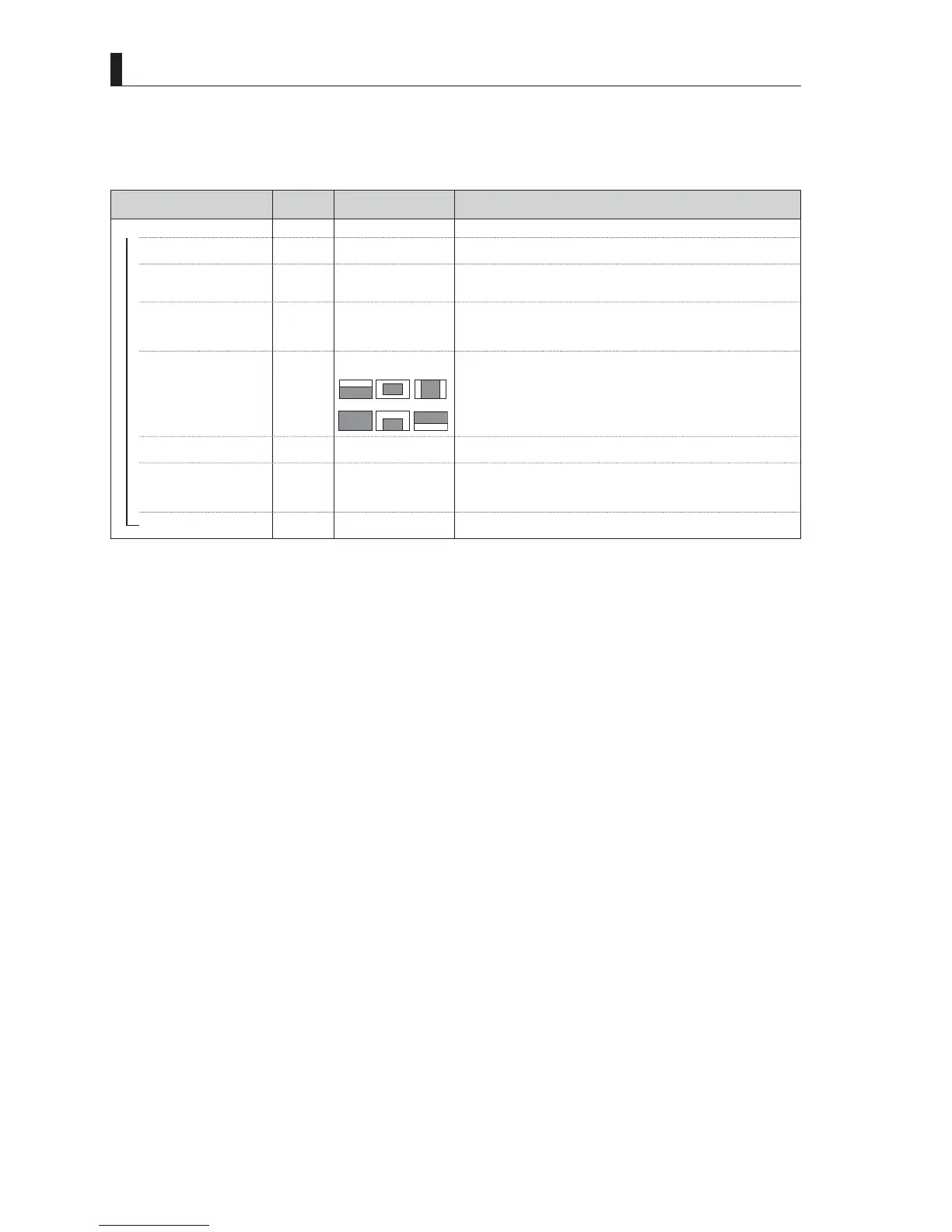
WINDOW
1
WINDOW1
to
6
123
456
Sets the level detection range of the auto iris.
―
IRIS SPEED
1
t
o100
Sets the response speed characteristics of the auto-iris.
The auto-iris speed becomes slower for “1” and faster for “100”.
―
IRIS GAIN
1
t
o100
Sets the auto-iris response sensitivity characteristics.
The auto-iris operation sensitivity is such that “1” is low and “100” is high.
+XQWLQJWHQGVWRRFFXUPRUHRIWHQDVWKHYDOXHJRHVXS6HWLWWRWKHGHIDXOWYDOXH³´
as long as hunting is not occurring)
IRIS LIMIT
F22 F22, F20, F18, F16
The F value when the iris is set to maximum aperture during the auto iris
operation.
<< LENS continues to the next page >>



 To Next Page