24
UHK-430/CCU-430 1710 VER2 (E)
2.2 Displays in the Viewfinder (VFL201D)
2.2 Displays in the Viewfinder (VFL201D)
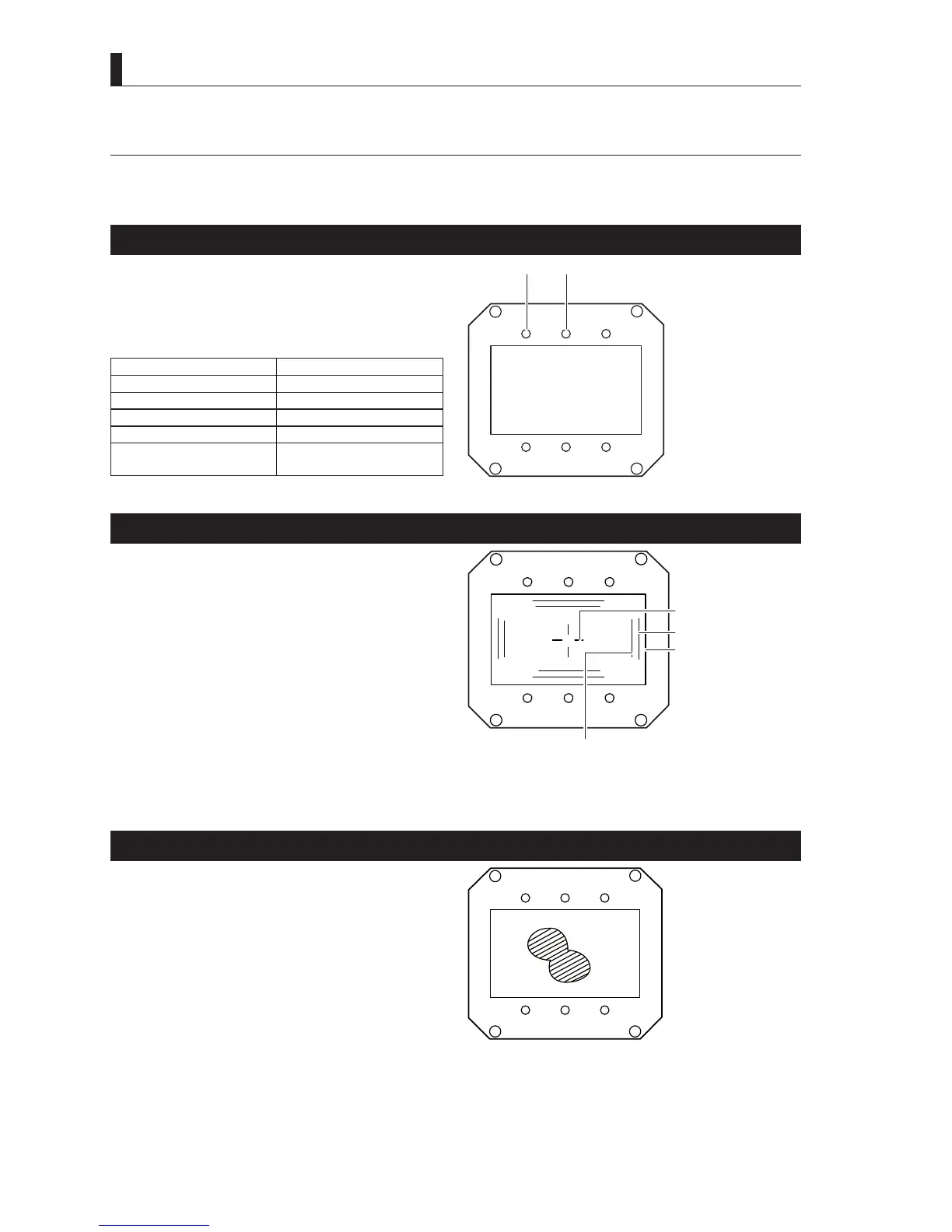
,QDGGLWLRQWRWKH/('LQGLFDWRUVRQWKHYLHZ¿QGHUPDUNHUVDQGFKDUDFWHUVDUHDOVRGLVSOD\HGRQWKHYLHZ¿QGHUVFUHHQ'HWDLOVDUH
SURYLGHGEHORZ3OHDVHUHIHUWR9LHZ¿QGHUGHWDLOVRSHUDWLRQPDQXDOIRUGLIIHUHQFHVZLWKWKHVWXGLRYLHZ¿QGHUV
LED Indicator
*7$//< $QLQGLFDWRUIRU*5((17$//<
57$//< $QLQGLFDWRUIRU5('7$//<
(;7 /LJKWVXSZKHQWKHOHQVH[WHQGHULVHQJDJHG
/LJKWVXSZKHQDFDPHUDVHWWLQJLVGLIIHUHQWIURP
the standard setting value.
Setting item Setting value
AWB selector switch OFF
KNEE MODE MANUAL
SKIN DTL ON
SHUTT/SUP-V ON
Backlight correction for
auto-iris mode.
Other than OFF
!
EXT
G TALLY R TALLY
Center Marker, Safety Marker, Frame Marker
- The Center Marker is used to ascertain the center of the
VFUHHQRUDOLJQWKHFDPHUDKRUL]RQWDOO\DQGYHUWLFDOO\7KH
center marker is selected from three types of shapes on the
Menu screen.
- The Safety Markers are used to check the action safety area
or title safety area. Switching between the action area and the
title area is made from the menu.
- The Frame Marker is used to ascertain the frame of the image
being shot.
$VSHFWUDWLRFDQEHVHWWRWKH6DIHW\
Markers and Frame Marker separately.
Reference:
Please refer to
"Chapter 5 : CAMERA SETTINGS and
ADJUSTMENT" "5.3 Menu Configuration and content"
"MARKER CHRACTER(MARKER CHAR)" (P. 87)
for
the setting method of each marker.
Title Area
!
EXT
Center Marker
Safety Marker
Frame Maker
ZEBRA Indicator
Zebra Pattern means an stripe pattern displayed over the video.
7KHUHDUHWZRW\SHVRI=HEUDVLJQDOV7KH¿UVW=HEUDVLJQDO
displays the part where the video level of the subject exceeds
the setting value, and the second Zebra signal displays the
part where the video level matches with the setting value. The
=(%5$LQGLFDWRUFDQEHWXUQHGRQRIIZKHQDVVLJQHGWRD
)XQFWLRQVZLWFKRQIURQWVLGHRIYLHZ¿QGHU
Reference:
Please refer to
"Chapter 5 : CAMERA SETTINGS and
ADJUSTMENT" "5.3 Menu Configuration and content"
"TALLY/INDICATOR" (P. 104)
for the setting method of
]HEUDVLJQDO
!
EXT



 To Next Page