131
UHK-430/CCU-430 1710 VER2 (E)
6.1 Basic Operation of Menu Screen
CCU SETTINGS and ADJUSTMENT
6
6.1 Basic Operation of Menu Screen
The menu operation on setting the CCU is performed from the controlpanel or the CCU by itself.
The setting of each item is performed by displaying the main menu/submenu screen on the PM screen. The CCU menu is displayed
only PM OUT output.
Note:
$EEUHYLDWLRQV
30 $EEUHYLDWLRQRI3LFWXUH0RQLWRU
30VFUHHQ 30VFUHHQ0RQLWRUYLGHRRXWSXWVFUHHQRIWKH&&830VFUHHQVXSHULPSRVHVDQGGLVSOD\VYDULRXVFKDUDFWHU
information.
Basic Operation of Menu Screen
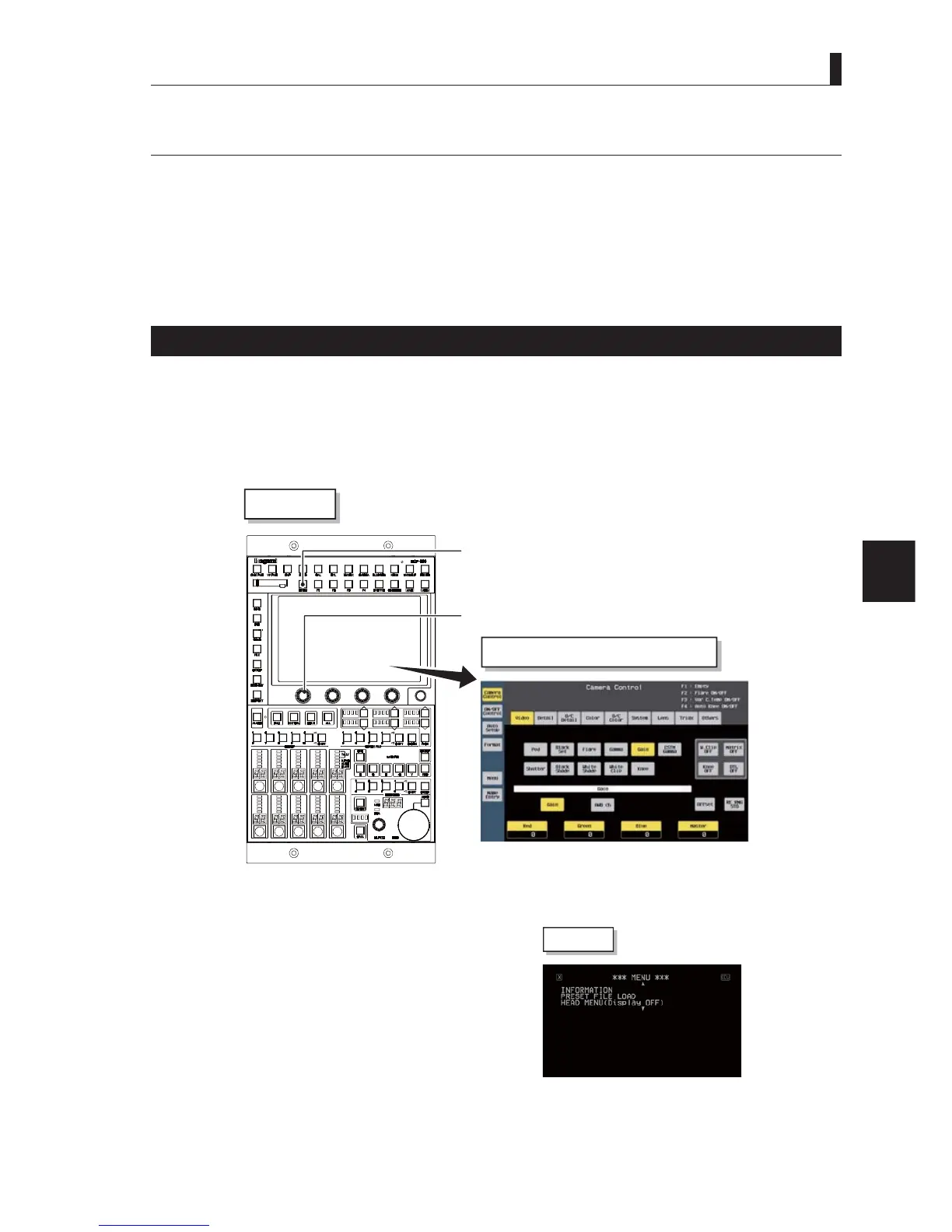
The following methods may be used to display and operate the main menu screen of the CCU on the monitor screen.
- Operate from MCP-300.
- Operate from OCP-300.
- Operate from the front panel of the CCU.
Each operation is described below.
■
Operating from MCP-300
RE knob
Menu switch
MCP-300
Example of MCP-300 LCD screen
Press and hold the Menu switch of MCP-300 to display the main menu on the monitor screen (PM screen).
The monitor output screen superimposes the character information to the camera video output.
Note:
5(NQRE0HDQVWKH5RWDU\(QFRGHUNQRE
PM screen



 To Next Page