INSTALLATION and CONNECTION
3
37
UHK-430/CCU-430 1710 VER2 (E)
3.1 Preparation
3.1 Preparation
Product Use
Please read
“SAFETY PRECAUTIONS”
described at the beginning of this manual for precautions on use of this product.
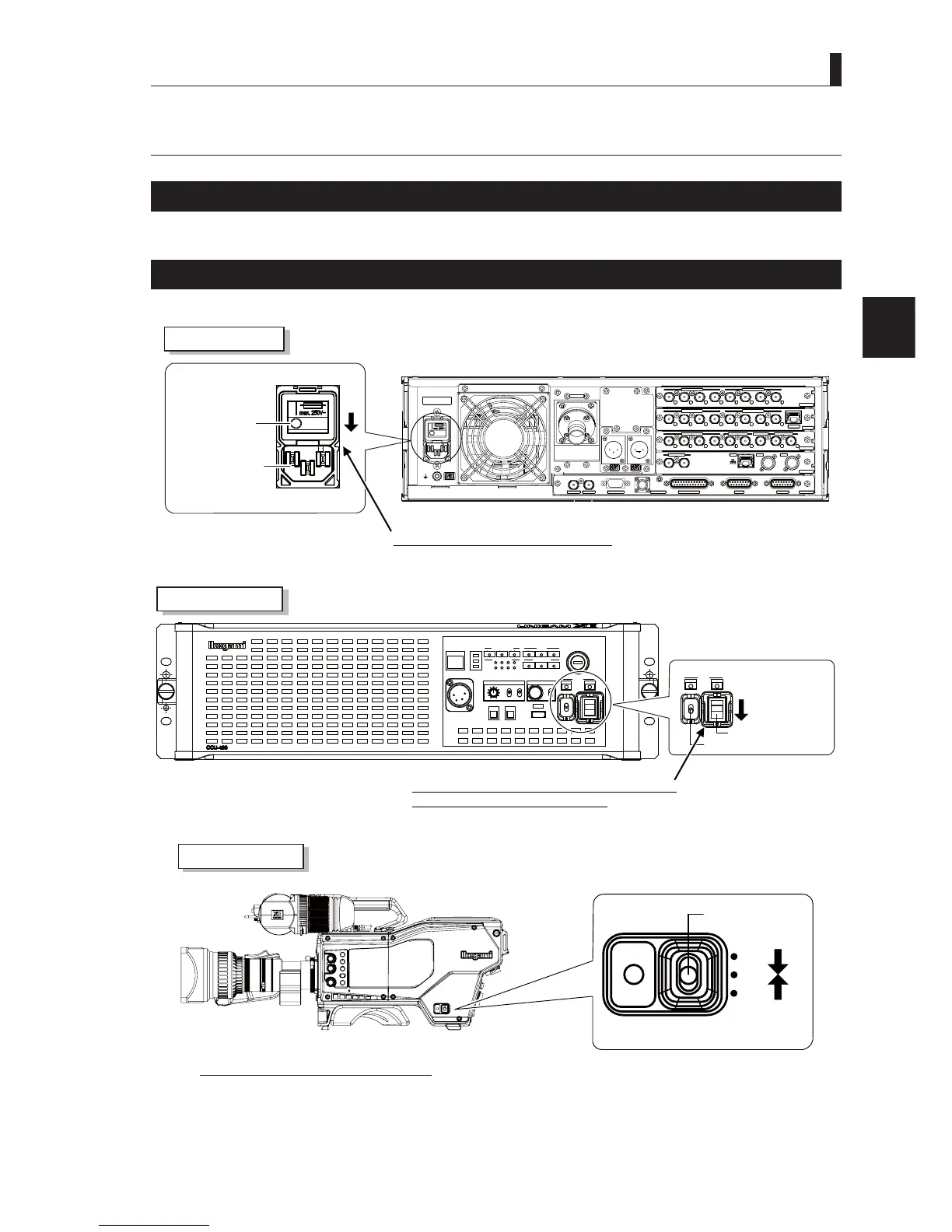
Make sure the Power Switch is OFF
Be sure the Power switch is turned off before connecting this product (camera and CCU) to peripherals.
* * *
HD QTV IN
HD RETURN IN
SDI-OUTPUT-2
MON OUTPUT
HD TRK OUT
VP_OUT
AES OUT
SDI-OUTPUT-1
SYNC OUT
DATA TRK-1
TALLY OUT
COMMUNICATION
I/F
REMOTE
SYS_IF
REFERENCE
RET_MON
GbE TRK
LAN
OCP
CSU
MPU
1
2
1
2
4
1
2
1
1
2
2
3
4
4
3
CAMERA
HD_OUT
SDI-OUTPUT-4
SDI-OUTPUT-3
1
2
3
4
3
2
1
4
AC power input
connector
Main power switch
Check the Main Power switch is turned off.
CCU Rear View
CAM:400V T5A
POWER
CCU
CAM
TEMP
FAN
ALARM
COMM
SDI
APC
GENLOCK
CCU STATUS
SHORT
OPEN
NORMAL
CABLE STATUS
OPT RX LEVEL
CAM
CCU
TALLY
ID
INTERCOM
PHONE
INIT/PM
CALL
COM
PRV
MIC
ON
OFF
PTT
MENU
USB
OPE
OFF
POWER
CCU
CAM
Camera power switch
CCU power switch
Check the CCU POWER switch on the front and the
camera POWER switch are turned off.
CCU Front View
CCU
OFF
EXT
POWER
FILTER
HEAD
F2
F1
MIC
INCOM/ND
PGM/CC
MENU
VF
CHAR
CCU
OFF
EXIT
POWER
Power switch
Check the camera
ower switch is turned off.
Camera Right View



 To Next Page