144
UHK-430/CCU-430 1710 VER2 (E)
6.3 Setting of CCU Menu
6.3 Setting of CCU Menu
Explains the CCU menu item operating of OCP-MCP-300 and CCU front side.
■
Setting of PRESET FILE
/RDGVWKHGDWDRI35(6(7¿OHIURPWKHLQWHUQDOPHPRU\
όόόᴾ ᵫᵣᵬᵳ ᴾ όόόᴾ
Ṵᴾ
ᵧᵬᵤᵭᵰᵫᵟᵲᵧᵭᵬ ᴾ
ᵮᵰᵣᵱᵣᵲᴾᵤᵧᵪᵣᴾᵪᵭᵟᵢ ᴾ
ᵦᵟᵣᵢᴾᵫᵣᵬᵳ ί ᵢᶇᶑᶎᶊᵿᶗ ᴾᵭᵤᵤ ὸ ᴾ
ᵱᵷᵱᵲᵣᵫᴾᵱᵣᵲᵲᵧᵬᵥᴾᵆᵏᵍᵐᵇ ᴾ
ᵱᵷᵱᵲᵣᵫᴾᵱᵣᵲᵲᵧᵬᵥᴾᵆᵐᵍᵐᵇ ᴾ
Ṷᴾ
ᴾ
ᵮᵰᵣᵱᵣᵲᴾᵤᵧᵪᵣᴾᵪᵭᵟᵢ ᴾ
ᴾ
ᵤᵧᵪᵣᴾᵱᵣᵪᵣᵡᵲ ᴾ ᴾ
ᵪᵭᵟᵢᴾᵱᵲᵟᵰᵲ ᴾ
ᵮᵳᵱᵦᴾᵱᵣᵲ ḵᵱᵲᵟᵰᵲ ᴾ
ᴾ
Ṵ
Ṵ
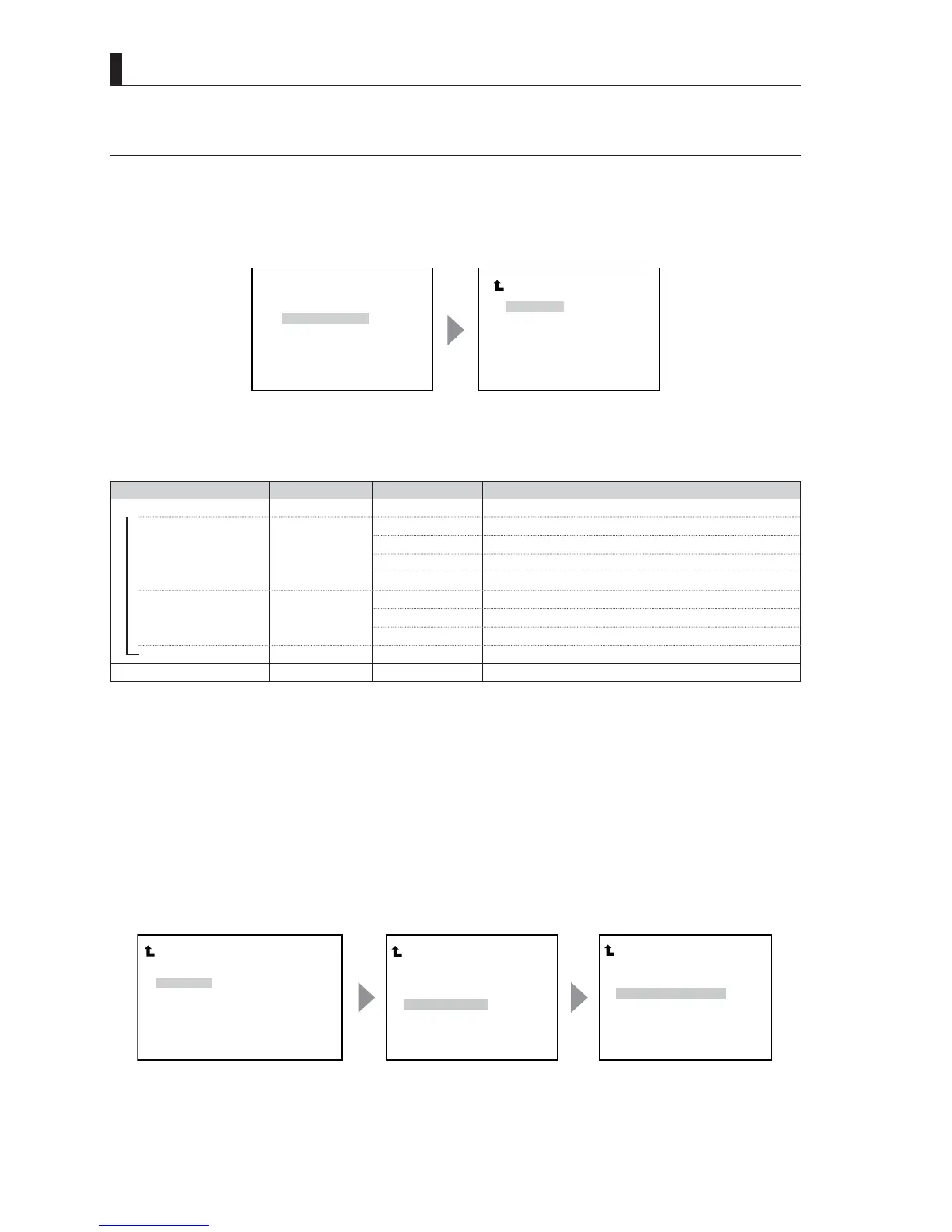
Move to the flashing cursor
to "PRESET FILE LOAD"
and confirm.
The submenu "PRESET
FILE LOAD" is displayed.
Main menu screen Sub menu screen
PRESET FILE Setting Menu
Menu Initial setting Setting value Description, Remarks
PRESET FILE LOAD
Preset file load
―
FILE SELECT
(1*,1((5
(1*,1((5
6HOHFWVWKH(1*,1((5ILOH
(1*,1((5
6HOHFWVWKH(1*,1((5ILOH
(1*,1((5
6HOHFWVWKH(1*,1((5ILOH
)$&725<
6HOHFWVWKH)$&725<ILOH
―
FILE SELECT
5($'<
5($'<
'DWDWUDQVIHU/2$'EHIRUHH[HFXWLRQ
67$57
'DWDWUDQVIHU/2$'VWDUW
&$16(/
'DWDWUDQVIHU/2$'FDQFHOODWLRQ
PUSH SET ---> START
CAMERA MENU
Displays "Camera Power OFF" when the power of camera is turned off.
1 Set the blinking cursor to FILE SELECT and select a target file to transfer (LOAD) the data.
:KHQWKHEOLQNLQJFXUVRULVPRYHGWR/2$'67$57DQG¿QDOL]HGWKHPRGHVHWYDOXHFKDQJHVIURP5($'<WR
67$57
2 - When "CANCEL" is selected, the setting is canceled, and the status returns to "READY" status.
- When "START" is selected, "PUSH SET ---> START" is displayed at the lower section of the screen. When
"START" is selected, proceed to Step 3.
3 While "PUSH SET ---> START" is selected, finalize the operation. The data transfer (LOAD) starts.
:KHQORDGLQJRIWKH¿OHFRPSOHWHVWKHPHVVDJH)$,/6$)('$7$/2$'&203/(7('DSSHDUVRQWKHVFUHHQ7KHQ
CCU re-start automatically, and the operation completes.
ᴾ
ᵮᵰᵣᵱᵣᵲᴾᵤᵧᵪᵣᴾᵪᵭᵟᵢ ᴾ
ᴾ
ᵤᵧᵪᵣ ᴾ ᵱᵣᵪᵣᵡᵲ ᴾ ᴾᴾᴾᴾᴾᴾᴾᴾᵣᵬᵥᵧᵬᵣᵣᵰ ᵋᵏᴾ
ᵪᵭᵟᵢᴾᵱᵲᵟᵰᵲ ᴾ ᴾᴾᴾᴾᴾᴾᴾᴾᴾᴾᵰᵣᵟᵢᵷ ᴾ
ᵮᵰᵣᵱᵣᵲᴾᵤᵧᵪᵣᴾᵪᵭᵟᵢ ᴾ
ᴾ
ᵤᵧᵪᵣ ᴾᵱᵣᵪᵣᵡᵲ ᴾ ᴾ ᴾᵣᵬᵥᵧᵬᵣᵣᵰ ᵋᵏᴾ
ᵪᵭᵟᵢᴾᵱᵲᵟᵰᵲ ḵᵱᵲᵟᵰᵲ ᴾ ᴾ
ᴾ
ᵮᵳᵱᵦᴾᵱᵣᵲ ḵᵱᵲᵟᵰᵲ ᴾ
ᴾ
ᵮᵰᵣᵱᵣᵲᴾᵤᵧᵪᵣᴾᵪᵭᵟᵢ ᴾ
ᴾ
ᵤᵧᵪᵣ ᴾ ᵱᵣᵪᵣᵡᵲ ᴾ ᴾ ᴾᵣᵬᵥᵧᵬᵣᵣᵰ ᵋᵏᴾ
ᴾ
ᵤᵟᵧᵪ ὼᵱᵟᵤᵣᴾᵢᵟᵲᵟᴾᵪᵭᵟᵢᴾ
ᵡᵭᵬᵮᵪᵣᵲᵣᵢ ᴾ
Ṵ
Ṵ
Ṵ
Move to the flashing cursor to
"LOAD START" and confirm.
When "START" is selected, the
message is displayed in the
bottom of the screen.
"FAIL-SAFE DATA LOAD
COMPLETED" is displayed in
the middle of the screen, and
then restart.
Sub menu screen Sub menu screen Item setting screen



 To Next Page