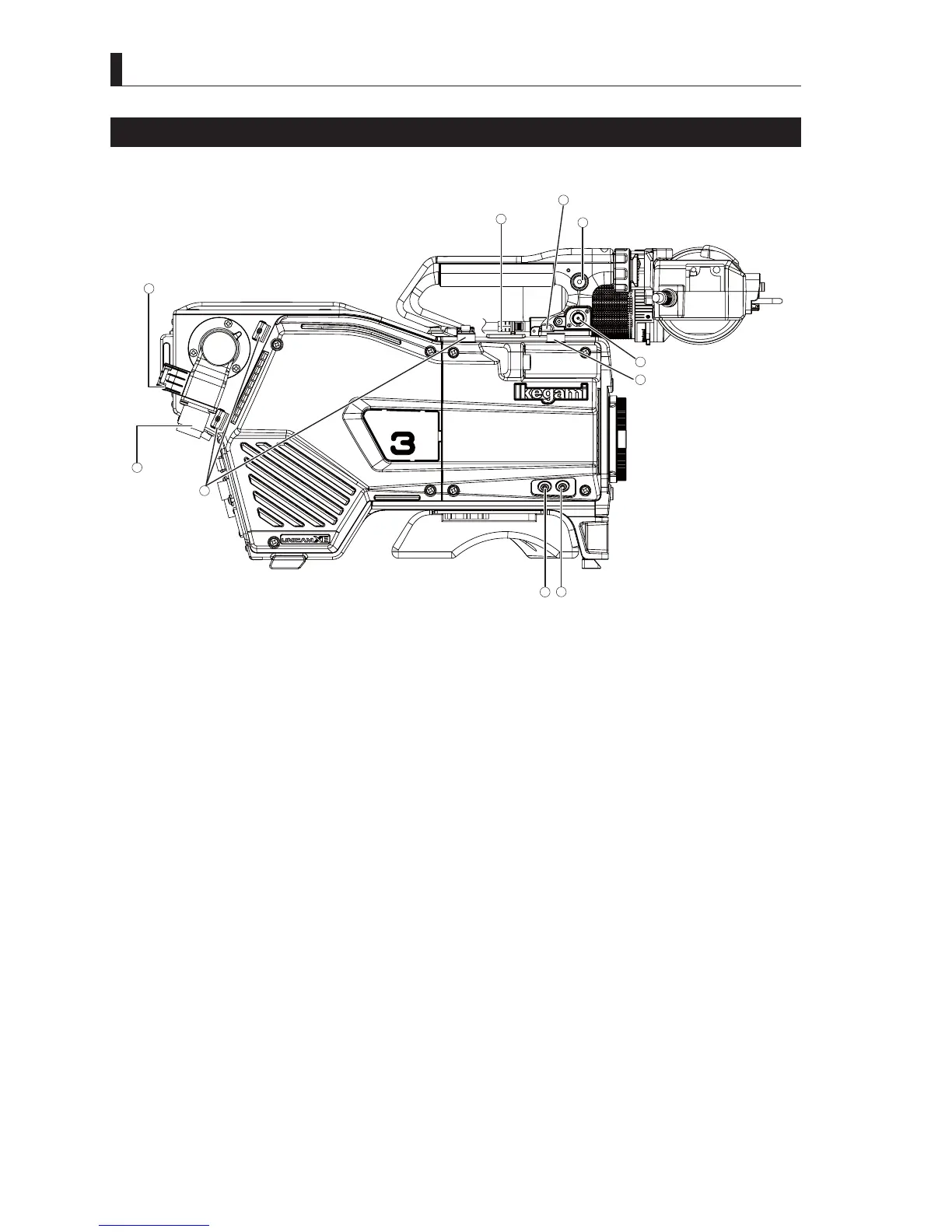
2.1 Camera and Viewfinder
16
UHK-430/CCU-430 1710 VER2 (E)
Name and Function of the Camera Left Side
■
Name of the Camera left side
RET-1
RET-2
/MIC
VF Cable Plug
MIC Cable Clamp
Fiber Cable Clamp
VF Connector Selectable
Shoulder Belt Hooks
SDI OUT
VF Cable Clamp
CAMERA
Connector
RET-2/MIC Button RET-1 Button
1
3
4
2
5
7
6
8
9
10
■
Function of the camera left side
(1) Shoulder Belt Hooks
Hooks to be used to attach a shoulder belt (option).
3OHDVHUHIHUWR$WWDFKLQJWKH6KRXOGHU%HOWLQ&KDSWHU
Reference:
Please refer to
"Chapter 3 : INSTALLATION and CONNECTION" "3.3 Camera and Peripheral Installation and
Connection" "Attaching a Shoulder Belt" (P. 50)
for more information.
(2) VF Connector
Used to connect a VF cable.
(3) VF Cable Plug
$FRQQHFWRUDWWDFKHGWRDFDEOHIURP9)7KHODWFKHVRQERWKVLGHVDUHIRUORFNLQJWKHFRQQHFWRULQSODFH7RUHPRYHWKH9)
connector, press in on both latches and then remove it.
(4) SDI OUT
Outputs the same video signal as the SDI OUT 3 connector.
(5) VF Cable Clamp
$FODPSXVHGWR¿[WKH9)FDEOH
(6) RET-2/MIC Button
$VVLJQWKH5(7VHOHFWRUIXQFWLRQRUWKH,17(5&200,&VZLWFKIXQFWLRQWRWKLVEXWWRQVRWKDW\RXFDQFRQWUROWKHDVVLJQHG
function at the side of the camera.
●
When set to RET-2
The video of view finder is switched from the video of the camera to the RET-2 video while this button is pressed.
●
This button is used to turn on the microphone of intercom when "ENG" or "PROD" is selected using the INTERCOM
FRONT VR selector switch on the back of the camera.
While this button is pressed, the intercom microphone is turned on.



 To Next Page