TROUBLE SHOOTING and MAINTENANCE
8
209
UHK-430/CCU-430 1710 VER2 (E)
8.6 Replace Fuses
8.6 Replacing Fuses
:KLOHWKH$&SRZHUVXSSO\LVSURSHUO\LQSXWWRWKLVV\VWHPDQGZKHQWKHSHULSKHUDOXQLWVDUHSURSHUO\FRQQHFWHGDSUREOHP
may occur such as the power supply disabled to be turned on, the power not transmitted to the camera, or the power alternately
transmitted and stopped repeatedly to the camera. In such case, the fuse might be blown. If that occurs, replace the fuse by taking
the following procedure.
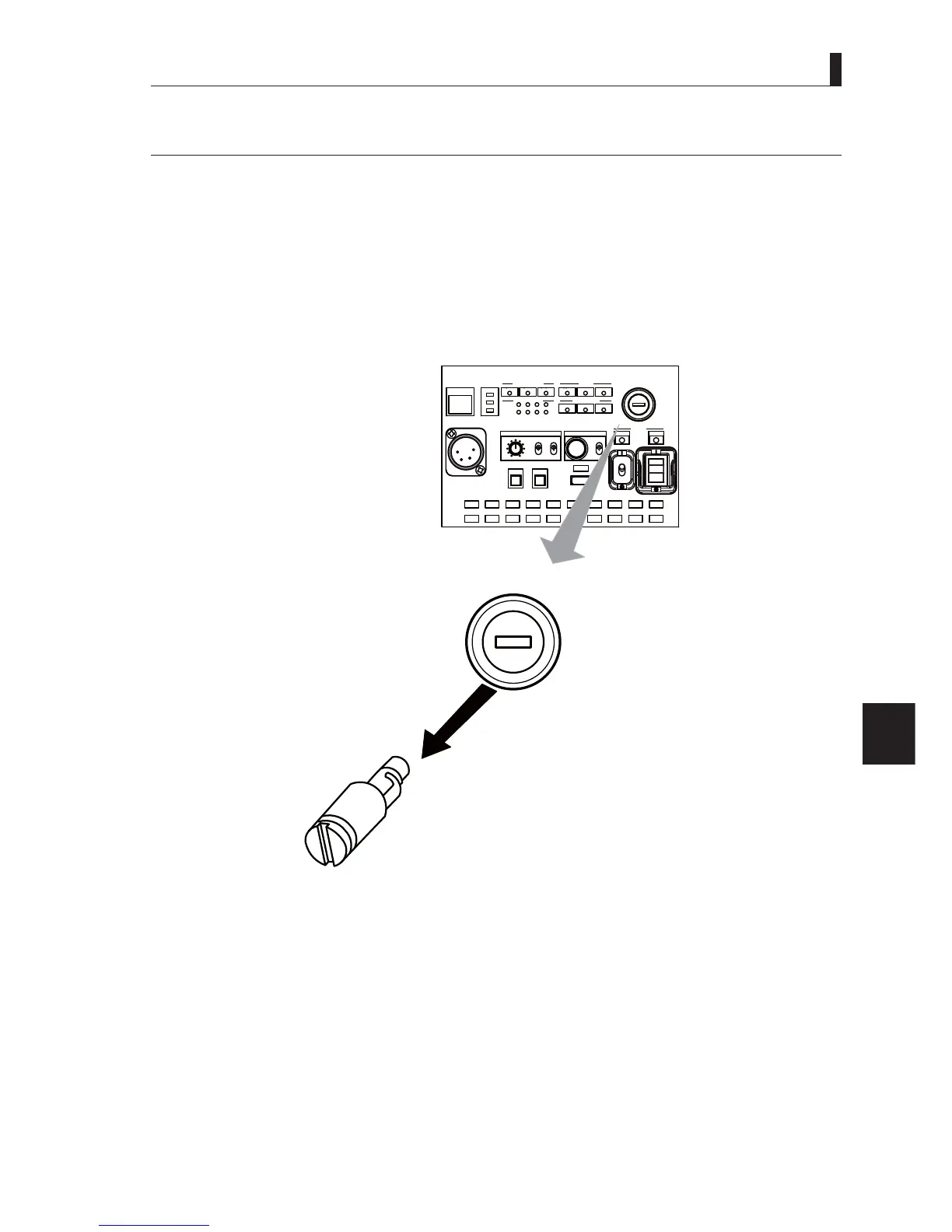
1 Make sure the MAIN POWER switch on the front of the CCU is turned "OFF."
2 Use a flat-blade screwdriver or the like to press and turn the fuse on the front of the CCU counterclockwise and
remove it.
CAM:400V T5A
POWER
CCU
CAM
TEMP
FAN
ALARM
COMM
SDI
APC
GENLOCK
CCU STATUS
SHORT
OPEN
NORMAL
CABLE STATUS
OPT RX LEVEL
CAM
CCU
TALLY
ID
INTERCOM
PHONE
INIT/PM
CALL
COM
PRV
MIC
ON
OFF
PTT
MENU
USB
OPE
OFF
CAM: 400V T5A
AC line fuses for transmitting power to the camera head
CCU front view
3 Insert a new fuse into the fuse cap and turn it clockwise using a flat-blade screwdriver or the like until it seats
firmly.
CAUTION:
8VHVSHFL¿HGIXVHVRUHTXLYDOHQWRQHV
Fuse to be used
97$UDWLQJ
("T" in the rating indicates a time lag fuse.)



 To Next Page