CAMERA SETTINGS and ADJUSTMENT
5
125
UHK-430/CCU-430 1710 VER2 (E)
5.7 Controlling from the Camera Head
5.7 Controlling from the Camera
Controlling the ND Filter and Color Filter
FILTER
HEAD
F2
F1
MIC
INCOM/ND
PGM/CC
MENU
VF
CHAR
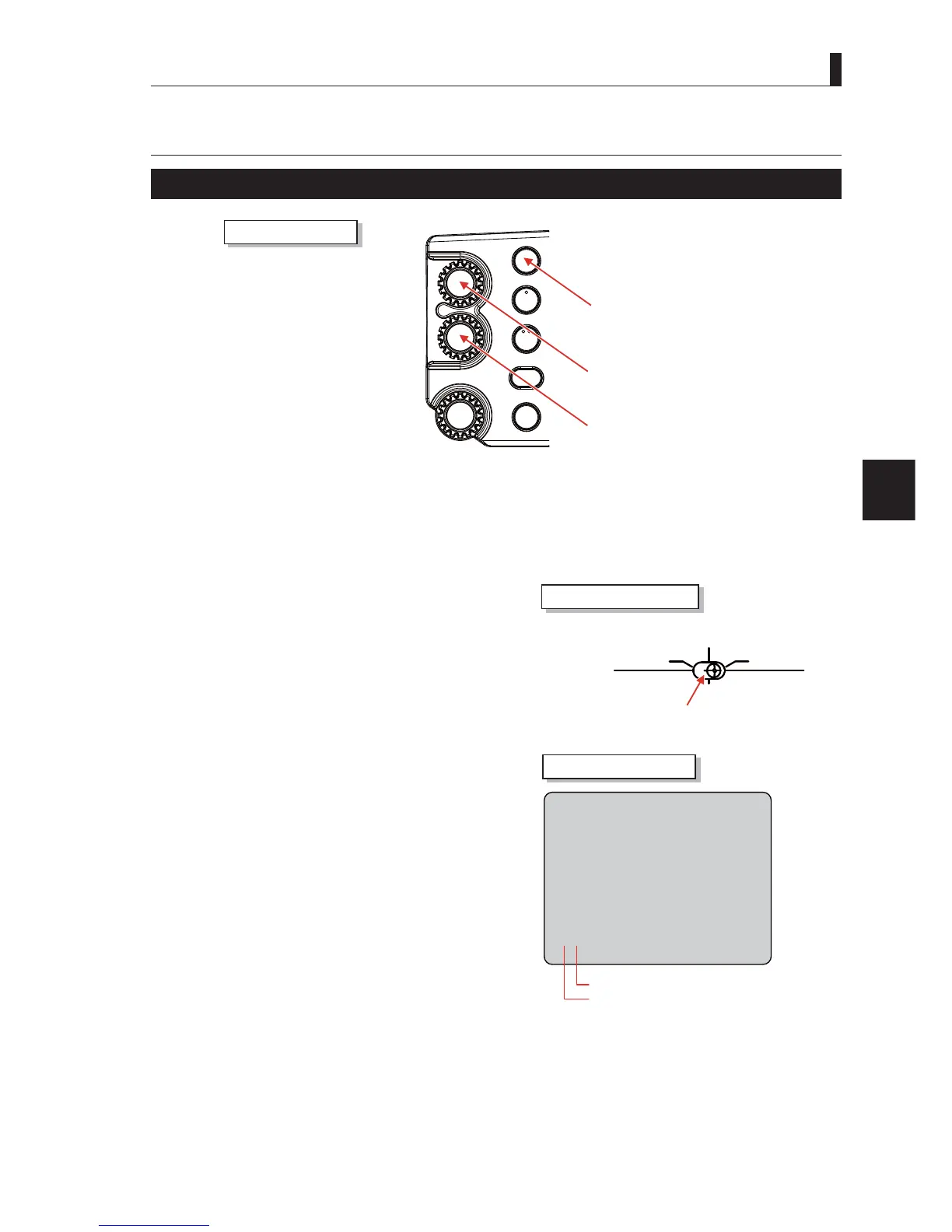
FILTER HEAD button
INTERCOM PHONE/ND filter knob
INTERCOM PGM/CC filter knob
Camera Right Side
1 Press and hold the FILTER HEAD button to switch the FILTER control to the camera side.
7KH),/7(5+($'EXWWRQOLJKWVXSZKLFKLQGLFDWHVWKDWWKHFRQWUROLVWUDQVIHUUHGWRWKHFDPHUD7KH),/7(5SRVLWLRQLV
passed on as it is.
2 INTERCOM selector switch is set to "INTERCOM
SEL REAR".
Operate "INTERCOM PHONE/ND Filter knob" or
,17(5&203*0&&)LOWHUNQREWRSHUIRUPWKH
FILTER control.
3 INTERCOM selector switch is set to "INCOM1
FRONT" or "INCOM2 FRONT".
(1) Press the FILTER knob to operate ("INTERCOM
3+21(1')LOWHUNQRERU,17(5&203*0&&
Filter knob").
(2) Display the FILTER information (FILTER number,
¿OWHURSHUDWLRQULJKWRQWKH9)VFUHHQIRU
seconds.
Perform the FILTER control in these 3 seconds.
(3) If the FILTER operation is not performed for 3
seconds, the FILTER information on the VF screen
disappears. Then "INTERCOM PHONE/ND Filter
NQRERU,17(5&203*0&&)LOWHUNQRELV
reset to the INTERCOM control.
(4) Repeat (1) to (3) to perform the FILTER operation
again.
INCOM 1
FRONT
REAR
INCOM SEL
FRONT
INCOM 2
Camera Rear Side
INTERCOM switch
㻞㻮 㻖
ND, CC, filter number
Filter operation right
Viewfinder display



 To Next Page