CAMERA SETTINGS and ADJUSTMENT
5
81
UHK-430/CCU-430 1710 VER2 (E)
5.2 Basic Operation of the Menu
5.2 Basic Operation of the Menu
9DULRXVVHWWLQJLWHPVWKURXJKWKH0HQXVFUHHQDUHGLVSOD\HGRQWKH9)YLHZ¿QGHUDQGYDULRXVFDPHUDIXQFWLRQVFDQEH
arbitrarily set. Select and set various items while looking at the Main Menu screen and Sub Menu screen displayed on VF.
The menu has a hierarchical structure. It includes the User menu, Main menu, and Engineer menu.
FILTER
HEAD
F2
F1
MIC
INCOM/ND
PGM/CC
MENU
VF
CHAR
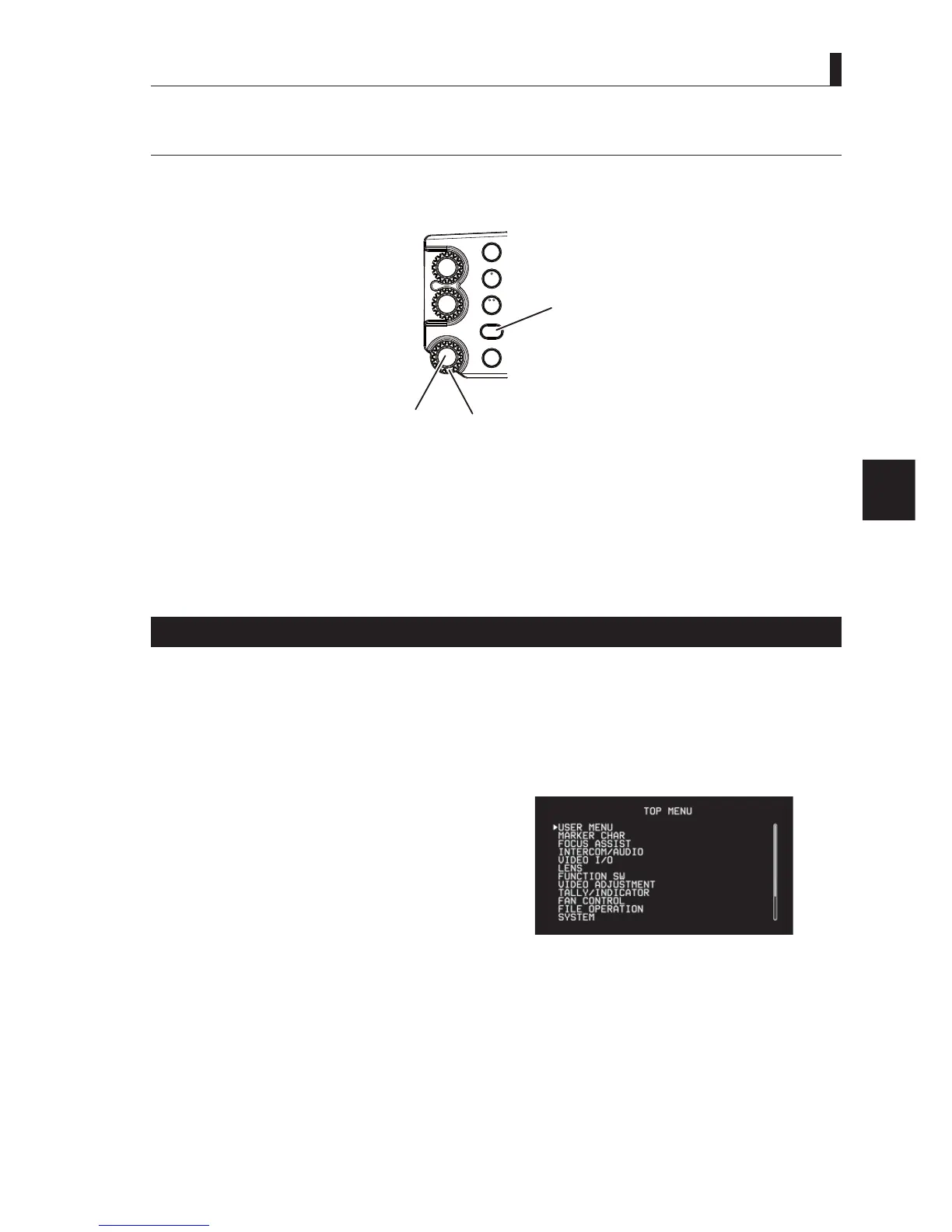
VF CHAR button
MENU selector knob
SET button
Caution:
MENU selector knob 8VHGWRVHOHFWDVHWWLQJLWHPLQYDULRXVVHWWLQJVRIFDPHUDIXQFWLRQV
SET button3UHVVWKLVEXWWRQWRFRQ¿UPWKHVHOHFWLRQDQGVHWWLQJVLQYDULRXVVHWWLQJVRIFDPHUDIXQFWLRQV
VF CHAR button 'LVSOD\VYDULRXVLQIRUPDWLRQRQWKH9)VFUHHQ
Caution
The menu setting items are displayed on the camera in the above operation, the menu items of the camera are displayed, but not the
CCU menu items. Please refer to Chapter 6 for the CCU menu setting items.
Operation of the menu screen
■
Displaying User Menu Screen
3UHVVWKH6(7EXWWRQIRUVHFRQGVWRGLVSOD\WKHXVHUPHQX
■
Displaying Normal Menu Screen (Main Menu Screen)
Simultaneously press the VF CHR button and the SET button to display.
■
Menu Setting Screen
Each setting item on the menu screen has a hierarchical
structure.
7KHVHWWLQJLWHPVDUHDOVRFODVVL¿HGLQWRXVHUVHWWLQJLWHPDQG
engineer setting item.
8VHUVHWWLQJLWHP 'DLO\RSHUDWLRQLWHP
(QJLQHHUVHWWLQJLWHP 5HJXODUPDLQWHQDQFHLWHPE\XVHU
Caution
(1) The main menu screen is indicated as "TOP MENU" in this manual.
(2) Various setting items and setting value select screen are indicated as sub menu screen.
Menu screen exam
le



 To Next Page