118
UHK-430/CCU-430 1710 VER2 (E)
5.5 Using the USB Memory
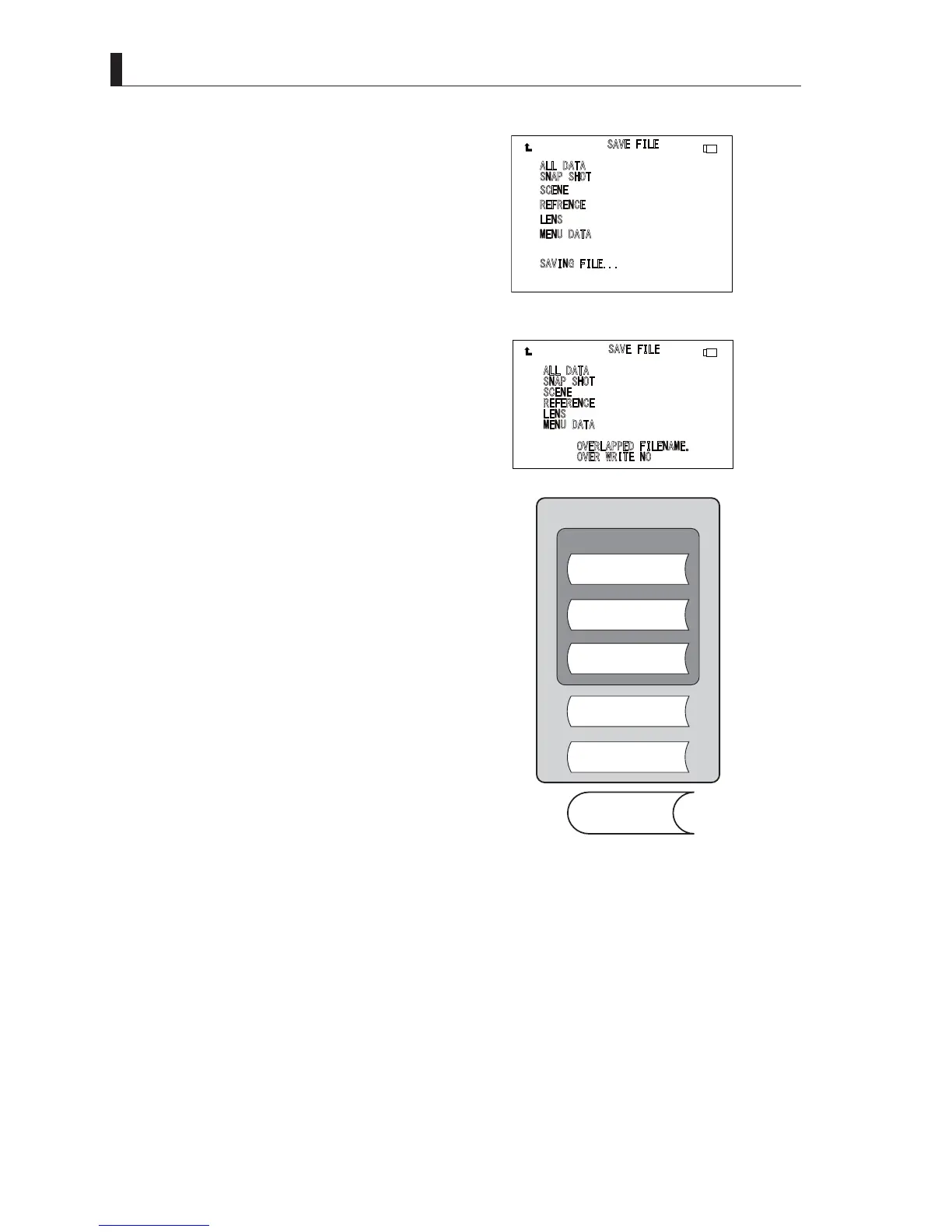
7 When the file is being saved, [SAVING FILE...] is
displayed.
If the file is saved normally, [COMPLETE] is
displayed.
Caution:
Never remove the USB memory from the slot during
GLVSOD\RI>6$9,1*),/(@RUZKLOHWKHDFFHVV
indicator is lighted, as data is being written to the USB
memory. Removing it at this time could damage the
USB memory data or the USB memory itself.
M1
If a file with the same file name exists on the USB
memory, a message is displayed asking whether it
is all right to write over the data. To enable writing
over of data, change [NO] to [YES] and press the
SET button. If [NO] has been selected, storage is
cancelled and the system returns to step [3].
Note:
7KHLPDJHVRIWKHVWRUDJHUDQJHIRU¿OHVDUHVKRZQLQ
WKH¿JXUHEHORZ
$
//'$7$
6
1$36+27
6
&(1(
5
()5(1&( $%&'()&')
/
(16
0
(18'$7$
6
$9,1*),/(
$
//'$7$
6
1$36+27
6
&(1(
5
()(5(1&( $%&'()&')
/
(16
0
(18'$7$
2
9(5/$33('),/(1$0(
2
9(5:5,7(12
㼁㻿㻮
㼁㻿㻮
ALL FILE
REFERENCE FILE
(ABB/AWB)
LENS FILE
Parameters for adjusting
functions and ON/OFF state.
SCENE FILE
MENU FILE
SNAPSHOT FILE
LOG DATA



 To Next Page