Measuring Functions
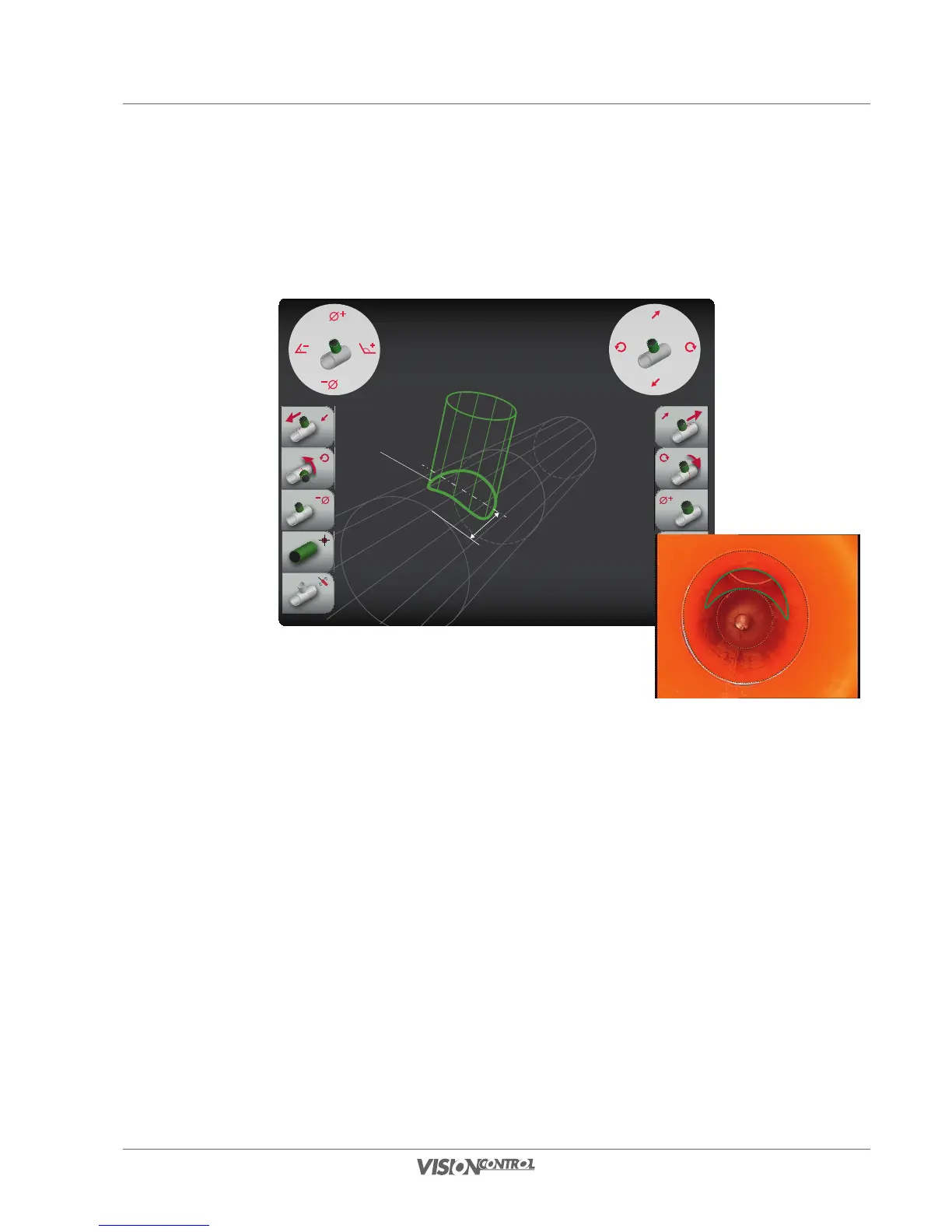
Measure branch
131
Measure branch
This function allows you to define and measure a branch of the pipe to be inspected. All settings influence the visual location and position of
measuring line 1 in this view.
PIPE BRANCH:
Diameter: 100.00mm
Angle: 45.00°
Rotation: 7.00°
Distance: 20.00mm
Measuring line 1
REAL PIPE:
Diameter: 150.00mm
Length: 105.50mm
Rotation: 2.80°
Distance
• Define the diameter of the branch using the left joystick or the L3/R3 buttons.
• Define the rotation using the right joystick or the L2/R2 buttons.
• Move the position of the branch on the main pipe axis using the right joystick or the L1/R1 buttons.
• Set the branch angle of the branch pipe using the left joystick.
Carry out the work steps iterating alternately in order to position the measuring line precisely congruently.
REAL PIPE:
Diameter: 150.00mm
Length: 105.50mm
Rotation: 2.80°
PIPE BRANCH:
Diameter: 100.00mm
Angle: 45.00°
Rotation: 7.00°
Distance: 20.00mm



 To Next Page