Functional description
General screen dialogs
30
Screen keyboard
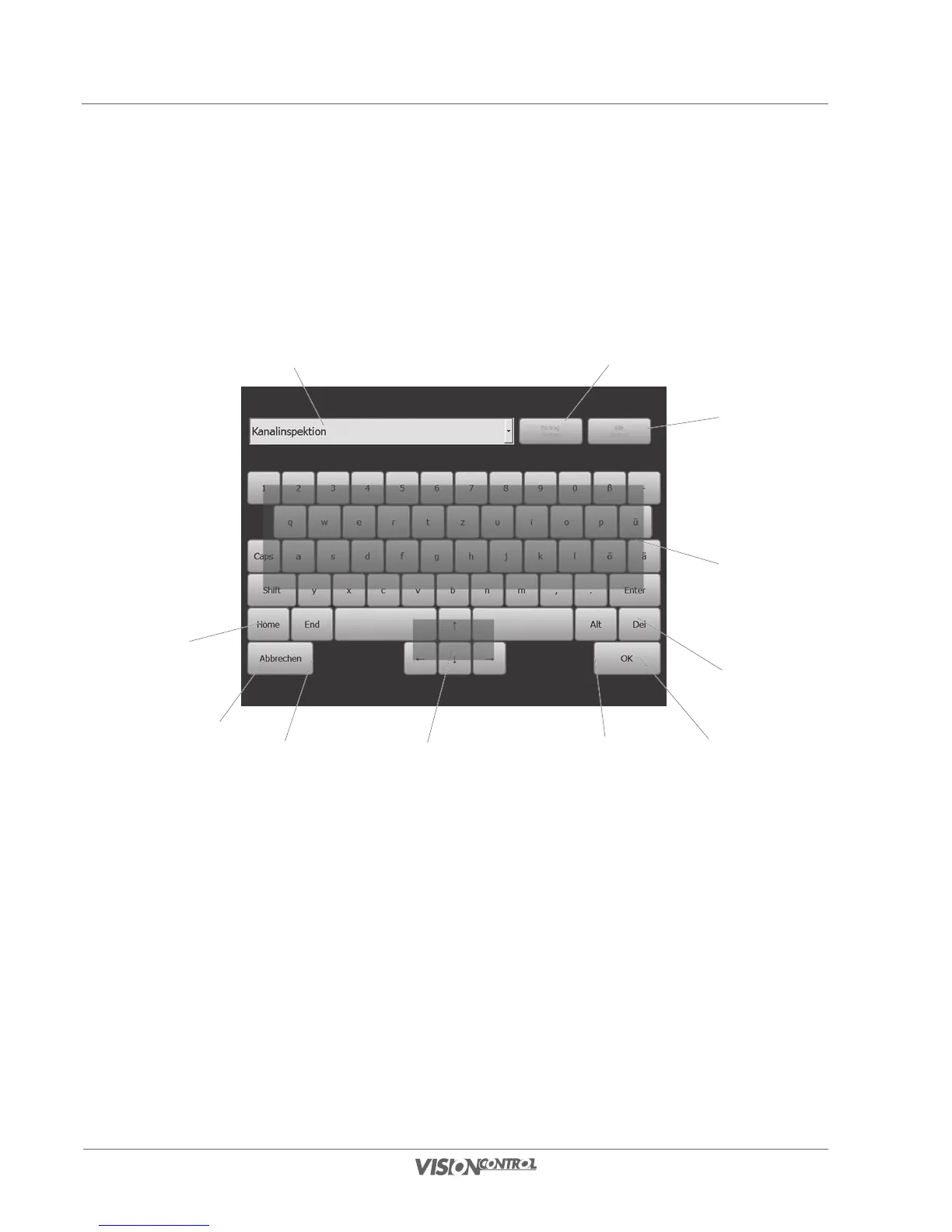
All text entries on the VISIONCONTROL control panel must be entered via the integrated screen keyboard. Whenever a text input is required
in an input field the screen keyboard opens automatically when activating the field. The screen keyboard offers input assistance which saves
previously entered texts for repeated input. List entries can be removed individually and collectively to maintain an overview, after a longer
inspection period.
11
9
10
2
1
4
3
5
6
8
7
1 Input assistance:
2 Remove current entry from the list
3 Remove all entries from the list
4 QWERTY keyboard
5 Delete Button
6 OK button to confirm the selection
7 Add special character (the keyboard changes to a special input mode)
8 Arrow keys for navigating
9 Go to the final position of the text entry
10 Close dialog window without change / close the procedure
11 Go to the start position of the text entry



 To Next Page