Functional description
Control panel VISIONCONTROL - Version VC200
21
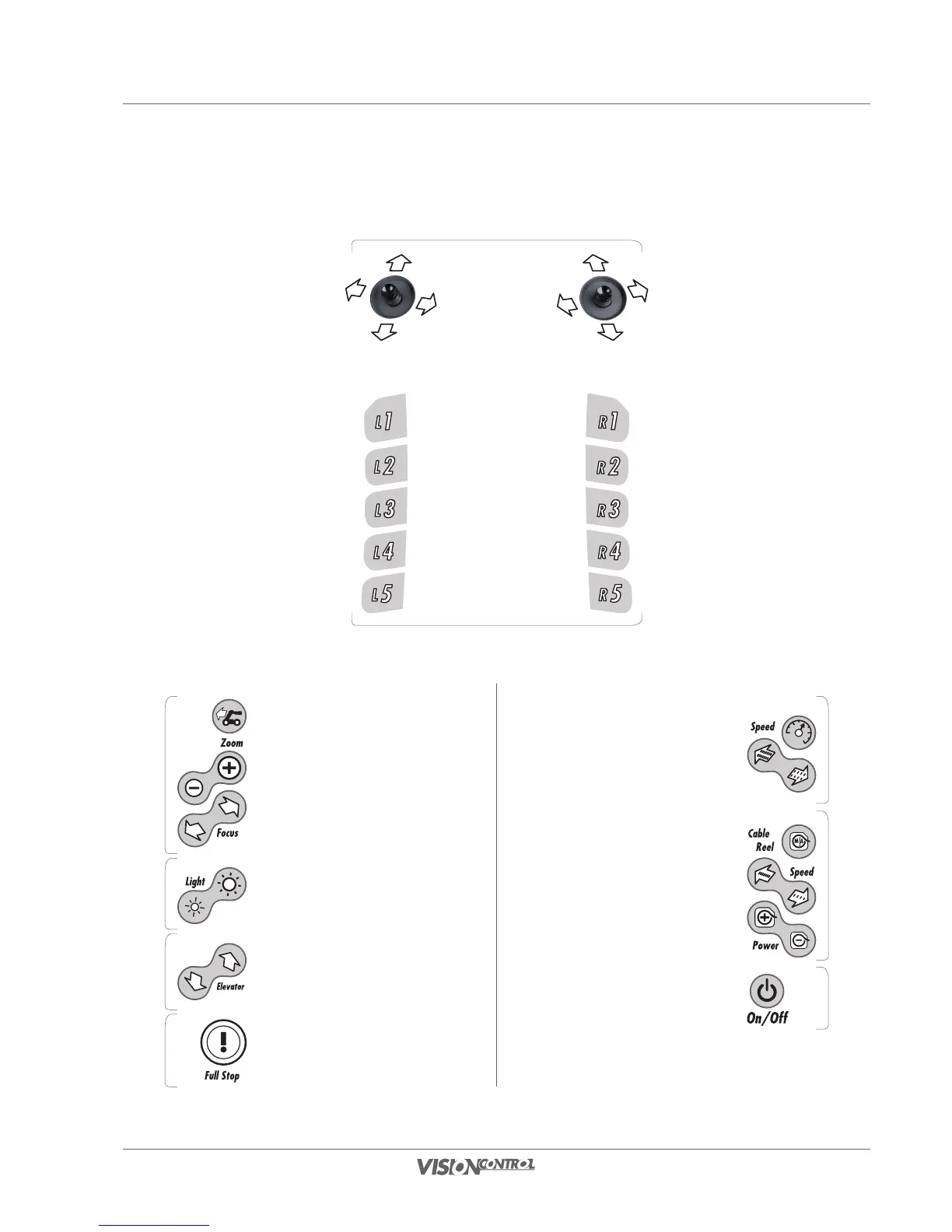
Overview buttons and main control functions
Function buttons
L1 to L5 and R1 to R5
The function of these buttons
is displayed in the software
itself and depends of the
current active menu.
Joystick
left: camera head
right: crawler
Crawler
Cruise control
Crawler speed for
cruise control mode
Cable reel
Switching between cable reel modes
Cable reel speed
Cable reel power
Camera
Switch between front- and rearview camera(s)
Camera zoom
Camera focus
Light
Brightness of camera light
Elevator
Moving up and down
FULL-STOP
For crawler, elevator, camera head and cable
reel (these devices are stopped. The system
remains fully operational.)
Main switch
On/Off VC200



 To Next Page