Executing the inspection
Text Menu
98
iPEK International GmbH
See, Gewerbepark 22, D-87477 Sulzberg
Tel. +498376921800, FAX: +4983769218021
Freetext
e-mail:ISG_info@idexcorp.com Internet:www.ipek.at
1970-01-01 00:00:01
1000 mbar 0.00 m 0 g 0 g 0 gC
Header 1
Header 2
Header 3
Freetexts
Data displays
Data displays
Footer
Column
Line
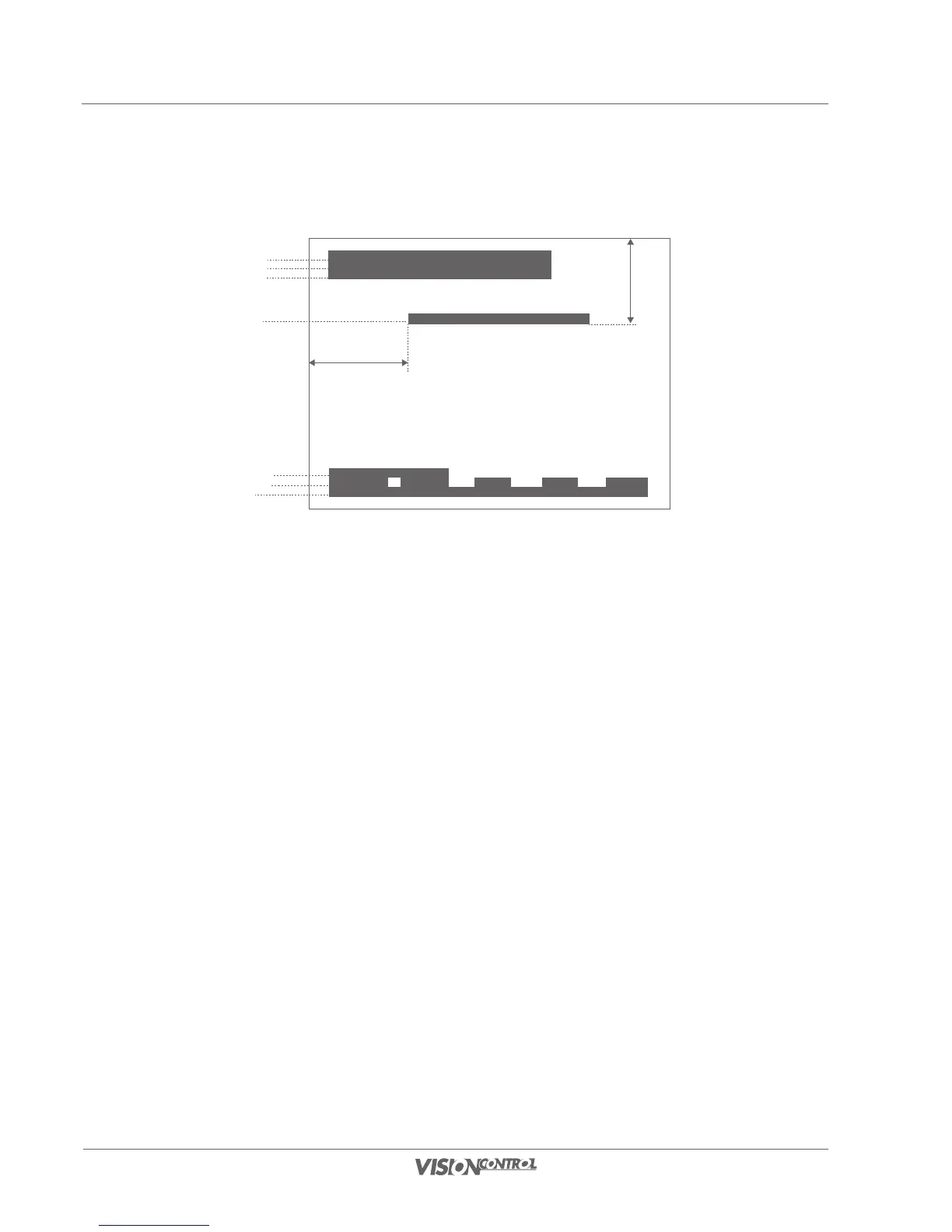
Fig. Text positions
- The “Column” field defines the horizontal position of the text overlay.
- The “Line” field defines the vertical position of the text overlay.
- “Foreground” defines the font color.
- “Background” defines the color that surrounds the text.
- The button next to the “Visibility” item defines whether the inspection text is shown or hidden.
• Confirm this dialog with OK.
Configure System Texts
You can access the settings for your system texts, such as headers or data overlays directly from the inspection view. A precise description of the
setting possibilities is described under System settings/system texts on Seite 42.
Clear Custom Texts
Select this function to delete all custom texts from the video view. The texts will only be cleared, they will not be deleted in the text settings. You
can overlay these texts again by activating the check box with the designation “Visible” in the “Custom Texts” dialog.



 To Next Page