Executing the inspection
Device Control
80
Device Control
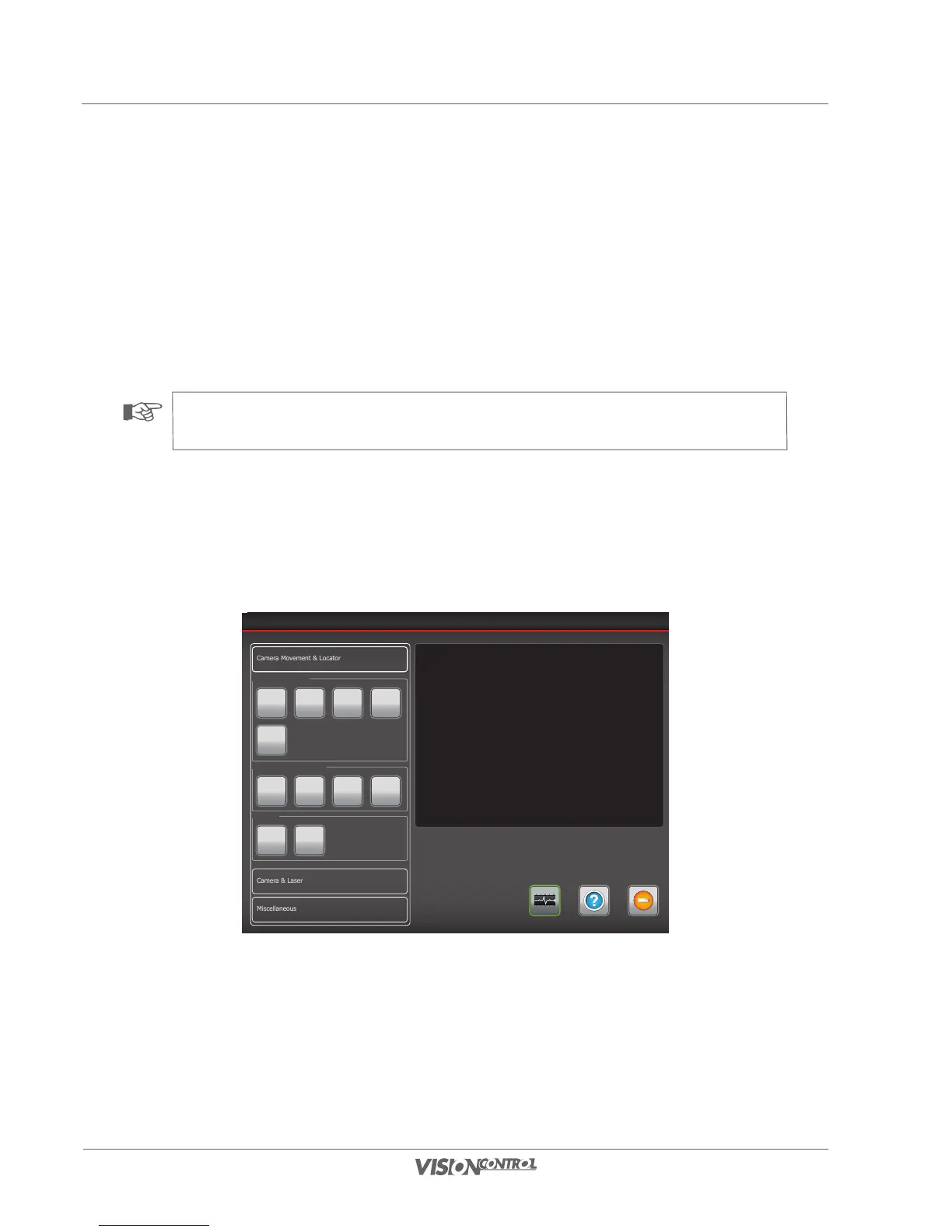
In the device control you can change the hardware settings or the connected devices directly. The available settings depend on the devices that
are connected to your system. If your system does not feature a locator that can be switched on or off, the associated option in the dialog will
be disabled. In the device control dialog joystick control over camera and crawler is available. Please note that the video recording is pausing
while the device control dialog is open. By selecting SYSTEM STATUS you can access a dialog which shows you the connected devices and
related information. This information is primarily needed for service purposes. You can select various categories in the left of the view window. The
individual associated functions open out when you activate the main point.
NOTE!
For the functions in this dialog, there is also an integrated help available which will appear by pressing the HELP button.
Camera macro functions
A camera macro is immediately carried out when you press one of the camera’s macro buttons. The device control dialog will be turned off.
In case video recording is set to “pause” it will automatically be restarted.
Device Control
Help ExitSystem-Status
Camera Makros
1 2 3 4
5
Camera Operationmode
Standard Horizontal Position Cleaning
Locator
Off Ein
By pressing the buttons camera macros 1 - 5 you can select one of the following five preset standard panning operations for the camera head.



 To Next Page