User interface
System Settings
42
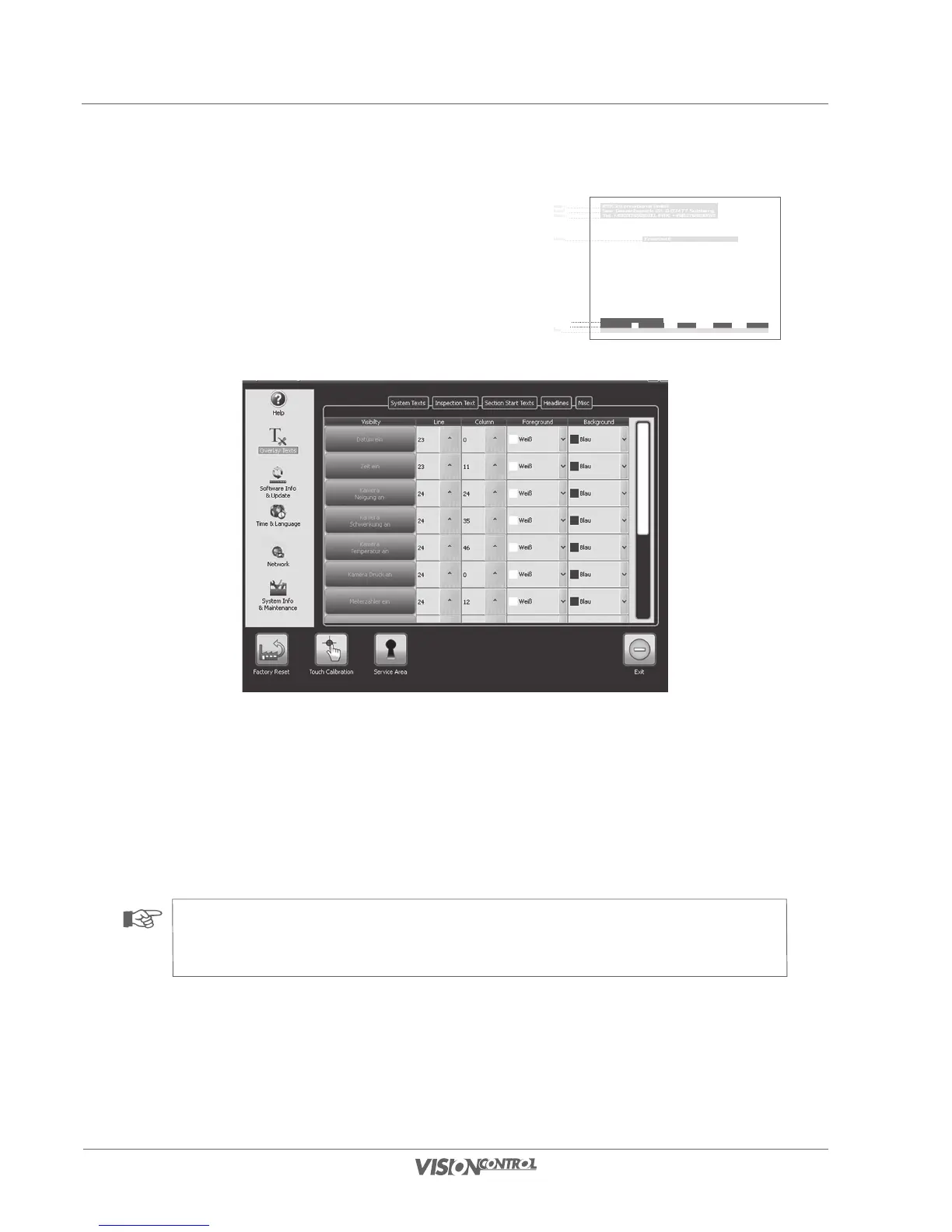
Overlay Texts – System Texts
The following values can be set in the System Text area:
- System time and date
- Pan, tilt, pressure and temperature of the camera
- Pressure, temperature, roll and pitch of the crawler
- Meter counter and speed
- Use the buttons on the left side to switch the display of the respective value on or off.
- In the “Line” selection field set the vertical position at which the text is displayed.
- The “Column” selection field defines the horizontal position at which the text is displayed.
- “Foreground” defines the font color.
- “Background” defines the color that surrounds the text.
NOTE!
The number of columns of the touchscreen corresponds to the number of characters that can be displayed horizontally. The “Line”
selection field defines the line from the upper border in which the text overlay appears.
iPEK International GmbH
See, Gewerbepark 22, D-87477 Sulzberg
Tel. +498376921800, FAX: +4983769218021
Freetext
e-mail:ISG_info@idexcorp.com Internet:www.ipek.at
1970-01-01 00:00:01
1000 mbar 0.00 m 0 g 0 g 0 gC
Header 1
Header 2
Header 3
Freetexts
Data displays
Data displays
Footer



 To Next Page