Functional description
Address data management
35
Address data management
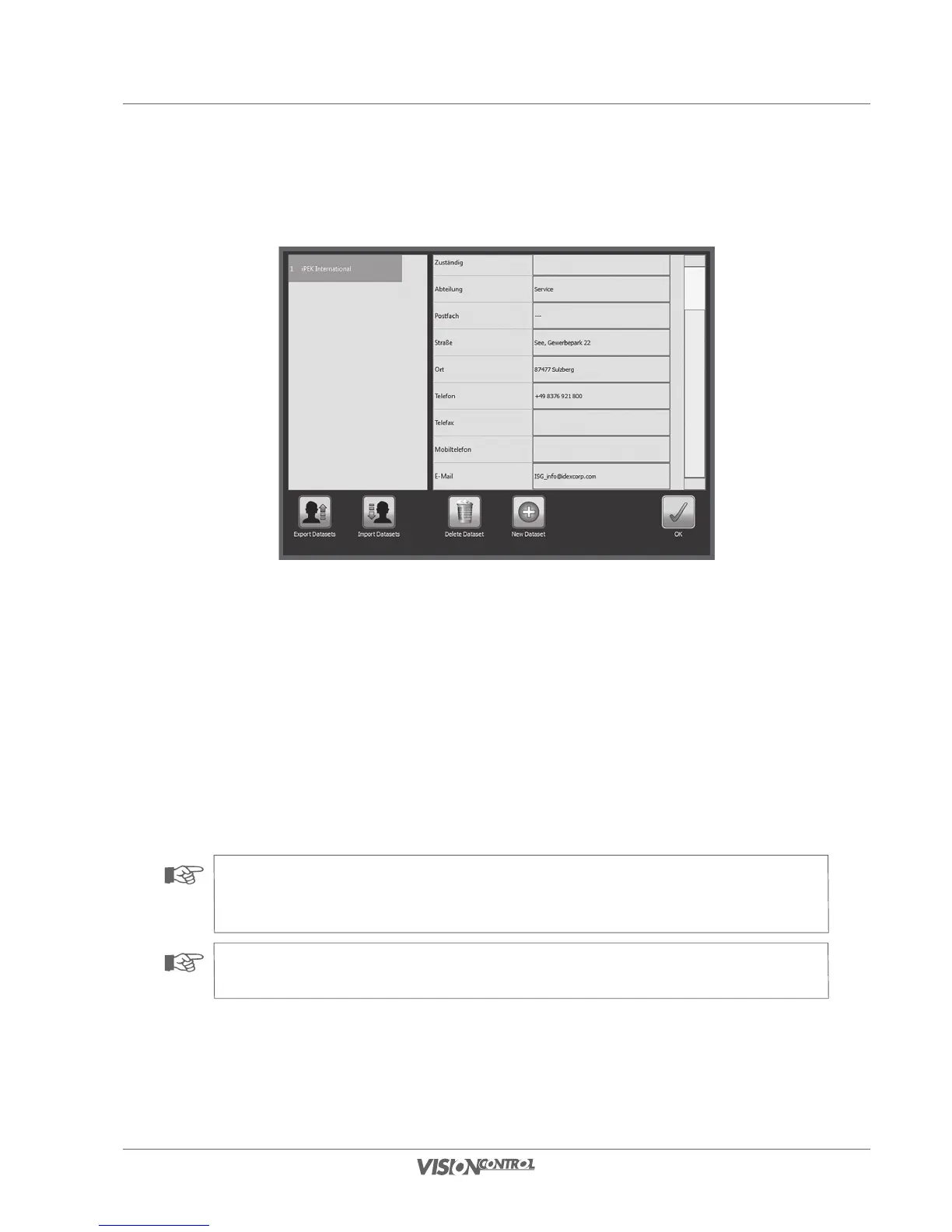
On your VISIONCONTROL control panel you can manage address data for customers, contractors, and operators and select the responsible
contacts in the respective project data. You create, manage, and delete address datasets in the project data overview.
• Use the Select button to edit the respective address dataset or to create a new dataset.
• Use the Export Datasets to backup datasets to an external data carrier.
• Use the button Import Datasets to import data from an external data carrier.
• Use the button New Dataset to create a new address dataset.
• Use the button Delete Dataset to delete a selected address dataset.
• Confirm your entries with OK.
NOTE!
You can manage address datasets with your VISIONCONTROL control panel. Read the data privacy instructions in this regard
on Seite 15.
NOTE!
You can also change the address data of a project after creating a project.



 To Next Page