www.javad.com Maxor Operator’s Manual 2-5
CONFIGURATION
Powering the Maxor
To access the tab controlling the power settings of your receiver, take the
following steps:
1. Connect your receiver and computer. See “Connecting the Maxor and a
Computer” on page 2-9 for this procedure.
2. Start PCView.
3. Once connected, click Configuration->Receive
r.
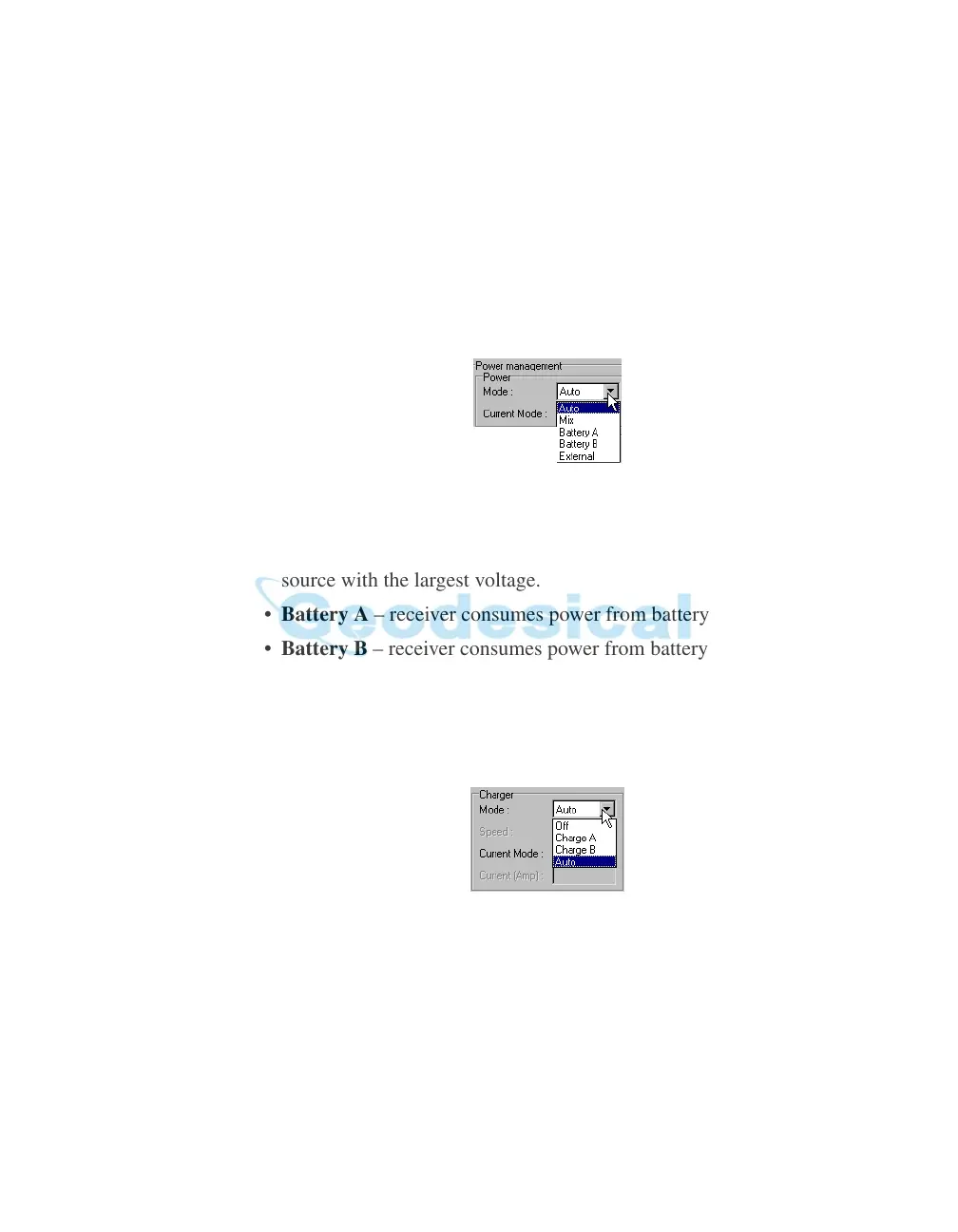
4. Select the Power Mode drop-do
wn list to set the desired power source
(Figure 2-2). Current Mode display
s the current power source.
Figure 2-2. Select Power Mode
• Auto – receiver automatically selects the power source.
• Mix – receiver automatically detects and consumes power from the
source with the lar
gest voltage.
• Battery A – receive
r consumes power from battery A.
• Battery B – receive
r consumes power from battery B.
• External – receiv
er uses an external power supply.
5. Select the Charger Mode drop-down list to set the
desired charger
mode (Figure 2-3). Current Mode di
splays the charging battery: a, b,
or none (off).
Figure 2-3. Select Charger Mode
• Off – receiver will not charge batteries.
• Charge A – receiver will
charge only battery A.
• Charge B – receive
r will charge only battery B.
• Auto – receiver will automatically
detect and charge both batteries.



 To Next Page