2-24 Maxor Operator’s Manual www.javad.com
CONFIGURATION
MinPad Configuration
2
Initial Data Collection Dynamic Mode parameter
These radio buttons specify the starting occupation type descriptor inserted at
the beginn
ing of receiver files logged. You select Static or Kinematic to
specify that the corresponding log file will start with a static or kinematic
occupation, respectively.
Data Recording Auto-start parameter
These radio buttons allow you to program your receiver's behavior in the
event of a power failure.
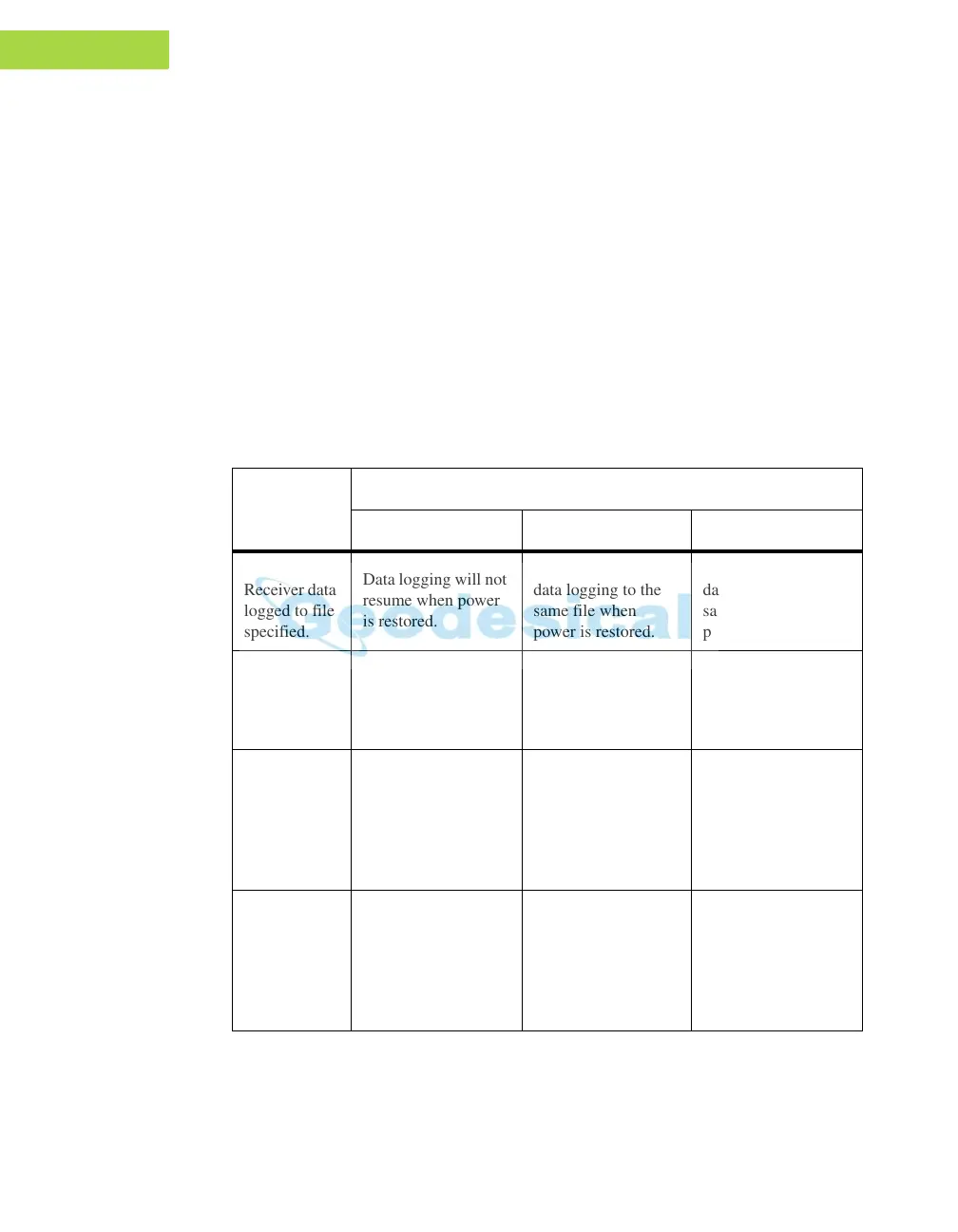
Table 2-2 gives
the different scenarios available and the results after power is
restored to the receiver.
"Specified file" refers to the file name ent
ered in the
Always append to file parameter.
Also, if Always is enabled, your receiv
er will automatically start logging
data (to a newly created or an existing file) in the following three cases:
Table 2-2.
Data Recording Parameter Behavior
Before
Power
Failure
Enabled Radio Button Results
Off On Always
1
Receiver data
logged to file
specif
ied.
Data logging will not
resume when po
wer
is restored.
Receiver will resume
data logging to the
same f
ile when
power is restored.
Receiver will resume
data logging to the
same file when
power is restored.
2
Receiver data
logged to
default file.
Data logging will not
res
ume when po
wer
is restored.
A new log file will
open when power
is
restored and data will
log to this file.
A new log file will
open when power is
restored and data will
log to this file.
3
File
specified;
receiver data
logging not
started.
No file will open
with this na
me.
Data logging will not
start when power is
restored.
No f
ile will open
with thi
s name
.
Data logging will not
start when power is
restored.
A log file with this
name will
open and
data logging will
start after power is
restor
ed.
4
No file
specified;
receiv
er data
logging off.
Data logging will not
start when power is
restored.
Data logging will not
start when power is
restored.
A log file with a
default name will
open and
data
logging will start
after power is
restored.



 To Next Page