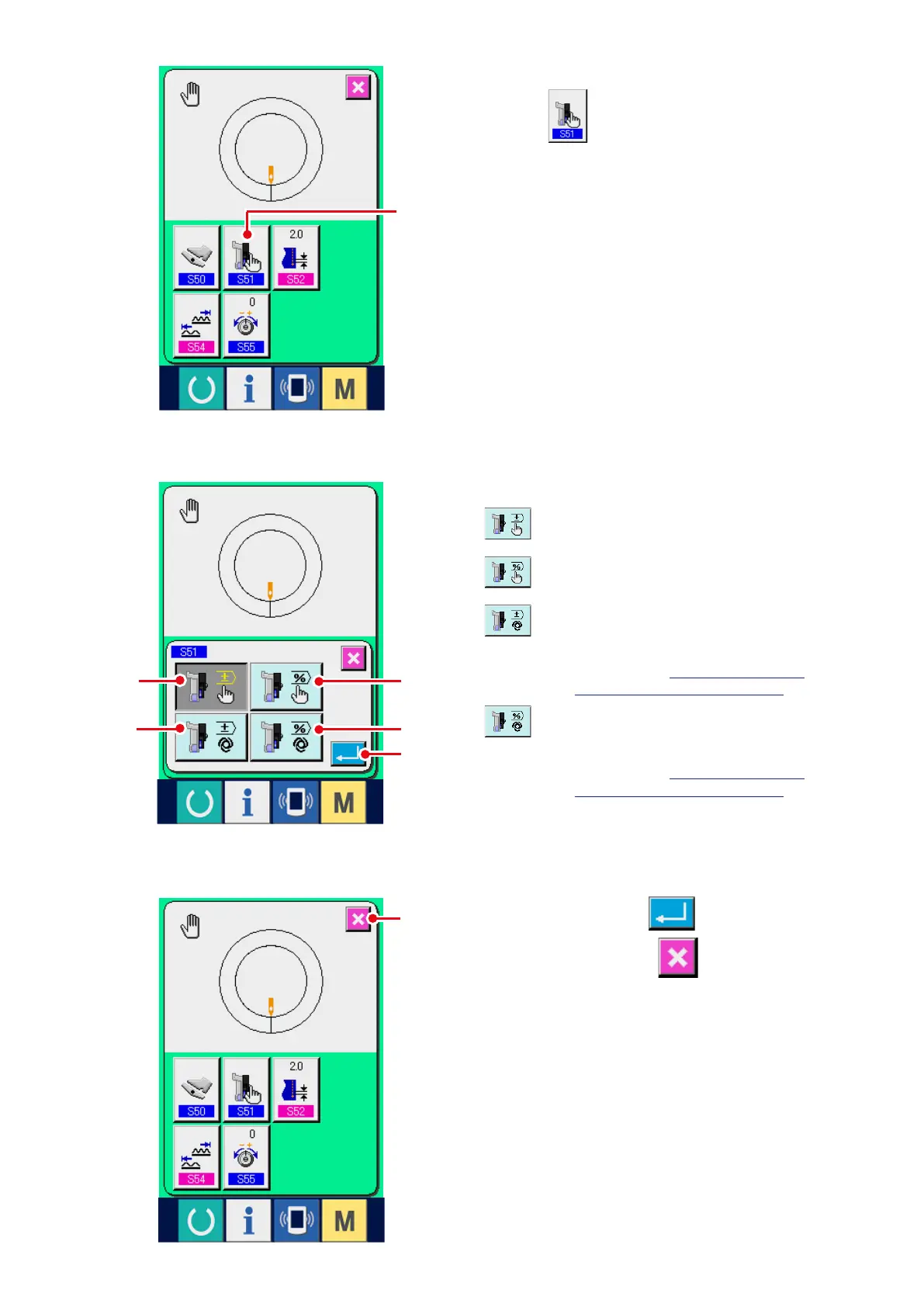
2) Press AUXILIARY FEED MODE SELECTION
button
2
.
4) Press ENTER button
8
.
5) Press CANCEL button
9
.
4
: Fixed value can be manually inputted
by numeral and set.
5
: Fixed value can be manually inputted
by ratio (%) and set.
6
: Operation interlocking the shirring
amount is performed.
Setting is performed by numeral
inputting with
"10-1 (3) Auxiliary
feed interlock mode setting"
.
7
: Operation interlocking the shirring
amount is performed.
Setting is performed by ratio (%)
inputting with
"10-1 (3) Auxiliary
feed interlock mode setting"
.
3) Select the auxiliary feed operating mode.
2
5
7
8
9
6
4



 To Next Page