–
160
–
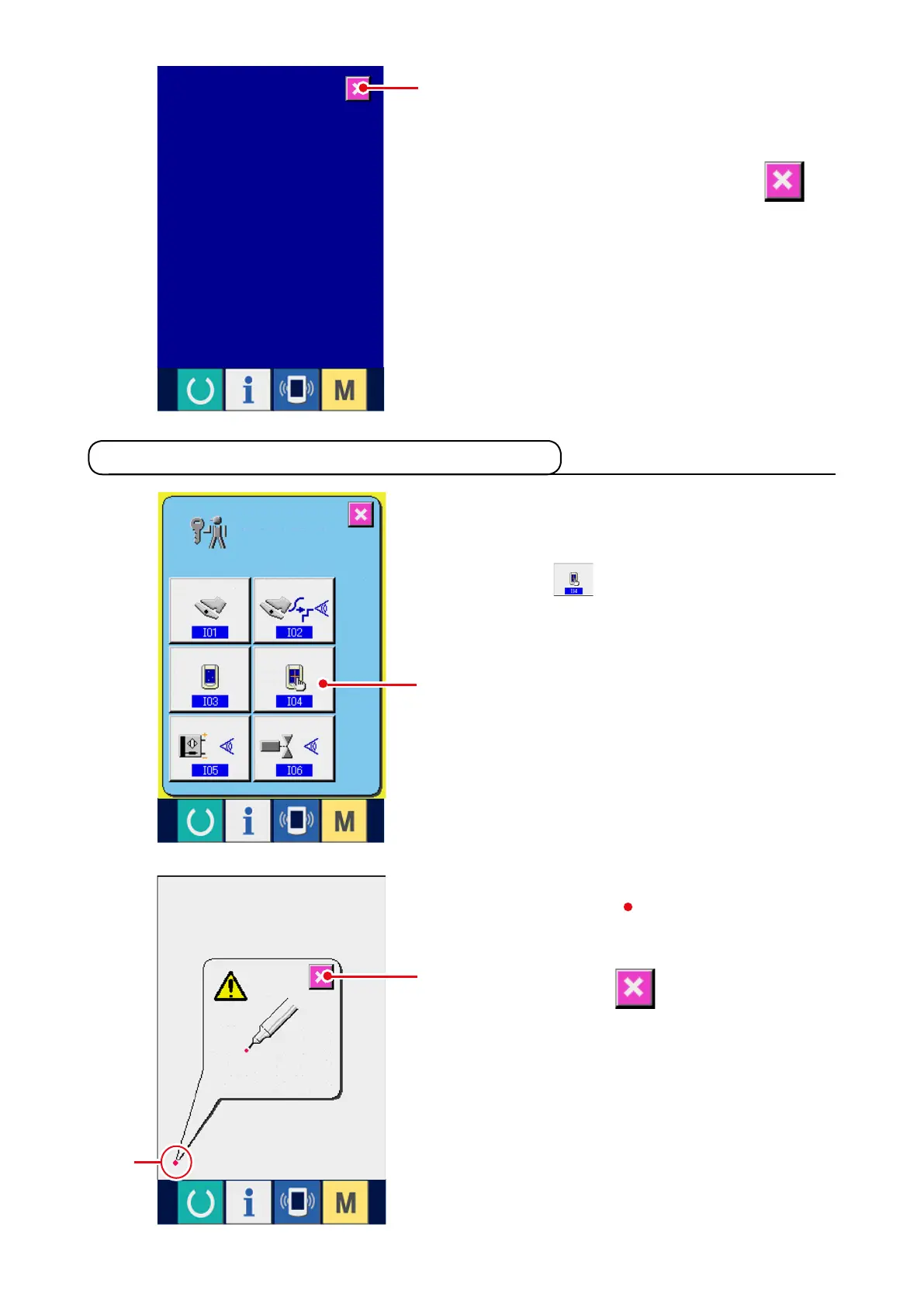
2) Check whether any dot of LCD is omitted.
The screen of LCD check screen is displayed by
one color only. Check in this state whether any
dot is omitted or not.
After checking, press CANCEL button
2
.
The LCD check screen is closed and the check
program screen is displayed.
1) Display the touch panel compensation
screen.
W h e n TO U C H PA N E L C O M PE N S AT I O N
button
1
on the check program screen is
pressed, the touch panel compensation screen
is displayed.
21-5 Performing touch panel compensation
2) Press the lower left position.
Press red circle
3
located at the lower left
position on the screen.
When fi n i s h i n g th e compensation, press
CANCEL button
2
.
2
1
2
3



 To Next Page