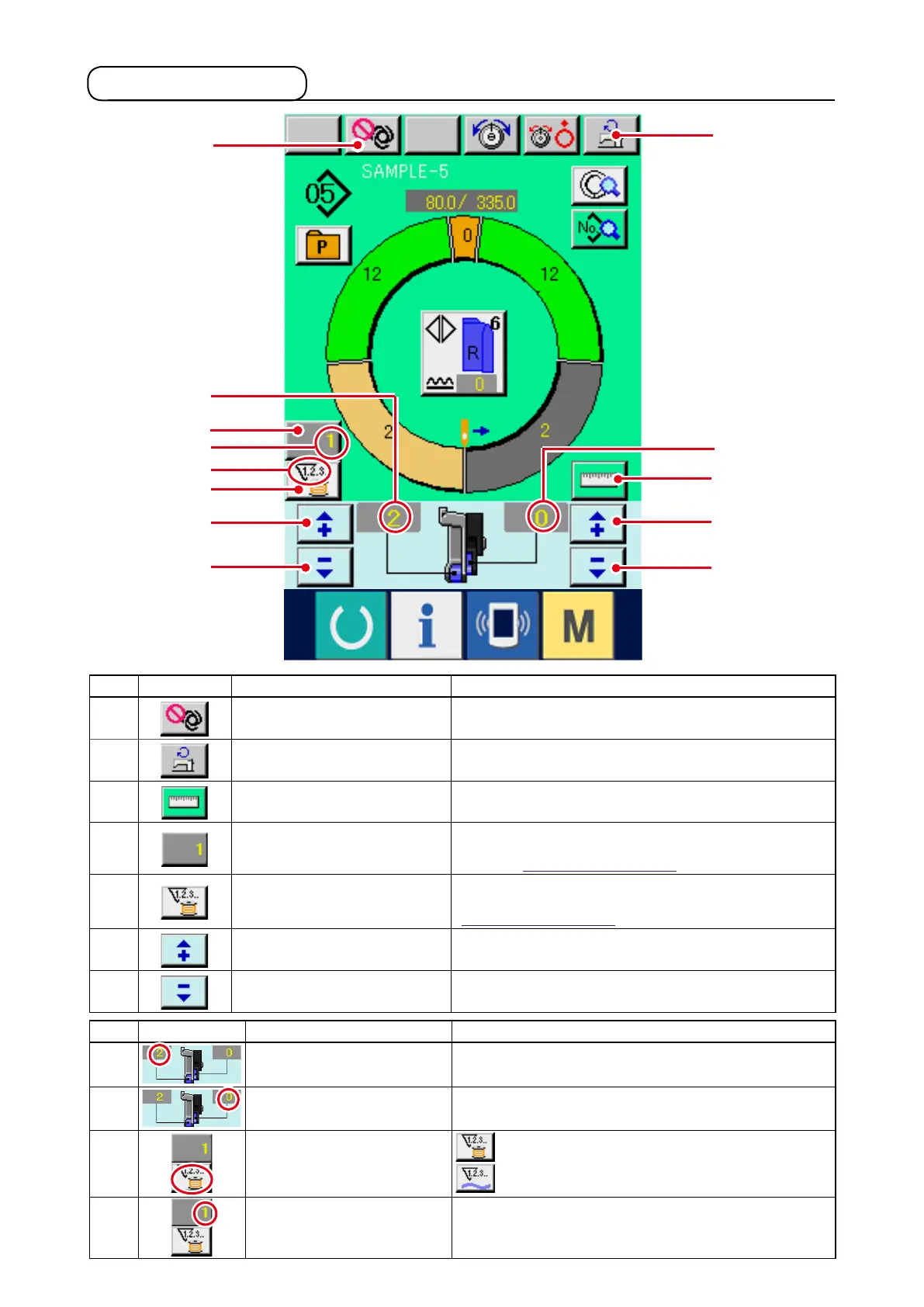
7-2 Sewing screen
!9
@4
@3
@0
@4
@3
@2
M
J
@1
L
K
!8
No. Display Name of button Description
!8
FULL AUTO INTERRUPTION
button
When the button is pressed, fully-automatic is interrupted
and measuring is stopped.
!9
MAX. SEWING SPEED SET-
TING button
When the button is pressed, max. sewing speed setting
screen is displayed.
@0
MEASURE button
When the button is pressed, length of each step is measured during sewing
and reected to the icon display shape of step selection button.
@1
COUNTER SETTING button When the button is pressed, bobbin/No. of pcs. counter
setting screen is displayed.
This screen is displayed when
setting at
"11. USING COUNTER".
@2
COUNTER SELECTION button
When the button is pressed, bobbin/No. of pcs. counter is
changed over.
This screen is displayed when setting at
"11. USING COUNTER".
@3
"+" button
When the button is pressed, the numeral is increased.
@4
"–" button
When the button is pressed, the numeral is decreased.
Symbol
Display Name of display Description
J
SHIRRING AMOUNT display Shirring amount is displayed.
K
SHIRRING AMOUNT FOR
AUXILIARY FEED display
Shirring amount of auxiliary feed is displayed.
L
COUNTER display
display : This is displayed when bobbin counter is used.
display : This is displayed when No. of pcs. counter is used.
M
COUNTER SET VALUE dis-
play
Set value of counter is displayed.



 To Next Page