–
66
–
8. OPERATION OF THE SEWING MACHINE
(FULLY-AUTOMATIC APPLICATION VOLUME)
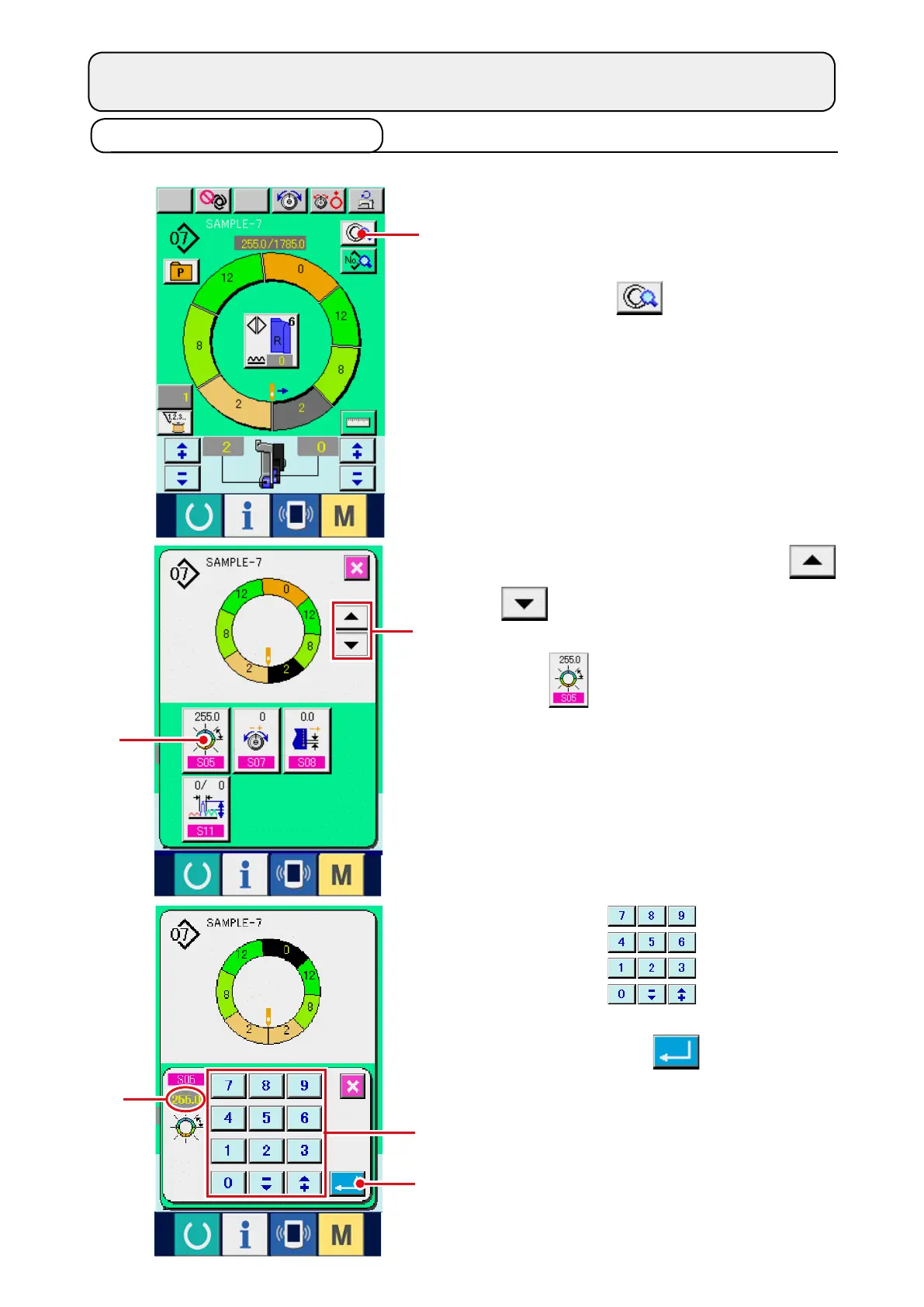
8-1 Correcting the pattern
(1)Changingthelengthofspeciedstep<Lengthbetweenstepssetting>
* The state that can be changed in the sewing
screen is the state that step 1 is selected before
starting sewing.
1) In the state that step 1 is selected, press STEP
DETAILS button
1
.
2) Press STEP FEED/RETURN buttons
2
to select the step to be changed.
3) Press LENGTH BETWEEN STEPS SETTING
button
3
.
4) Press ten keys
4
to change length
between steps
A
.
5) Press ENTER button
5
.
4
A
5
1
2
3



 To Next Page