–
74
–
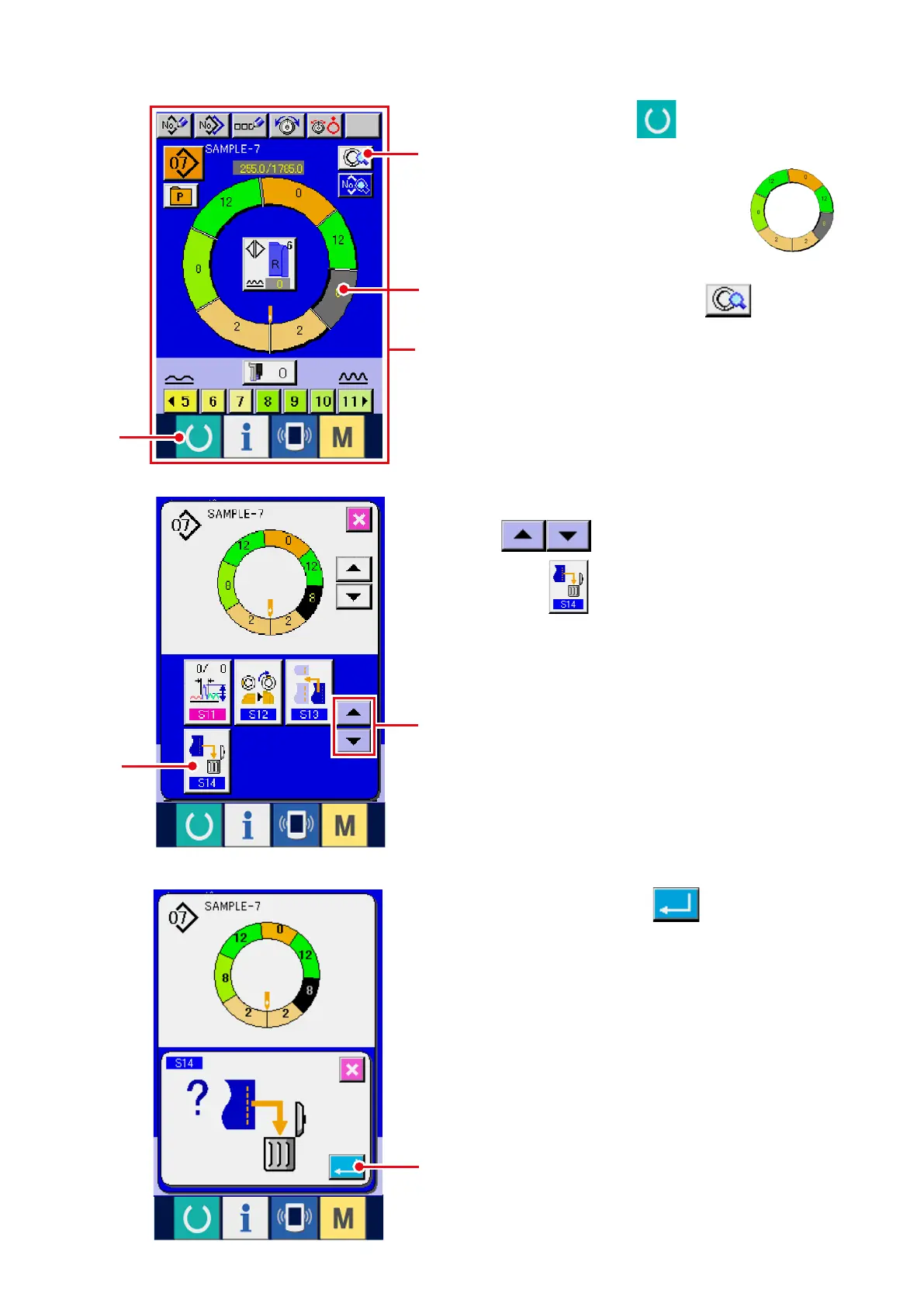
5) Press ENTER button
6
.
(7) Deleting the step <Step deletion>
4) Change over the display with SCROLL buttons
4
and press STEP DELETION
button
5
.
1) Press READY key
1
to change over the
screen to data input screen
A
.
2) Press STEP SELECTION button
2
to select the step to be deleted.
3) Press STEP DETAILS button
3
.
A
5
4
2
3
1
6



 To Next Page